
How to Transform Salesforce Training Videos into Documentation with Docsie
Salesforce implementations come with a mountain of training content—video walkthroughs for leads, contacts, accounts, opportunities, workflows, and custom objects. These videos are valuable, but they're also hard to search, slow to consume, and impossible to update without re-recording.
Docsie's Documentation Assistant lets you convert Salesforce training videos into structured, searchable documentation automatically. This guide walks you through the entire process.
Watch the full tutorial:
Why Convert Salesforce Training Videos?
Salesforce training typically happens through video—screen recordings showing how to navigate the CRM, manage pipelines, create reports, and handle day-to-day tasks. But video-only training has problems:
- New hires can't search for answers — They have to watch entire videos to find one piece of information
- Experienced users forget details — Rewatching a 20-minute video for a 30-second refresher is inefficient
- Updates require re-recording — When Salesforce changes (which it does constantly), video content becomes outdated
- Different learning preferences — Some people learn better from text and screenshots than from video
Converting videos to documentation gives you both formats: the original video for those who prefer it, plus searchable written guides for everyone else.
What You'll Need
- A Salesforce training video (YouTube, Loom, or uploaded file)
- A Docsie account (book a demo to get started)
- 10-15 minutes for processing and review
Step-by-Step: Salesforce Video to Documentation
Step 1: Find Your Training Video
Locate the Salesforce training video you want to convert. This could be:
- Internal recordings — Your own Loom or Zoom recordings of Salesforce processes
- YouTube tutorials — Public training content that covers your use case
- Vendor training — Videos from Salesforce partners or consultants
For this example, we'll use a YouTube video covering Salesforce core objects: leads, contacts, accounts, and opportunities.

Step 2: Copy the Video URL
Copy the full URL from your browser's address bar. Docsie works with:
- YouTube links
- Loom links
- Vimeo links
- Direct video file uploads (MP4, MOV, etc.)
Step 3: Open Docsie Documentation Assistant
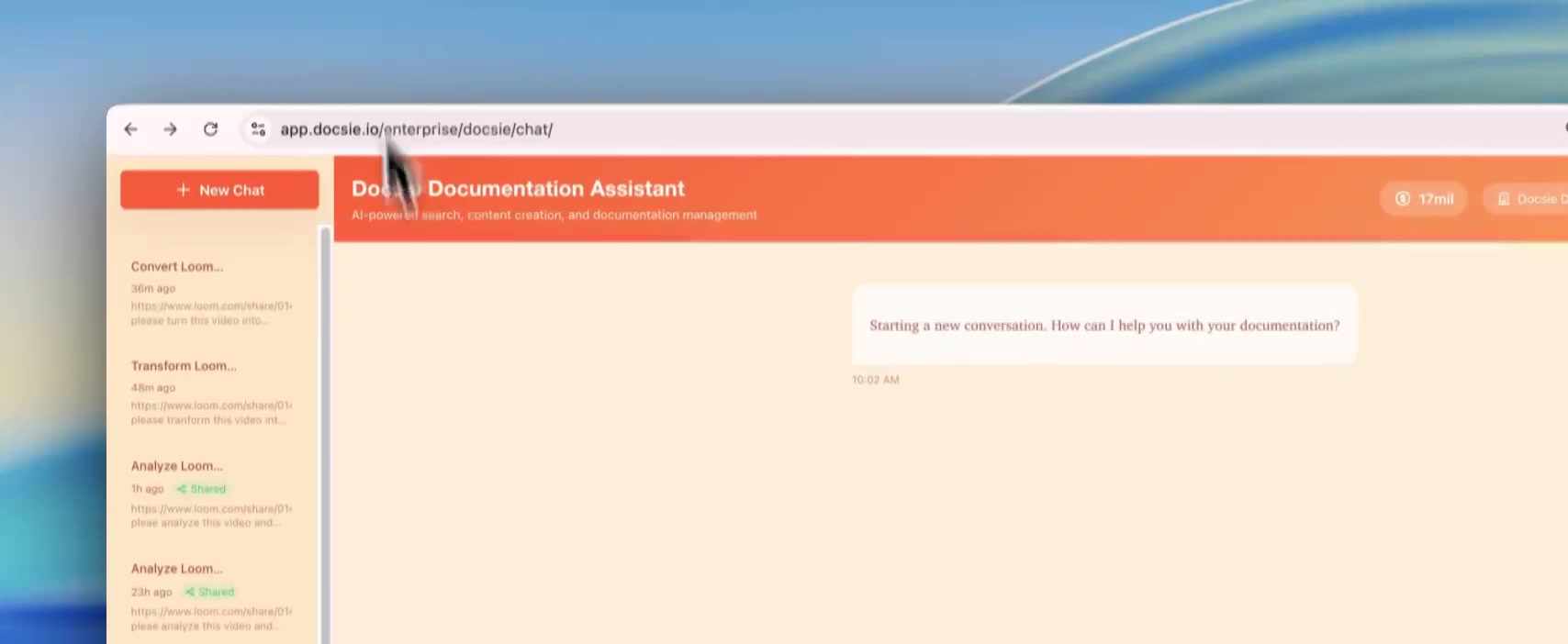
Log into your Docsie workspace and open the Documentation Assistant. You'll see a chat interface ready to accept your request.
Step 4: Submit Your Video
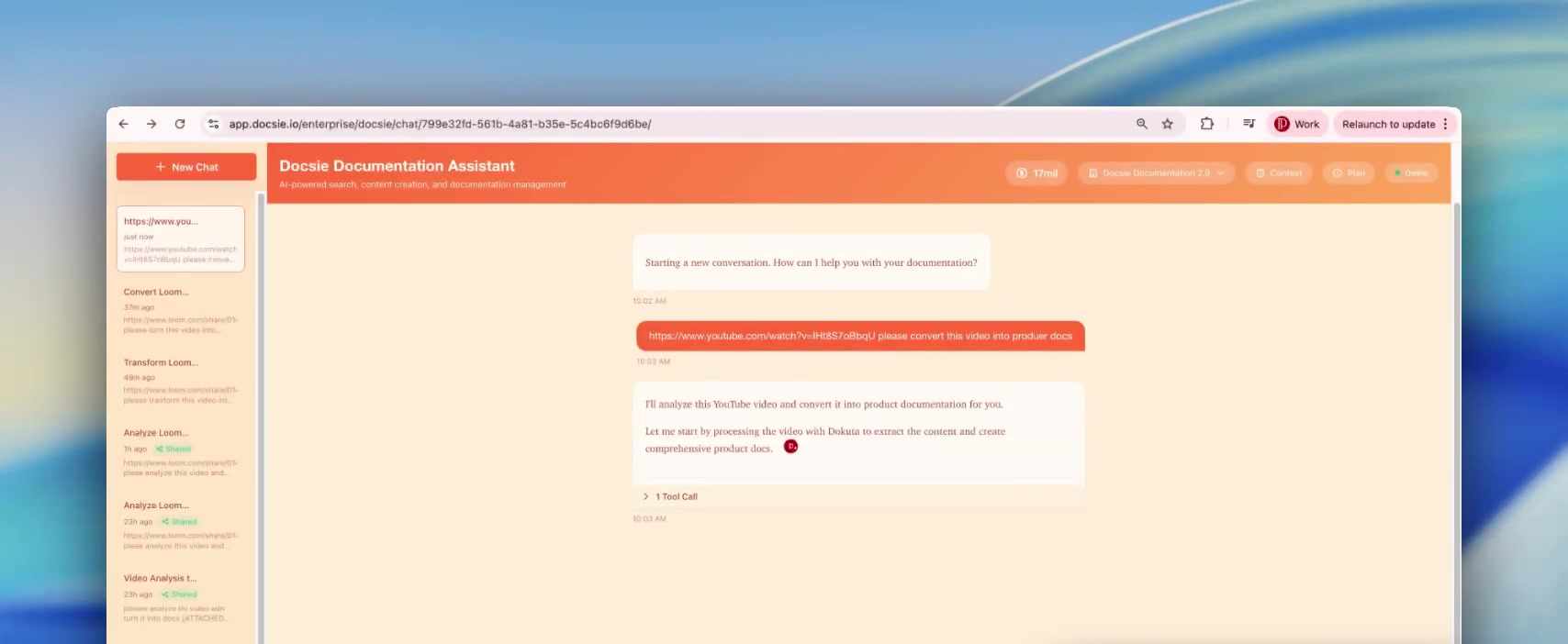
Paste the video URL into the chat and add a simple request:
"Please convert this video into documentation"
Docsie will acknowledge your request and begin processing.
Step 5: Wait for Processing
The AI now performs several tasks automatically:
- Downloads the video content
- Transcribes the audio narration
- Analyzes the visual content frame-by-frame
- Captures screenshots at key moments
- Identifies Salesforce UI elements, field names, and navigation paths
- Generates structured documentation with proper headings
Processing typically takes 2-15 minutes depending on video length. A progress bar shows the current status.

Step 6: Review Generated Documentation
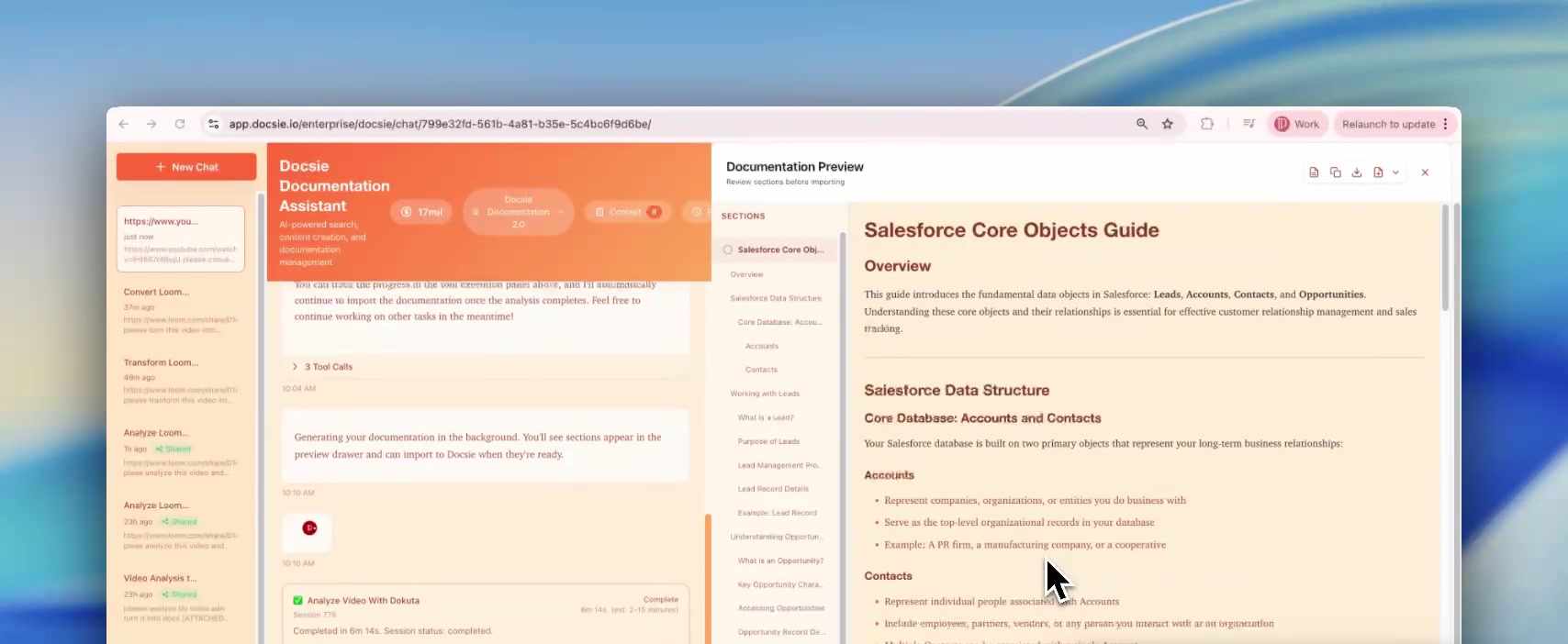
When processing completes, you'll see a documentation preview with:
- Organized sections — Content grouped by topic (Leads, Contacts, Accounts, Opportunities)
- Overview and context — Background information setting up each section
- Step-by-step instructions — Clear procedures extracted from the video
- Screenshots — Visual references captured at key moments
- Salesforce terminology — Proper field names and navigation paths
Step 7: Refine and Customize
The generated documentation is a solid first draft. Use the chat interface to refine it:
- "Add more detail to the Lead Conversion section"
- "Include a diagram showing the lead-to-opportunity flow"
- "Make the language more beginner-friendly"
- "Add a troubleshooting section for common errors"
Each request updates the documentation in real-time.
Step 8: Publish
When you're satisfied with the documentation:
- Import it into your Docsie knowledge base
- Publish to a team portal or customer-facing site
- Share the link with your Salesforce users
- Set up version control for future updates
Salesforce-Specific Benefits
Converting Salesforce training videos offers unique advantages:
Searchable CRM Knowledge
Users can search for specific fields, objects, or processes instead of scrubbing through video timelines. "How do I convert a lead?" becomes a quick lookup instead of a 5-minute video hunt.
Onboarding Acceleration
New Salesforce users can reference written guides while working in the CRM. They don't have to switch between a video player and Salesforce—the documentation lives alongside their work.
Update Without Re-Recording
When Salesforce releases updates (Lightning changes, new features, UI tweaks), you can edit the documentation directly. No need to re-record entire training videos for small changes.
Multi-Language Support
Docsie can translate your Salesforce documentation into 40+ languages—critical for global teams using the same CRM instance.
Consistent Training
Every team member gets the same documentation, formatted the same way. No more variations between what different trainers cover in their videos.
Common Salesforce Documentation Use Cases
| Video Content | Documentation Output |
|---|---|
| Lead management walkthrough | Step-by-step lead creation and conversion guide |
| Opportunity pipeline training | Pipeline stages documentation with screenshots |
| Report building tutorial | Report creation guide with field explanations |
| Custom object overview | Object relationship documentation with diagrams |
| Admin configuration | System configuration guide for admins |
Tips for Better Salesforce Documentation
Choose Good Source Videos
- Clear narration explaining each action
- Visible UI elements (not too zoomed out)
- Logical flow from start to finish
- Recent recordings (matching current Salesforce UI)
Request Salesforce-Specific Enhancements
- "Add the Salesforce object relationships to the overview"
- "Include the API names for each field mentioned"
- "Create a quick reference table for the standard objects"
Organize by User Role
Consider creating separate documentation for: - Sales reps (leads, opportunities, activities) - Sales managers (reports, dashboards, forecasting) - Admins (configuration, users, permissions)
Getting Started
Ready to convert your Salesforce training videos into searchable documentation?
- Book a demo to see Docsie work with Salesforce content
- Identify high-value videos — Start with training that gets repeated often
- Convert and refine — Let AI do the heavy lifting
- Publish to your team — Make Salesforce knowledge accessible
Book a Demo → | Salesforce Video-to-Docs Solution →
Source Material
This tutorial demonstrates converting the Salesforce training video "Salesforce Tutorial: Leads, Contacts, Accounts & Opportunities" by Rotive (Brian Hayes) into structured documentation using Docsie's Documentation Assistant.