
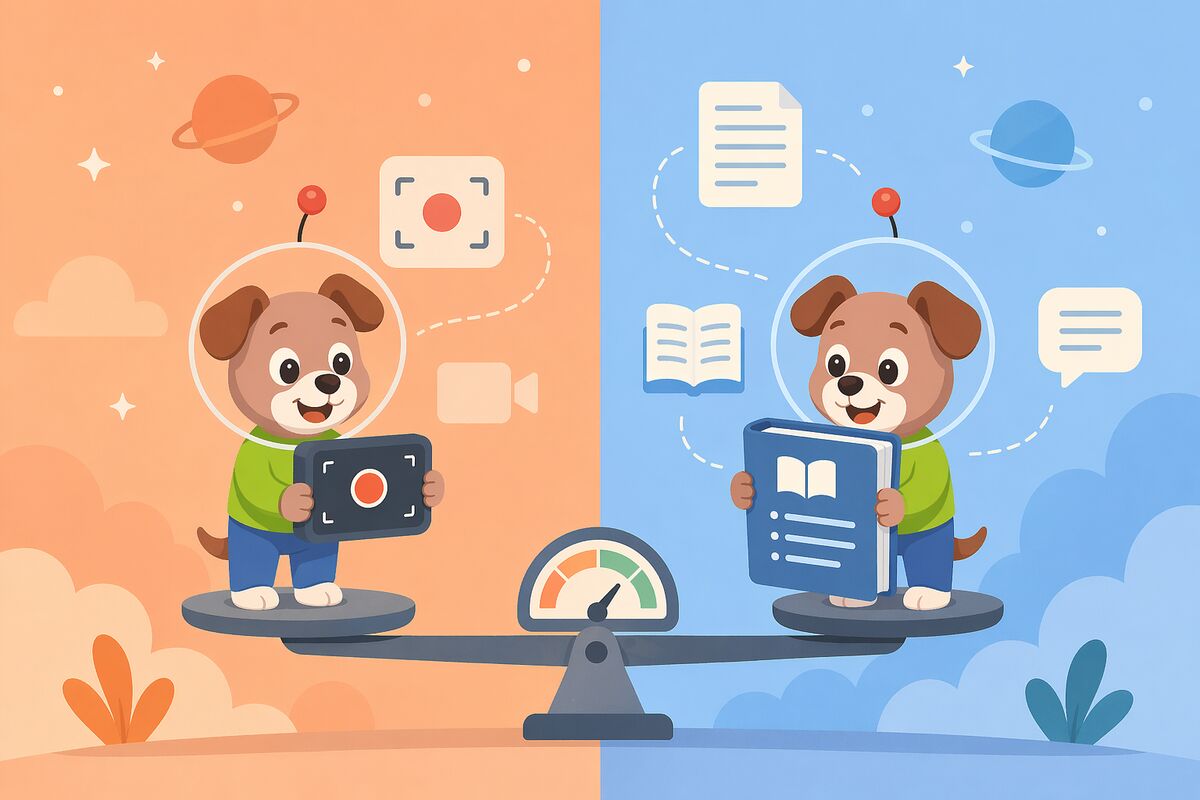
Docsie vs ScreenApp (2026): Honest Feature Comparison
Choosing documentation tools feels simple until you realize "documentation" means wildly different things to different teams. For some, it's recording a Zoom call and exporting a transcript. For others, it's orchestrating versioned knowledge bases across multiple clients, in 100+ languages, with compliance monitoring and built-in certification systems.
The confusion deepens when vendors position themselves with overlapping language. Both Docsie and ScreenApp tout "AI-powered video-to-documentation" capabilities. Both handle screen recordings. Both claim to save teams time. But scratch beneath the surface, and you're comparing a comprehensive enterprise knowledge orchestration platform against a screen recorder with AI transcription — tools designed for fundamentally different use cases.
If you're an enterprise decision-maker evaluating these platforms, this comparison will clarify exactly what each tool does, where they overlap (barely), and which one actually fits your documentation workflow.
What Is Docsie?
Docsie positions itself as an Agentic Knowledge Orchestration Platform — not just a documentation tool, but a six-pillar system that handles the entire lifecycle of enterprise knowledge management.
Here's what that means in practice: Docsie converts any content (videos, PDFs, websites, real-world footage, screen recordings) into structured documentation. It manages that content with Git-like version control, multi-step approval workflows, and intelligent content reuse. It delivers documentation through multi-tenant portals where each client gets their own branded knowledge base powered by a single source of truth. It learns through a built-in LMS with course builders, quizzes, and certifications. It automates ingestion, processing, and publishing with autonomous agents that run on your private infrastructure. And it monitors compliance in real time, flagging HIPAA, SOX, ITAR, and GDPR violations before they become liabilities.
Docsie is built for regulated industries, enterprise software companies, and professional services firms managing documentation for multiple clients simultaneously. It's SOC 2 Type II certified, offers air-gap deployment, supports 100+ languages with technical terminology preservation, and integrates SSO with Okta, Azure AD, and SAML providers.
What Is ScreenApp?
ScreenApp is an AI-first screen recorder and video analyzer — a Loom alternative that adds meeting bots, transcription, and AI-generated summaries to the basic screen capture workflow.
The platform offers a Chrome extension for browser-based recording, a meeting bot that joins Zoom/Google Meet/Teams calls automatically, and AI transcription with unlimited credits at the $19/month tier. After recording, ScreenApp generates summaries, extracts action items, and exports transcripts or simple documents. It also offers AI voiceover generation for creating narrated videos.
ScreenApp targets individuals and small teams who need quick capture-and-share functionality without the overhead of a full documentation platform. It's self-serve SaaS with SOC 2 Type II and GDPR certification, making it a credible option for teams with basic security requirements.
The key distinction: ScreenApp is a point tool optimized for recording and transcribing. It doesn't offer knowledge base management, version control, multi-tenant portals, content reuse, or any of the structured documentation features enterprise teams expect from platforms like Confluence, GitBook, or Docsie.
Feature Comparison: Where These Tools Actually Differ
For a detailed side-by-side breakdown, see our full Docsie vs ScreenApp comparison page. Below, we focus on four dimensions that matter most to enterprise buyers.
1. Content Input: Screen Recordings vs. Universal Conversion
ScreenApp does one thing very well: it captures screens. The Chrome extension lets you record browser tabs, entire screens, or specific application windows. The meeting bot joins video calls and records automatically. You get clean video files with AI transcription and summaries.
But that's where content input ends. If you have training videos shot on a real camera, product demos recorded outside a browser, legacy PDFs, or website content you want to ingest, ScreenApp offers no pathway. It's a screen recorder, not a content conversion platform.
Docsie converts any video type — real-world footage, screen recordings, Loom videos, Zoom recordings — plus PDFs, Word docs, HTML, and web pages. The platform's CONVERT pillar uses AI to extract structure, identify topics, and generate documentation from essentially any knowledge artifact your organization has accumulated.
This matters enormously for enterprises with documentation debt. Most organizations don't start from zero — they have years of training videos, PDF manuals, legacy PowerPoints, and scattered Google Docs. Docsie ingests it all. ScreenApp only works with what you record through its own tools.
2. Documentation Management: Export vs. Orchestration
ScreenApp generates transcripts and simple document exports. After recording, you can download a text file or a basic formatted doc. That's the endpoint — ScreenApp doesn't host knowledge bases, doesn't version content, doesn't manage workflows.
If you need to update that document later, you re-record or manually edit the export. If you want to reuse a section across multiple documents, you copy-paste. If you need approval before publishing, you handle that in Google Docs or Notion.
Docsie provides enterprise-grade documentation management as a core platform feature. Content lives in a Git-like version control system where you can branch, merge, and roll back changes. Multi-step approval workflows route drafts through technical reviewers, legal, and compliance before publication. Smart content blocks let you write once and reuse across multiple documents — update the block, and every instance updates automatically.
This is the difference between exporting files and orchestrating a knowledge system. ScreenApp gives you output. Docsie manages the entire content lifecycle.
3. Multi-Tenant Delivery: No Portal vs. Branded Client Portals
ScreenApp doesn't deliver documentation at all. It records videos and generates transcripts. If you want to share that content with clients or customers, you export a file and host it elsewhere — your existing knowledge base, a shared drive, an email attachment.
There's no portal, no branded interface, no way to organize multiple documents into a searchable knowledge base. ScreenApp is upstream of delivery; it's a capture tool, not a publishing platform.
Docsie's DELIVER pillar provides multi-tenant portals where one knowledge base powers unlimited client-branded documentation sites. Each client gets their own custom domain, branding, and access controls, but you manage all content from a single source of truth.
For professional services firms, software vendors, or any company delivering documentation to multiple clients, this is transformative. You write documentation once, then surface it through Portal A for Client A with their branding, Portal B for Client B with theirs, and an internal portal for your own team — all automatically synchronized to the same versioned content.
This capability alone justifies Docsie's enterprise positioning. ScreenApp doesn't even attempt to solve this problem.
4. Learning & Compliance: None vs. Built-In LMS and Monitoring
ScreenApp records meetings and transcribes them. That's the end of the value chain. If you want to turn that content into training courses, certify that employees watched it, or monitor for compliance violations, you need entirely separate tools.
Docsie includes a full built-in LMS (LEARN pillar) with course builders, quizzes, certifications, and per-tenant progress tracking. You convert a training video into documentation, then immediately package it as a certification course with assessments. Each client in your multi-tenant system can track their own team's progress independently.
Docsie also monitors compliance in real time (MONITOR pillar), scanning content for HIPAA, SOX, ITAR, and GDPR violations before publication. For regulated industries, this isn't optional — it's table stakes. ScreenApp offers nothing comparable.
Pricing Reality Check
ScreenApp starts at $19/month for the Growth plan with unlimited AI credits. That's genuinely affordable for individuals and small teams who just need transcription and basic video-to-doc conversion.
Docsie pricing reflects its enterprise scope — version control, multi-tenant portals, LMS, agentic automation, and compliance monitoring aren't cheap to build or operate. Docsie targets teams with serious documentation requirements and budgets to match.
The pricing gap isn't arbitrary; it reflects fundamentally different value propositions. ScreenApp is self-serve SaaS. Docsie is enterprise knowledge orchestration. You're not choosing between two equivalent tools at different price points — you're choosing between a point tool and a platform.
Who Should Choose What?
Choose ScreenApp if:
- You're an individual contributor or small team needing simple screen recording
- Your documentation "workflow" is recording a meeting and exporting a transcript
- You want a Loom alternative with AI transcription under $20/month
- You already have a knowledge base (Notion, Confluence) and just need capture tools
- You don't need version control, approval workflows, or structured content management
Choose Docsie if:
- You manage documentation for multiple clients and need branded portals for each
- You convert diverse content types — videos, PDFs, websites — into structured docs
- You require enterprise version control with branching, approval workflows, and audit logs
- You need 100+ language auto-translation for global documentation delivery
- You're building training programs with certifications and progress tracking
- You operate in regulated industries requiring real-time compliance monitoring
- You want autonomous agents handling ingestion, processing, and publishing workflows
- You need air-gap deployment with all processing on private infrastructure
- You're evaluating alternatives to Confluence, GitBook, or MadCap for enterprise use
The Bottom Line: Platform vs. Point Tool
Docsie and ScreenApp aren't really competitors — they solve different problems at different scales.
ScreenApp is a capable, affordable screen recorder with AI transcription. If you're a solo founder recording product demos or a small team transcribing stand-ups, it's a solid choice. But it's a point tool. It captures and transcribes. That's it.
Docsie is a six-pillar enterprise knowledge orchestration platform. It converts any content into structured documentation, manages it with version control and approval workflows, delivers it through multi-tenant branded portals, trains with a built-in LMS and certification system, automates with autonomous agents, and monitors compliance in real time across 100+ languages.
For any team beyond basic screen capture needs, Docsie wins decisively on feature depth. The gap isn't close — it's architectural. ScreenApp doesn't offer knowledge base hosting, version control, multi-tenant portals, content reuse, LMS functionality, agentic automation, or compliance monitoring because it's not designed to. It's a video tool with AI transcription, not a documentation management system.
If your organization needs structured knowledge management, regulated industry compliance, and scalable multi-client documentation delivery, Docsie isn't just better than ScreenApp — it's the only option on this comparison that actually addresses those requirements.
For the comprehensive feature-by-feature breakdown, see our full Docsie vs ScreenApp comparison.
Ready to See the Difference?
If you're evaluating documentation platforms for enterprise use, start with a hands-on trial. Docsie offers a free trial where you can test content conversion, multi-tenant portals, version control, and agentic AI search without talking to sales.
Try Docsie free for 14 days — no credit card required. Convert your first video into structured documentation, set up a branded portal, and see what enterprise knowledge orchestration actually looks like in practice.
Because choosing between a screen recorder and a knowledge platform isn't really a choice at all — it's a question of whether you're solving a capture problem or building a documentation system.