
Docsie vs Guidde: Feature Comparison 2026
Choosing the right documentation tool feels like navigating a maze. Your team records training sessions, captures screen workflows, and builds knowledge bases—but finding a platform that handles all these formats while delivering content to customers and employees is harder than it should be. Many teams end up cobbling together multiple tools: one for video creation, another for documentation hosting, and a third for customer portals. The result? Fragmented knowledge, inconsistent branding, and frustrated users.
Docsie and Guidde both promise to simplify documentation creation from video content, but they approach the problem from opposite angles. Understanding these differences matters because choosing the wrong tool means rebuilding your entire documentation workflow in 12 months.
What is Docsie?
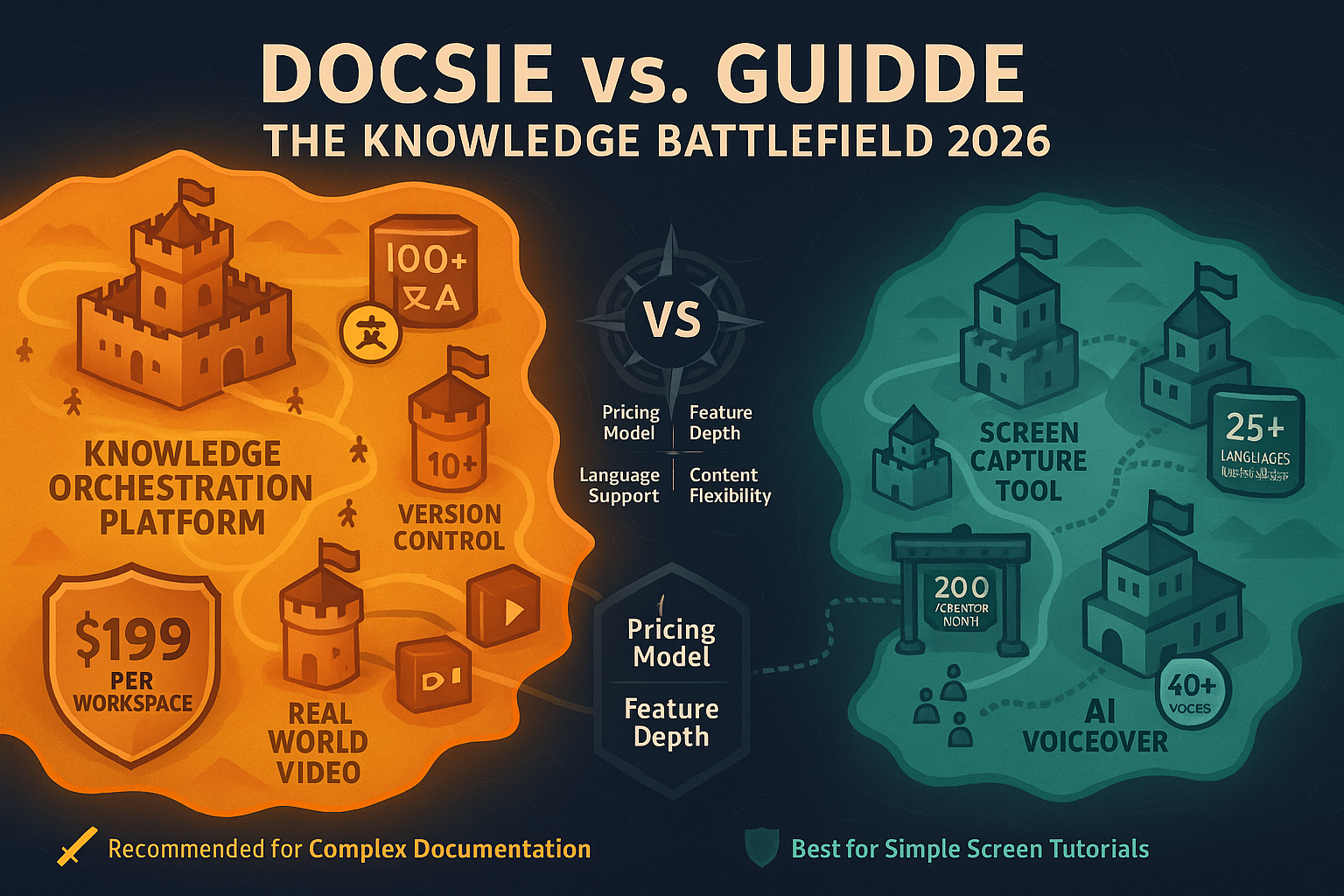
Docsie is an Agentic Knowledge Orchestration Platform that transforms raw content—training videos, screen recordings, PDFs, websites—into structured knowledge bases using multimodal AI. But Docsie doesn't stop at conversion. It manages versions, handles translations across 100+ languages, and delivers documentation through branded portals, AI chatbots, and embeddable widgets.
The platform's architecture follows a CONVERT → MANAGE → DELIVER workflow. Upload a 45-minute training video, and Docsie's AI extracts key procedures, creates searchable documentation, and makes it available instantly through your branded portal. When you update that video, version control tracks changes, and multi-tenant capabilities let you deliver customized versions to different clients—all from a single source.

What is Guidde?
Guidde is an AI Video Documentation tool built around one core function: capturing screen workflows and converting them into polished tutorial videos with AI voiceovers. Install the Chrome extension, click record, perform your workflow, and Guidde generates a professional video complete with narration in your choice of 400+ studio-quality voices. As a bonus, it creates step-by-step text guides alongside each video.
Guidde optimizes for speed and simplicity. Customer support teams use it to create quick how-to videos. Product teams document new features in minutes. The Magic Mic feature lets you narrate while recording, with automatic transcription. The output is a branded video player with custom themes and CTAs—perfect for embedding in help centers or sharing via link.
Core Capability Differences
Content Source Flexibility
This is where the platforms diverge most dramatically. Docsie accepts any video type: training recordings, real-world footage of physical processes, archived webinars, Loom videos, or traditional screen captures. Upload a safety training video shot in a warehouse, and Docsie's multimodal AI extracts procedures, safety protocols, and compliance steps into structured documentation.
Guidde works exclusively with screen captures through its browser extension. You cannot upload existing videos, convert training footage, or document physical processes. If your documentation needs extend beyond software workflows—equipment operation, laboratory procedures, field service protocols—Guidde cannot help. The tool is purpose-built for screen-based tutorials, period.
This limitation affects enterprise teams significantly. Most organizations have libraries of training videos, recorded webinars, and legacy content that needs documentation. Docsie converts these assets into searchable knowledge bases. Guidde starts from scratch with each screen capture.
Documentation Management vs. Video Creation
Docsie provides enterprise-grade documentation management: version control that tracks every change, content reuse across multiple documentation sets, approval workflows for regulated industries, and audit logs for compliance. You can maintain parallel versions of documentation for different product releases, roll back changes, and track who approved what content when.
These features matter for teams managing complex documentation at scale. Medical device companies need FDA-compliant version control. SaaS companies serving enterprise clients need separate documentation versions for different customer tiers. Financial services need audit trails showing exactly what information was available to customers at specific points in time.
Guidde offers none of this. It excels at creating individual video guides quickly, but provides no version control, no approval workflows, and no documentation management infrastructure. Each video exists independently. If you need to update information across 50 tutorial videos, you're updating them manually, one by one.
Delivery and Multi-Tenancy
Docsie's multi-tenant architecture is its killer feature for B2B companies. Create one master knowledge base, then deliver customized, branded versions to unlimited clients. Each client gets their own portal with their branding, their domain, and content filtered to their subscription tier—all managed from a single source.
This architecture solves a massive pain point for software companies, managed service providers, and anyone serving multiple clients. Instead of maintaining separate documentation instances for each customer, you maintain one source of truth with intelligent delivery. Update the master knowledge base, and changes flow to every client portal instantly—or selectively, based on rules you define.
Guidde creates videos that you share via link or embed in help centers. There's no portal functionality, no multi-tenant delivery, and no way to maintain separate branded instances for different customers. You can customize the video player branding, but each video is a standalone asset.
AI Capabilities and Search
Docsie implements what it calls "agentic AI search"—an approach that uses tool calls rather than pure RAG (Retrieval-Augmented Generation). When users ask questions, Docsie's AI chatbot doesn't just retrieve similar content; it understands context, calls specific tools, and provides structured answers with source citations. The system handles complex queries spanning multiple documents, videos, and content types.
The AI also powers automatic translation to 100+ languages, maintaining technical accuracy across translations. For global companies, this means creating documentation once in English and delivering it automatically in Japanese, German, Portuguese, or any other language your customers speak.
Guidde's AI focuses on one task: generating voiceovers. It does this exceptionally well—the voice quality rivals professional voice actors. But there's no AI search, no chatbot, and no translation. The AI serves video production, not knowledge retrieval.
Who Should Choose What
Choose Docsie If You Need...
Comprehensive Documentation from Multiple Sources: Your organization has training videos, screen recordings, PDFs, and websites that need to become searchable documentation. You can't afford to recreate everything from scratch through new screen captures.
Enterprise Documentation Management: You operate in regulated industries requiring version control, approval workflows, and audit logs. You need to track changes, maintain compliance, and prove what information was available when.
Multi-Client Delivery: You serve multiple customers or divisions, each needing branded documentation portals with customized content. Managing separate documentation instances for each client is unsustainable.
Global Reach: Your customers span multiple languages, and manual translation is too slow and expensive. You need automatic, accurate translation that maintains technical precision.
Knowledge Base Infrastructure: You want documentation delivered through AI chatbots, embeddable widgets, and branded portals—not just standalone video files. You need APIs and webhooks for custom integrations.
Long-Term Scalability: Your documentation needs will grow from hundreds to thousands of articles, served to growing numbers of users and clients. You need infrastructure that scales without proportional cost increases.
For detailed feature breakdowns, see our complete Docsie vs Guidde comparison.
Choose Guidde If You Need...
Quick Screen Recording Videos: Your primary need is capturing software workflows and turning them into tutorial videos with professional voiceovers—fast. You don't need broader documentation management.
Small Team Video Creation: You have fewer than 5 people creating content, and they all work with browser-based applications. The free tier or basic plan covers your needs.
Video-First Content Strategy: Your audience strongly prefers video content over text documentation. The step-by-step text guides Guidde generates are sufficient for your text-based needs.
Minimal Documentation Complexity: You don't need version control, multi-tenant portals, or enterprise compliance features. Simple video sharing meets your requirements.
The Bottom Line: Why Docsie Wins for Enterprise Documentation
For teams evaluating comprehensive documentation platforms, Docsie provides capabilities that Guidde fundamentally cannot match. This isn't about one tool being "better"—it's about architectural differences that serve different needs.
Guidde solves one problem elegantly: creating AI-voiced tutorial videos from screen captures. For small teams with that specific need, it's excellent. But modern enterprise documentation demands more than video creation. You need to convert existing content libraries, manage complex documentation workflows, serve multiple customers from unified infrastructure, and scale globally.
Docsie delivers the complete CONVERT → MANAGE → DELIVER workflow. It accepts any content type, manages it with enterprise-grade controls, and delivers it through multiple channels to unlimited audiences. The multi-tenant architecture alone justifies the investment for B2B companies serving multiple clients.
The platform's agentic AI search provides more accurate answers than traditional RAG approaches. Version control, approval workflows, and audit logs meet regulatory requirements. Automatic translation to 100+ languages enables global scale without proportional cost increases. API access and webhooks enable custom integrations that extend the platform's capabilities.
Most importantly, Docsie solves the "what happens after creation" problem that plagues video-first tools. Creating content is only step one. Managing updates, maintaining accuracy, serving different audiences, and enabling discovery—these challenges determine whether documentation delivers value or becomes a maintenance burden.
If your team needs to capture screen workflows occasionally and video output is sufficient, Guidde works. But if you're building documentation infrastructure that serves customers, enables support teams, and scales with your business, Docsie provides the foundation you need.
Ready to Transform Your Documentation?
See how Docsie converts your existing videos, PDFs, and websites into structured knowledge bases delivered through branded portals and AI chatbots.
Start your free trial — no credit card required. Convert your first video in under 10 minutes and explore multi-tenant portals, AI search, and automatic translation.
For teams evaluating enterprise documentation platforms, Docsie offers white-glove onboarding, custom implementation support, and architecture designed for organizations serious about knowledge management at scale.