
Docsie vs Clueso: Feature Comparison 2026
Choosing the right documentation tool sounds straightforward until you realize two platforms can both "turn videos into documentation" while serving completely different needs. This is exactly the case with Docsie and Clueso — both leverage AI to work with video content, but one builds enterprise knowledge bases while the other produces polished tutorial videos.
If you're evaluating these tools, you're likely facing a decision between building a scalable documentation system or creating professional customer education videos. Understanding which problem you're actually solving will save you months of platform migration pain down the road.
What is Docsie?
Docsie is an Agentic Knowledge Orchestration Platform that converts training videos, PDFs, websites, and screen recordings into structured, searchable knowledge bases. The platform handles the complete workflow: converting content with multimodal AI, managing it with version control and approval workflows, then delivering it through branded portals, AI chatbots, and embedded widgets.
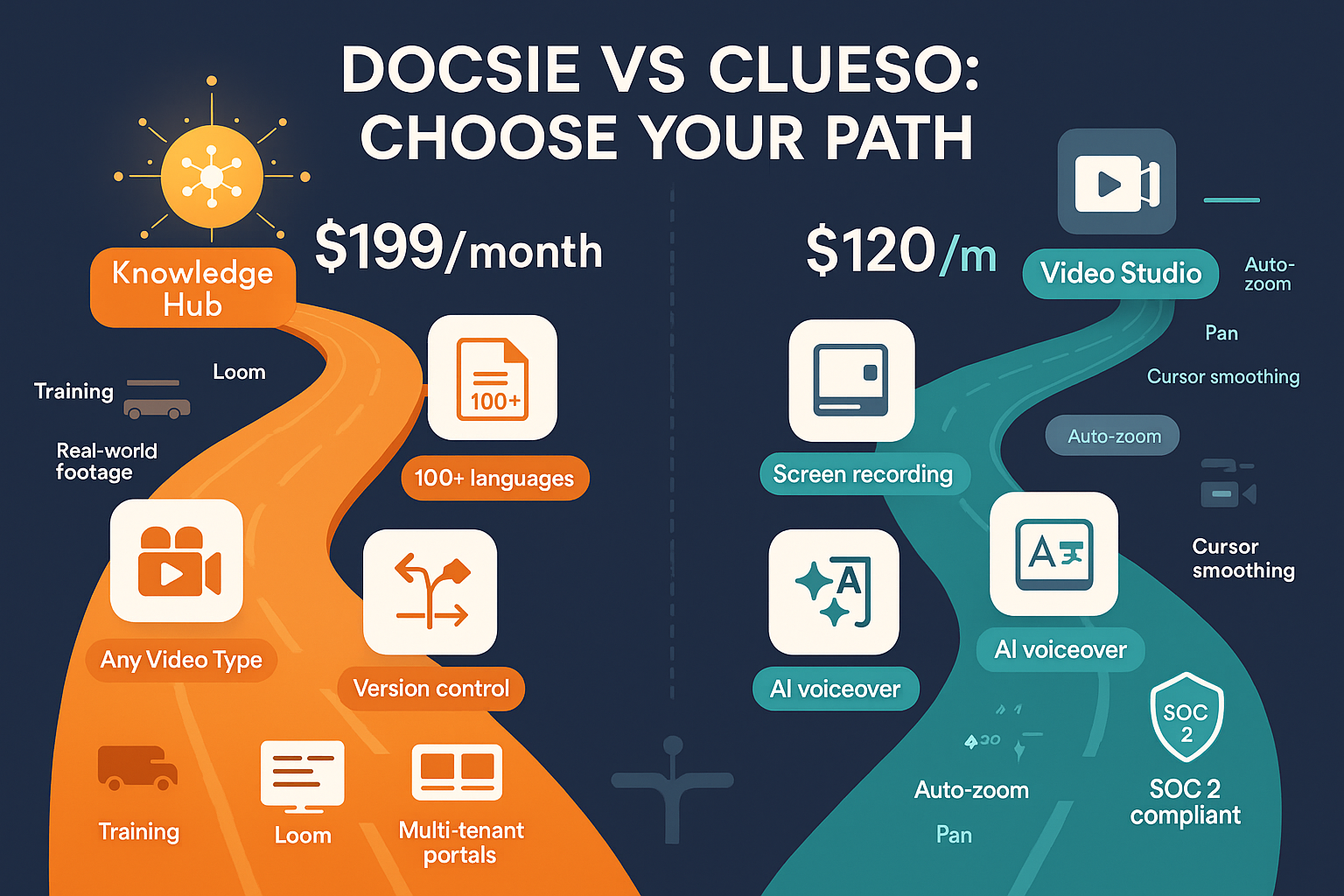
The key differentiator is Docsie's multi-tenant architecture — you can build one knowledge base and deploy it as unlimited client-branded portals with custom domains, SSO, and individual access controls. It supports 100+ languages and works with any video type, not just screen recordings. Think of it as an enterprise documentation platform that happens to excel at extracting knowledge from video, rather than a video tool that exports documentation.

What is Clueso?
Clueso is an AI-powered video production platform that transforms screen recordings into professionally edited product videos with AI voiceovers, auto-zoom, cursor smoothing, and branded styling. It simultaneously generates step-by-step text articles from the same recording.
The platform focuses on SaaS customer education — helping product teams quickly create polished tutorial videos without video editing expertise. Clueso's AI handles the tedious editing work: removing filler words, adding smooth transitions, applying auto-zoom to highlight UI elements, and generating professional voiceovers from scripts. The output looks like it came from a professional video production team, not a quick screen recording.
Feature Comparison: Key Dimensions
Content Input: What Can You Convert?
Docsie accepts virtually any video format — screen recordings, yes, but also real-world training footage, Zoom meetings, Loom recordings, product demos, and even legacy video libraries. You can also upload PDFs, Word documents, and scrape entire websites. This flexibility matters when you're consolidating existing knowledge scattered across formats.
The multimodal AI extracts structure from whatever you feed it: identifying steps in a process, extracting key concepts, generating summaries, and creating searchable metadata. If your company has years of tribal knowledge trapped in recorded webinars, internal training videos, or conference sessions, Docsie can transform that into structured documentation.
Clueso works exclusively with screen recordings — specifically, recordings you make of your product or software interface. This laser focus enables superior video editing quality because the AI is optimized for UI capture scenarios. However, you cannot process existing video libraries, real-world training footage, or Zoom recordings. The input must be a fresh screen recording of a digital interface.
This distinction is fundamental: Docsie converts existing knowledge assets into documentation systems. Clueso creates new video content from screen captures.
Documentation Output: What Do You Get?
Docsie generates structured knowledge bases with hierarchical organization, cross-references, automated tagging, and semantic search. The platform creates documentation that functions as a living system — content can be versioned, reused across multiple projects, translated into 100+ languages, and maintained through approval workflows.
The output isn't just static pages. You get branded customer portals with custom domains and SSO, embeddable widgets for your application, API access for programmatic integration, and an AI chatbot that uses agentic search with tool calls (not just RAG) for more accurate responses. The documentation becomes infrastructure, not just content.
Clueso produces two outputs: a polished, professionally edited video and a step-by-step text article. The video includes AI-generated voiceovers, smooth transitions, auto-zoom on important UI elements, cursor smoothing, and branded styling. The written article breaks down the process into numbered steps with screenshots.
Both outputs are designed for immediate publication in help centers or customer education libraries. The quality is impressive — videos look professionally produced, not like raw screen recordings. However, there's no knowledge base structure, no version control system, no multi-tenant deployment, and limited content management beyond organizing individual video files.
Delivery and Scale: How Do Customers Access It?
Docsie's multi-tenant architecture is its superpower for agencies and SaaS companies serving multiple clients. You build content once, then deploy it as unlimited branded portals — each with its own custom domain, branding, user authentication, and access controls. Update the source content, and all portals reflect the changes instantly.
This matters enormously at scale. Imagine maintaining product documentation for 50 white-label clients — with Docsie, you maintain one source of truth and deploy 50 branded experiences. Add help desk integrations (Zendesk, Intercom, Freshdesk), embed documentation widgets in your app, deploy AI chatbots for each client, and track usage analytics per tenant.
Clueso delivers individual video files and articles that you upload to your existing help center, video hosting platform, or LMS. There's no portal system, no multi-tenant deployment, no centralized content management. You're creating discrete video assets, not building a documentation platform.
For teams producing customer education content to publish on YouTube, Vimeo, or existing help centers, this workflow is perfectly adequate. But if you need to maintain documentation systems for multiple clients or products, you'll need additional infrastructure.
Enterprise Capabilities: Compliance, Security, and Governance
Docsie offers SOC 2 Type II compliance, GDPR readiness, HIPAA compliance capabilities, audit logs, data residency options, and role-based access controls. The platform includes version control with rollback, content approval workflows, change tracking, and granular permissions.
For enterprise buyers, these capabilities aren't optional — they're table stakes. Docsie's audit logs track who accessed what content when, critical for compliance reporting. Version control means you can maintain regulatory-required documentation history. Multi-region data residency addresses data sovereignty requirements for global deployments.
Clueso has SOC 2 Type II and ISO 27001 certification, which is impressive for a video production tool. However, it lacks version control, approval workflows, audit logs, and multi-tenant security isolation. That's appropriate for its use case — you're creating video content, not managing a documentation system with compliance requirements.
Who Should Choose What?
Choose Docsie If You Need...
Enterprise documentation infrastructure. If you're building knowledge bases that need to scale across multiple clients, products, or languages, Docsie provides the platform architecture you need. The multi-tenant capabilities alone justify the platform for agencies and SaaS companies serving multiple customers.
Content conversion from diverse sources. Organizations with existing knowledge trapped in various formats — video libraries, PDFs, wikis, recorded training sessions — benefit from Docsie's ability to consolidate everything into structured documentation. You're not creating new content; you're organizing and amplifying existing knowledge.
Documentation governance and compliance. When you need version control, approval workflows, audit trails, and regulatory compliance, you need a purpose-built documentation platform. Docsie treats documentation as critical infrastructure requiring the same governance as code or financial systems.
AI-powered delivery at scale. If your vision includes AI chatbots answering customer questions, help desk integrations surfacing relevant documentation automatically, or embedded widgets providing contextual help within your application, Docsie's delivery capabilities extend far beyond publishing static pages.
Compare detailed features on our Docsie vs Clueso comparison page
Choose Clueso If You Need...
Professionally produced tutorial videos from screen recordings. If your primary goal is creating polished product videos that look professionally edited, Clueso's AI video editing capabilities are exceptional. The auto-zoom, pan, cursor smoothing, and AI voiceovers create output that rivals professional video production.
Fast video production workflow for customer education. Teams that need to quickly create video tutorials for product updates, feature announcements, or onboarding sequences will appreciate Clueso's streamlined workflow. Record your screen, let the AI edit and enhance it, add voiceover, and publish.
Dual video and written content. Getting both a polished video and a step-by-step article from one recording is efficient for teams maintaining multiple content formats in help centers.
37-language video localization. For SaaS companies distributing product videos internationally, Clueso's localization capabilities simplify creating translated versions of tutorial content.
The Verdict: Platform vs Production Tool
The fundamental distinction is clear: Docsie is a documentation platform that converts any content into structured knowledge bases and delivers them at enterprise scale. Clueso is a video production tool that creates polished tutorial videos from screen recordings.
If your organization needs to build, manage, and deliver documentation systems — especially for multiple clients or products — Docsie provides the infrastructure you need. The ability to convert diverse content sources (not just screen recordings), maintain documentation with version control and workflows, and deploy multi-tenant branded portals makes it suitable for enterprise documentation operations.
Clueso wins decisively on video production quality. If your goal is creating beautiful tutorial videos, Clueso's AI editing capabilities produce superior results. But it's not competing in the documentation platform category — it's solving a different problem.
For teams evaluating these tools, ask yourself: Are you building a documentation system or producing video content? Your answer determines which tool fits your needs.
Ready to Build Your Documentation Platform?
If you need to convert existing knowledge assets into structured documentation, deploy it across multiple clients with branded portals, and deliver it through AI chatbots and integrations — Docsie provides the platform capabilities Clueso wasn't designed to offer.
Start your free trial of Docsie and see how quickly you can transform video libraries, PDFs, and websites into enterprise knowledge bases with multi-tenant delivery and AI-powered search.
For organizations building documentation infrastructure rather than just creating video content, the choice is clear: choose the platform built for documentation orchestration at scale.