
Confluence vs Zendesk Guide: Pricing Comparison 2026
Documentation budgets explode quietly. You start with a reasonable per-user fee, add a few team members, upgrade for features that should be standard, and suddenly you're paying enterprise prices for mid-market needs. If you're evaluating Confluence against Zendesk Guide, you're probably wrestling with this exact problem—and discovering that these platforms solve fundamentally different problems at wildly different price points.
Let's cut through the marketing noise and compare what you'll actually pay, what you'll actually get, and whether either platform delivers value worth the investment.
What Is Confluence?
Confluence is Atlassian's team workspace and enterprise wiki—the default choice for engineering teams who live in Jira. It's designed for internal documentation: project pages, product requirements, technical specifications, and company wikis. As of 2025, Confluence includes Rovo AI across all paid plans, bringing 20+ pre-built documentation agents and AI-powered search without additional fees.
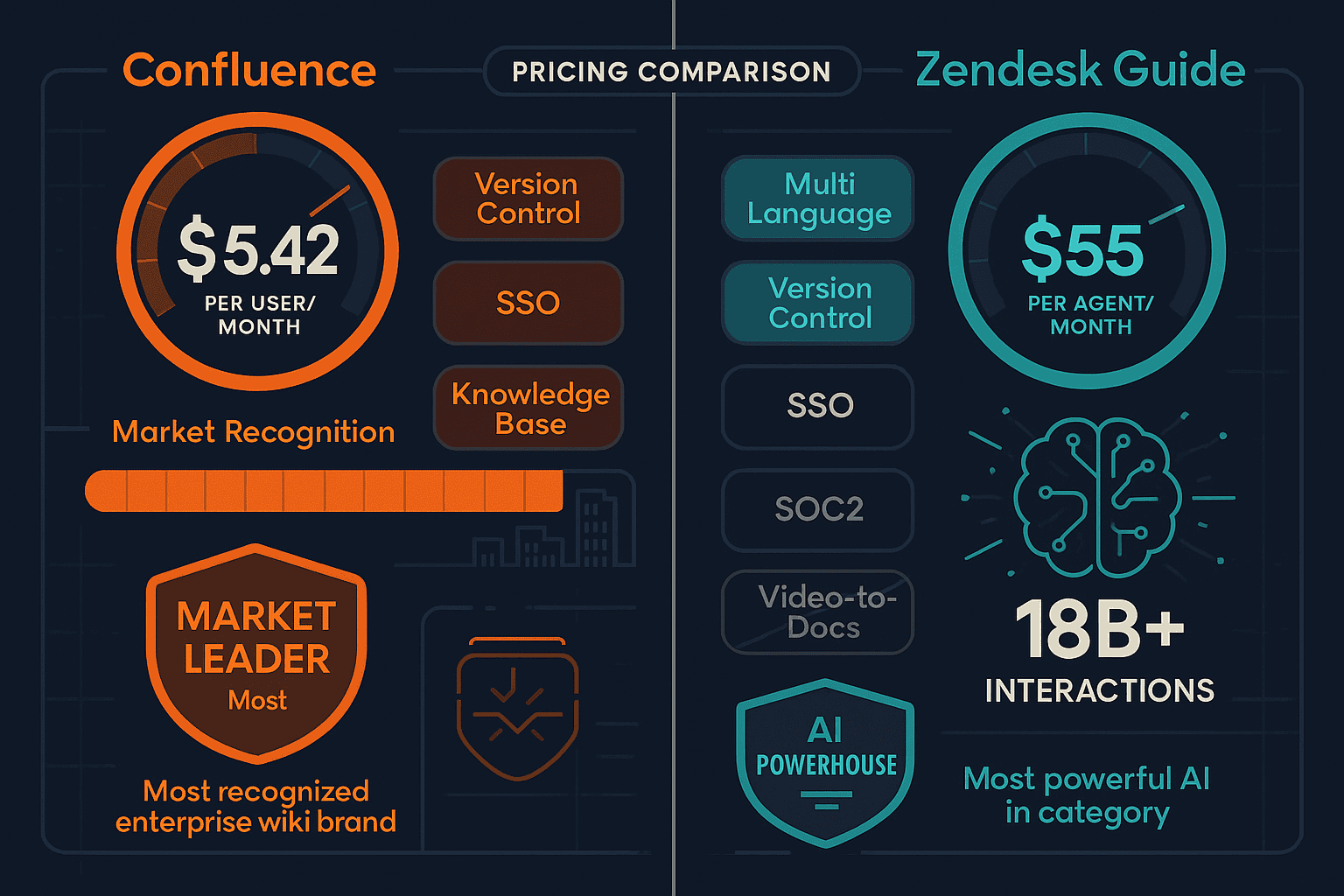
Pricing starts at $5.42 per user per month (Standard plan), scaling to $10.44 per user for Premium. There's a generous free tier supporting up to 10 users, making it accessible for small teams testing the waters. Confluence's strength lies in internal knowledge management for teams already committed to the Atlassian ecosystem.

What Is Zendesk Guide?
Zendesk Guide is an AI-powered help center platform—but here's the critical detail: it's not sold standalone. You must purchase the full Zendesk Suite, which bundles ticketing, chat, phone support, and help center functionality. This means you're paying for a complete customer support platform, not just documentation.
The trade-off? Zendesk Guide offers the most powerful support AI in the category, trained on 18 billion customer interactions. It includes autonomous AI agents that resolve tickets without human intervention, native ticket deflection analytics, and multi-language support built in. Pricing starts at $55 per agent per month (Suite Team), scaling to $115 (Suite Growth) and $249+ per agent (Enterprise). This premium reflects the comprehensive nature of the suite—you're paying for integrated support infrastructure, not just a help center.
Pricing Models: Per-Seat vs Bundled Suite
The fundamental pricing difference between these platforms shapes everything else.
Confluence uses straightforward per-seat pricing: - Free: Up to 10 users with basic features - Standard: $5.42/user/month (billed annually) - Premium: $10.44/user/month (billed annually) - Enterprise: Custom pricing with advanced security and compliance
For a 50-person team, Confluence Standard costs $271/month or $3,252 annually. Upgrade to Premium for data residency and unlimited storage, and you're at $522/month ($6,264 annually). The math is predictable: multiply your headcount by the per-seat fee.
Zendesk Guide only exists within the Zendesk Suite:
- Suite Team: $55/agent/month
- Suite Growth: $115/agent/month
- Suite Enterprise: $249+/agent/month
For the same 50-person support team, you're paying $2,750-$12,450 monthly ($33,000-$149,400 annually) depending on the tier. But you're not just buying documentation—you're getting ticketing, omnichannel support, workforce management, and industry-leading AI.
The critical question: Do you need a wiki or a complete support platform? Comparing Confluence to Zendesk Guide is like comparing a conference room to an entire office building. They serve different purposes at different scales.
Feature Value: What Does Your Money Buy?
Confluence: Wiki-First Collaboration
Your $5.42+ per user buys: - Unlimited pages and spaces for organizing internal knowledge - Rovo AI included in all paid plans—20+ documentation agents, AI search, and smart content recommendations - Deep Jira integration—link issues, embed boards, automatic syncing - Page templates for meeting notes, project plans, requirements docs - Version history and rollback across all content - Permissions management at space, page, and user levels
What it doesn't buy: - External help center delivery (it's internal-focused) - Customer-facing portals with branding - Video-to-documentation conversion - Multi-tenant client documentation - Translation beyond basic plugins
Confluence delivers strong value for internal wikis, especially for Atlassian-committed teams. The Rovo AI inclusion (previously an add-on consideration) makes the Standard plan surprisingly competitive for knowledge management.
Zendesk Guide: Support AI Powerhouse
Your $55+ per agent buys the entire Zendesk Suite, where Guide's value includes: - AI Agents trained on 18B+ interactions—autonomous ticket resolution without human intervention - Native ticket deflection tracking—prove ROI by measuring support volume reduction - Multi-language help centers with built-in translation - Content management system for articles, categories, and customer-facing knowledge bases - Integrated ticketing—seamless handoff from self-service to agent support - Analytics dashboard tracking article performance, search gaps, and AI effectiveness
What it doesn't buy: - Standalone documentation (must purchase full suite) - Video processing capabilities - Internal wiki functionality (it's customer-focused) - Multi-tenant portals for serving multiple client bases
Zendesk Guide's AI capabilities are genuinely industry-leading. If you're measuring documentation ROI by tickets deflected and support costs reduced, the analytics justify the premium—but only if you need the full support suite.
The Per-Seat Pricing Trap
Both platforms punish growth with the same fundamental model: more people = multiplied costs.
Confluence at scale: - 10 users: Free - 50 users: $3,252/year (Standard) - 200 users: $13,008/year (Standard) - 500 users: $32,520/year (Standard)
Zendesk Guide at scale:
- 5 agents: $3,300/year (Suite Team)
- 25 agents: $16,500/year (Suite Team)
- 100 agents: $66,000/year (Suite Team)
As your team grows, you're forced into difficult decisions: restrict licenses to save money (limiting who can contribute), pay exponentially more, or seek alternatives. Neither platform offers usage-based pricing that scales with actual documentation needs rather than headcount.
For agencies managing multiple client documentation portals, consultancies delivering branded knowledge bases, or implementation partners supporting various customers, per-seat pricing becomes especially punitive. You're paying for seats even when different team members work on different clients at different times.
Who Should Choose What?
Choose Confluence If You Need...
Internal wiki and knowledge management for engineering, product, and operations teams who need a central source of truth for company knowledge. Confluence excels at: - Technical documentation that integrates with development workflows - Cross-functional collaboration on project pages and requirements - Internal process documentation and team playbooks - Affordable entry point ($5.42/user) that scales predictably
Best fit: Mid-size to enterprise B2B companies already using Jira, or any technical team prioritizing internal knowledge sharing over customer-facing documentation.
Choose Zendesk Guide If You Need...
Complete support infrastructure where documentation is one component of a comprehensive customer service strategy. Zendesk Guide makes sense when: - You need ticketing, chat, phone support, AND help center in one integrated platform - Ticket deflection ROI justifies the premium pricing ($55+/agent) - Support AI trained on billions of interactions delivers measurable value - Multi-language customer help centers serve global audiences
Best fit: Customer support organizations at scale (50+ agents) where reducing ticket volume by 20-30% through better self-service documentation directly impacts bottom-line costs.
The Critical Gap Both Tools Leave
Neither Confluence nor Zendesk Guide addresses three increasingly essential documentation needs:
-
Video-to-documentation conversion — Modern teams have hours of training videos, demos, and recorded processes. Neither platform can transform this video content into searchable, maintainable documentation.
-
Multi-tenant client portals — Agencies, consultancies, and implementation partners serving multiple clients need separate branded documentation instances without multiplying costs per client.
-
Workspace-based pricing — Per-seat models penalize documentation quality by making it expensive to grant contribution access across the organization.
Why Docsie Offers Superior Value
While Confluence wins on internal wiki pricing and Zendesk Guide wins on integrated support AI, both lock you into expensive per-seat models and force you to compromise on essential capabilities.
Docsie takes a fundamentally different approach:
AI credit pricing instead of per-seat inflation — Pay $199-$750/month for teams of 15-90 users based on AI processing usage, not headcount. Add contributors without multiplying costs.
Video-to-documentation conversion — Process existing training videos, demos, and recorded sessions into structured documentation using multimodal AI. Neither Confluence nor Zendesk offers this capability.
Multi-tenant client portals — Deliver branded documentation to multiple clients from one system. Perfect for agencies, consultancies, and implementation partners who would pay per-seat fees multiple times with traditional tools.
Complete documentation workflow — CONVERT existing content → MANAGE with version control → DELIVER to branded portals with 100+ language translation. No forced bundling with ticketing systems you don't need.
True external delivery — Unlike Confluence (internal-focused) or Zendesk Guide (support-bundled), Docsie is purpose-built for delivering professional documentation to customers, partners, and clients.
For a 50-person team, Docsie costs $750/month versus $271/month (Confluence Standard) or $2,750/month (Zendesk Suite Team). You're paying 2.7x more than Confluence but getting video processing, multi-tenant portals, and external delivery Confluence can't provide. You're paying 73% less than Zendesk while maintaining AI-powered documentation without forced ticketing system bundling.
The Bottom Line
Choose Confluence if you need an affordable internal wiki deeply integrated with Atlassian tools and can live without external customer delivery, video processing, or multi-tenant capabilities.
Choose Zendesk Guide if you need comprehensive support infrastructure where documentation is one component, and the full suite cost is justified by ticket deflection ROI.
Choose Docsie if you need modern documentation capabilities neither competitor offers—video-to-docs conversion, multi-tenant client portals, and AI credit pricing that doesn't punish growth—while avoiding forced bundling with ticketing systems or limitations to internal-only delivery.
See the detailed breakdown of pricing tiers, hidden fees, and feature-by-feature comparison at our comprehensive Confluence vs Zendesk Guide pricing comparison.
Ready to escape per-seat pricing inflation and access video-to-docs AI neither competitor offers? Start your free Docsie trial today and experience documentation economics that scale with your business, not your headcount.