
Confluence vs Zendesk Guide: Which Enterprise Documentation Platform Fits Your Stack in 2026?
Your CTO wants documentation centralized. Your support team needs faster ticket deflection. Your product team swears by Jira integration. And your compliance officer just forwarded another 40-page security questionnaire.
Welcome to the enterprise documentation tool selection process—where choosing between platforms like Confluence and Zendesk Guide feels less like comparing features and more like choosing between ecosystems that will dictate your workflows for the next five years.
Here's the twist: Confluence and Zendesk Guide aren't really competitors. They solve fundamentally different problems for different teams. Confluence is Atlassian's internal wiki for engineering and product collaboration. Zendesk Guide is a customer-facing help center bundled with support ticketing. Both are enterprise-grade, both have robust AI capabilities, and both will lock you into vendor ecosystems you didn't sign up for.
This comparison breaks down what each platform actually delivers at enterprise scale, who should choose what, and why most organizations evaluating both tools are actually asking the wrong question.
What is Confluence?
Confluence is Atlassian's enterprise wiki and team collaboration platform—the default choice for internal documentation when you're already running Jira for project management. Over 60,000 organizations use Confluence as their internal knowledge base, building project pages, technical documentation, meeting notes, and process wikis for teams ranging from 10 to 150,000 users.
The 2024 rollout of Rovo AI across all paid plans transformed Confluence from a static wiki into an AI-powered knowledge assistant. Rovo ships with 80+ connectors to enterprise systems and 20+ pre-built AI agents that automate common documentation tasks like summarizing Jira tickets, generating status reports, and extracting action items from meeting notes. For Atlassian-heavy enterprises, Confluence offers the tightest integration with existing engineering workflows—assuming your primary use case is internal team collaboration, not customer-facing knowledge delivery.

What is Zendesk Guide?
Zendesk Guide is an AI-powered customer help center platform—but here's the critical detail most evaluations miss: it's not sold standalone. Guide is bundled exclusively with Zendesk Suite, which means you're not buying documentation software. You're buying a complete customer support system that includes ticketing, live chat, phone support, and a help center.
For support organizations already committed to Zendesk's ticketing platform, Guide offers the most sophisticated AI in the documentation category. Trained on 18 billion customer interactions, Zendesk's AI Agents autonomously resolve support tickets without human intervention, deflecting inquiries before they reach your team. Guide includes multi-language support, custom branding, and native integration with ticketing workflows—making it the strongest choice for customer support teams who need documentation tightly coupled with case management.
But if you're evaluating Guide solely as a documentation platform, you're paying $55-$249+ per agent per month for a full support suite when you only need the knowledge base component.
Enterprise Readiness Comparison: Key Dimensions
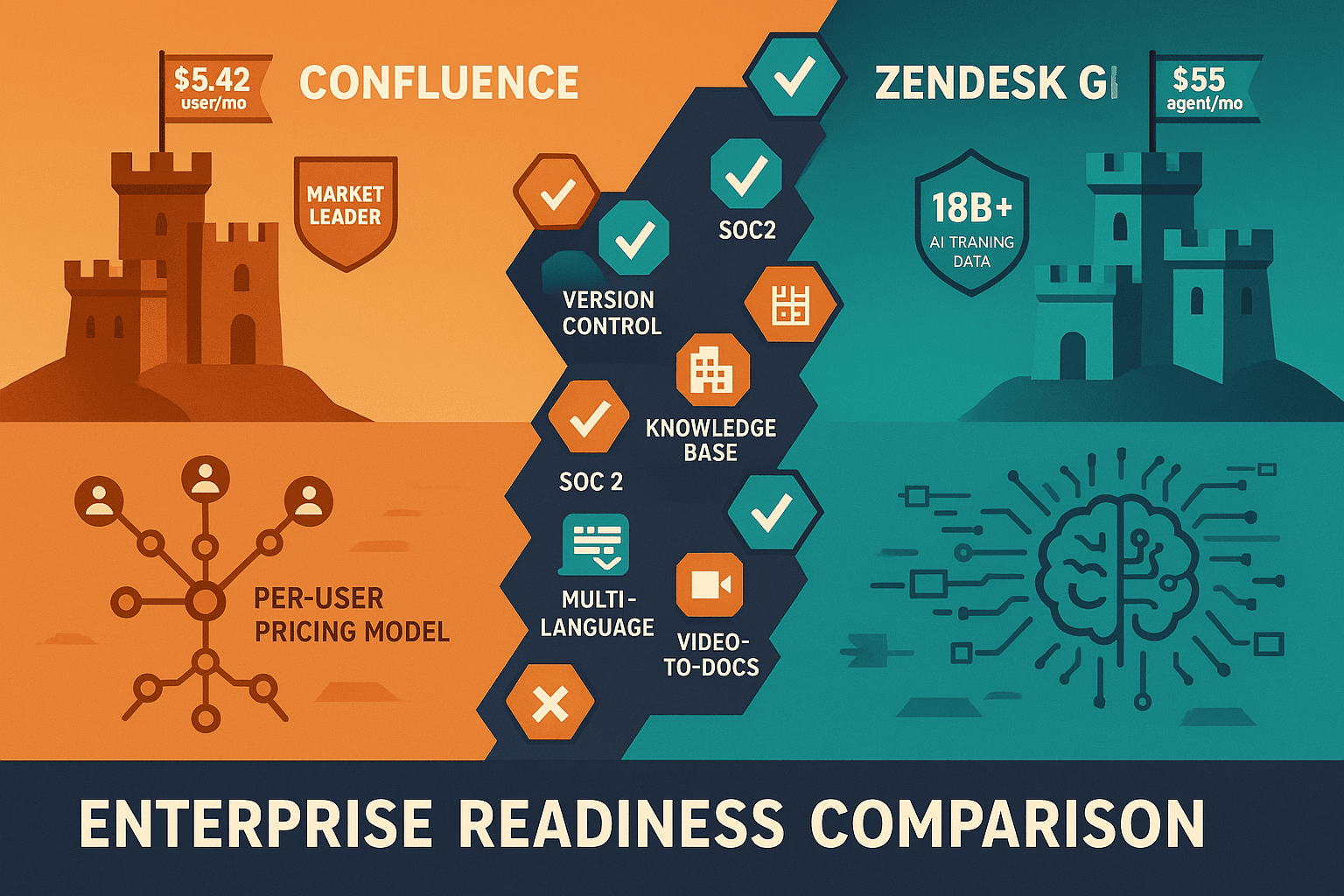
For a detailed feature-by-feature breakdown, see our full Confluence vs Zendesk Guide enterprise comparison. Below are the dimensions that matter most for enterprise buyers.
Security, Compliance, and Governance
Confluence delivers enterprise-grade security on its Premium and Enterprise tiers, including ISO 27001 certification, SOC 2 Type II compliance, and GDPR-ready data handling. The Enterprise plan adds advanced permissions, audit logs, and data residency controls. However, compliance features are gated behind the top tier—expect to pay $20+ per user per month to unlock governance controls that most enterprises consider table stakes.
Zendesk Guide inherits Zendesk's comprehensive compliance framework, which is battle-tested across healthcare, financial services, and government sectors. The platform supports HIPAA compliance, GDPR, SOC 2 Type II, and ISO 27001 certification across all paid plans. Zendesk's security posture is more mature than Confluence's, reflecting its 17+ years serving regulated industries. The downside? You're paying for this security as part of a $55-$249+ per-agent bundle, not a standalone documentation product.
Winner: Zendesk Guide for compliance maturity, but both platforms meet enterprise security requirements at their respective price points.
AI Capabilities and Automation
Confluence Rovo AI ships with all paid plans (Standard, Premium, Enterprise) and includes 80+ enterprise connectors, 20+ pre-built agents, and the ability to build custom AI agents. Rovo excels at internal knowledge tasks: summarizing Jira epics, generating documentation from Slack threads, and answering questions across Confluence pages and connected tools. The AI is trained on Atlassian's collaboration data but lacks customer support-specific training.
Zendesk AI Agents are purpose-built for customer support and trained on 18 billion customer interactions—the largest training dataset in the category. These aren't chatbots that retrieve documents. They're autonomous agents that resolve tickets, process refunds, update accounts, and escalate complex issues without human intervention. For customer-facing documentation, Zendesk's AI is unmatched. For internal wikis and engineering docs, it's overkill.
Winner: Zendesk Guide for customer support documentation; Confluence Rovo for internal team collaboration.
Scalability and Multi-Tenant Architecture
Confluence scales to 150,000+ users on Enterprise Cloud and supports unlimited spaces (Confluence's term for separate knowledge bases). However, Confluence is designed for internal use within a single organization. There's no native multi-tenant architecture for delivering branded portals to multiple clients or customers. Custom domains are available, but you're essentially publishing one Confluence instance to the world—not managing separate branded experiences per customer segment.
Zendesk Guide supports multi-brand help centers out of the box, allowing enterprises to manage multiple customer-facing knowledge bases from a single admin console. Each brand can have its own custom domain, branding, and content library. This is powerful for enterprises serving multiple product lines or customer segments. However, "multi-brand" isn't true multi-tenancy—you're still managing everything within one Zendesk instance, and content reuse across brands requires manual duplication or API integration.
Winner: Zendesk Guide for multi-brand customer support; neither platform offers true multi-tenant portal architecture.
Video-to-Documentation Conversion
Confluence: No video-to-docs capability. You can embed videos in pages, but converting training videos, screen recordings, or product demos into structured documentation requires third-party tools or manual transcription.
Zendesk Guide: No video-to-docs capability. Videos can be embedded in help center articles, but extracting knowledge from visual content into searchable documentation isn't supported.
Winner: Neither. This is a critical gap for enterprises with extensive training videos, product demos, or screen recordings that need to become searchable, translatable documentation.
Who Should Choose What?
Choose Confluence if you need...
Internal team collaboration deeply integrated with Atlassian workflows. If your engineering, product, and operations teams already live in Jira and you need a central wiki for project documentation, technical specs, and meeting notes, Confluence is the path of least resistance. Rovo AI adds intelligent automation to internal knowledge work, and the platform scales reliably to tens of thousands of users.
Key use cases: Engineering wikis, product requirement docs, internal process documentation, project pages, meeting notes for Atlassian-heavy teams.
Pricing: Starts at $6.05/user/month (Standard) for teams of 1-10,000 users. Enterprise tier ($12.25/user/month+) required for advanced governance and unlimited users.
Choose Zendesk Guide if you need...
A customer support help center with native ticketing integration. If you're building or replacing a customer support operation and need documentation tightly coupled with case management, live chat, and phone support, Zendesk Suite (which includes Guide) offers the most comprehensive AI-powered support platform on the market. Guide's autonomous AI Agents deliver industry-leading ticket deflection for organizations already committed to Zendesk's ecosystem.
Key use cases: Customer support knowledge bases, multi-language help centers, ticket deflection, self-service portals integrated with support operations.
Pricing: Zendesk Suite starts at $55/agent/month (Suite Team). Enterprise plans ($249+/agent/month) unlock advanced AI and customization. Guide is NOT sold standalone—budget for the full suite.
The Verdict: Neither Excels at Enterprise Knowledge Delivery
Both Confluence and Zendesk Guide deliver robust platforms for their intended purposes—internal wikis and customer support help centers, respectively. Both meet enterprise security and compliance requirements. Both offer sophisticated AI capabilities.
But here's what neither platform delivers:
- Video-to-documentation conversion from training videos, product demos, or screen recordings
- True multi-tenant portal architecture for delivering one knowledge base to unlimited branded client portals
- Purpose-built knowledge delivery without bundled collaboration or ticketing systems you might not need
If your enterprise documentation challenge is "we have training videos that need to become searchable docs" or "we need to deliver white-labeled knowledge portals to 50 different clients," both Confluence and Zendesk Guide will force workarounds, third-party integrations, and compromises.
A Superior Alternative: Docsie for Enterprise Knowledge Orchestration
Docsie is purpose-built for enterprises that need to CONVERT visual content into documentation, MANAGE knowledge across versions and teams, and DELIVER branded portals at scale—without paying for collaboration features or ticketing systems you don't need.
Video-to-documentation conversion: Import training videos, screen recordings, or product demos. Docsie's AI extracts structured documentation, generates transcripts, and creates searchable knowledge base articles from visual content—eliminating the gap both Confluence and Zendesk leave unaddressed.
Multi-tenant portal architecture: Build one master knowledge base, then deliver it to unlimited branded client portals with custom domains, white-labeling, and independent user management. Ideal for SaaS companies, agencies, and enterprises serving multiple customer segments without duplicating content.
Enterprise compliance without vendor lock-in: SOC 2 Type II, GDPR, and HIPAA-ready infrastructure without forcing you into the Atlassian ecosystem or paying for Zendesk's bundled ticketing platform.
Knowledge delivery features: AI-powered chatbots, semantic search, embeddable widgets, 100+ language auto-translation, version control, and content reuse across portals—all purpose-built for documentation delivery, not adapted from wikis or support ticketing.
For a detailed comparison of how Docsie stacks up against both platforms, see our enterprise readiness comparison page.
Ready to Compare on Your Own Terms?
The best way to evaluate enterprise documentation platforms is to test them with your actual content, your real use cases, and your team's workflows.
Start a free trial of Docsie and see how video-to-docs conversion and multi-tenant knowledge delivery solve problems that Confluence and Zendesk Guide aren't built to address.
No credit card required. No bundled systems you don't need. Just enterprise-grade documentation orchestration designed for how modern organizations actually create, manage, and deliver knowledge in 2026.