
Confluence vs Zendesk Guide: Which Documentation Platform Fits Your Stack in 2026?
Every documentation platform promises to be the "single source of truth" for your organization. But here's the problem: Confluence and Zendesk Guide aren't even solving the same problem. One is built for internal team collaboration within the Atlassian universe. The other is a customer support help center that you can't even buy without purchasing the full Zendesk ticketing suite.
Yet teams constantly compare them because both appear in "knowledge base software" searches. The reality? Choosing between them is like comparing Slack to a CRM—they're fundamentally different tools that happen to store information.
This comparison cuts through the noise. We'll examine what each platform actually does well, where they fall short, and why neither may be the right fit if you're trying to convert training videos into client-facing documentation or deliver knowledge bases to multiple customers through branded portals.
What Is Confluence?
Confluence is Atlassian's enterprise wiki and team workspace platform. If your engineering and product teams live in Jira, Confluence is where they document everything around those projects—technical specs, runbooks, product requirements, meeting notes, and internal processes.
The platform has become the de facto standard for internal documentation at companies already invested in the Atlassian ecosystem. With the addition of Rovo AI across all paid plans (not an add-on), Confluence now offers 20+ pre-built AI agents that can summarize pages, generate documentation from templates, and answer questions across your workspace. It scales massively—up to 150,000 users—and offers a generous free tier for teams under 10 users.
But Confluence is laser-focused on internal collaboration. It doesn't offer video-to-docs conversion, multi-tenant client portals, or custom domains for external documentation delivery. It's a team workspace, not a customer-facing knowledge delivery system.

What Is Zendesk Guide?
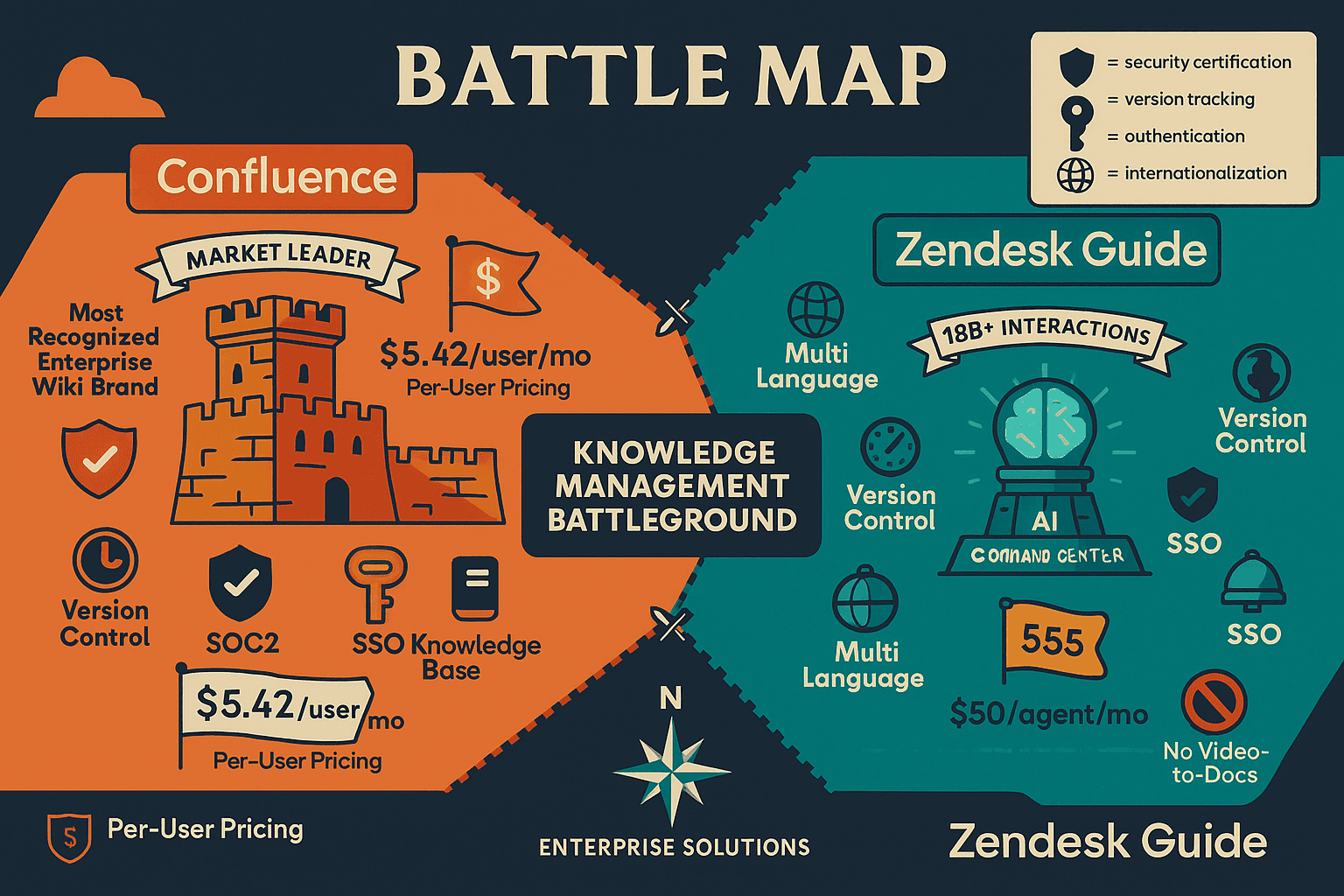
Zendesk Guide is a customer support help center that's bundled exclusively with the Zendesk Suite. You cannot purchase it standalone—it requires the full Zendesk ticketing system, which starts at $55 per agent and scales to $249+ per agent for enterprise plans.
What makes Zendesk Guide powerful isn't the help center itself—it's the AI trained on 18 billion+ customer support interactions. Zendesk has built autonomous AI agents that can resolve customer tickets without human intervention, using your help center content as the knowledge foundation. For support teams focused on ticket deflection and self-service resolution, this represents the most sophisticated AI in the documentation category.
But like Confluence, Zendesk Guide has critical gaps: no video-to-docs capability, no multi-tenant portal architecture for serving multiple clients, and pricing that balloons quickly with per-agent costs. It's purpose-built for support teams already committed to the Zendesk ecosystem—not for organizations needing flexible documentation delivery or training content transformation.
Feature Comparison: Where They Diverge
Internal Collaboration vs. Customer Support
Confluence excels at internal knowledge management. Its deep Jira integration means every feature request, bug report, and sprint planning document can link bidirectionally. Teams create project pages, engineering wikis, and product documentation in spaces organized by department, product, or initiative. Permissions control who can view and edit, but the paradigm is collaborative authoring.
Zendesk Guide operates in a completely different paradigm: support deflection. Content is structured around customer questions and help articles designed to prevent support ticket creation. The platform measures success by ticket deflection rate—how many customers found answers without contacting support. Publishing workflows include approval gates, version control, and analytics tied directly to ticket volume reduction.
The distinction matters because it determines your entire content strategy. Confluence asks: "How do we organize internal knowledge for team collaboration?" Zendesk Guide asks: "How do we surface the right answer at the right moment to prevent a support ticket?"
AI Capabilities: Built-In vs. Best-in-Class
Confluence includes Rovo AI in all paid plans (starting at $6.05 per user/month). Rovo offers 20+ pre-built documentation agents that can summarize long pages, generate first drafts from templates, and answer natural language questions by searching across your workspace. It's functional and included—a meaningful advantage over competitors charging separate AI add-on fees.
Zendesk Guide's AI operates at a different level entirely. Trained on 18 billion+ real customer support interactions, Zendesk has built autonomous agents that don't just answer questions—they resolve tickets independently, update records, and escalate when confidence is low. This isn't generalized AI applied to documentation; it's purpose-built for customer support workflows using your help center as the knowledge graph.
However, neither platform offers video-to-docs AI transformation—the ability to upload screen recordings, training videos, or webinar content and automatically generate structured documentation from that source material.
Pricing Models: Per-User vs. Per-Agent
Confluence uses workspace-based pricing starting at $6.05 per user/month for the Standard plan, scaling to $11.55 per user/month for Premium (which adds unlimited storage, advanced permissions, and 24/7 support). Teams under 10 users can use the free tier indefinitely. The pricing is straightforward and scales linearly with team size.
Zendesk Guide cannot be purchased separately—it's bundled in Zendesk Suite plans starting at $55 per agent/month (Suite Team) and reaching $249+ per agent/month for enterprise deployments. A 10-person support team pays $6,600/year minimum; a 50-person team pays $33,000/year. The pricing reflects the full suite (ticketing, live chat, phone support, help center), but it means you cannot buy just the documentation component.
For teams that don't need Zendesk's ticketing system, the pricing becomes prohibitive. For teams already committed to Zendesk for support operations, the help center is effectively included.
External Documentation Delivery
This is where both platforms reveal fundamental limitations for certain use cases.
Confluence is designed for internal team workspaces. While you can theoretically make spaces "public" or share pages externally, there's no native multi-tenant architecture. You cannot create branded, isolated knowledge bases for multiple clients from a single Confluence instance. There's no custom domain support for external delivery, no per-client access controls, and no white-label portal functionality.
Zendesk Guide supports external customer-facing help centers with customization, but it operates on a single-tenant model. You build one help center for your customers. If you're a consulting firm, implementation partner, or agency needing to deliver separate, branded documentation portals to dozens or hundreds of clients, Zendesk Guide isn't architected for that workflow.
Neither platform addresses video-to-docs conversion—the increasingly common need to transform training videos, screen recordings, webinar content, and customer-facing presentations into searchable, structured documentation.
Who Should Choose What?
Choose Confluence If...
You're already invested in the Atlassian ecosystem and need an internal wiki for engineering, product, or cross-functional teams. The deep Jira integration—linking tickets to documentation pages, embedding issue trackers in project wikis, and maintaining bidirectional relationships between code and docs—is essential for teams already living in Jira.
The generous free tier (10 users) makes Confluence a low-risk starting point for small teams exploring structured documentation. And the massive scalability (up to 150,000 users) means it grows with enterprise organizations without requiring platform migration.
Rovo AI included in all paid plans adds value without additional fees, and the 20+ pre-built documentation agents handle common tasks like page summarization, template-based generation, and natural language search.
But if you need external customer-facing documentation, multi-tenant client portals, or video-to-docs conversion, Confluence isn't designed for those workflows.
Choose Zendesk Guide If...
You're already using Zendesk for customer support ticketing and need a tightly integrated help center that measures ticket deflection. The AI capabilities—trained on 18 billion+ support interactions—are genuinely best-in-class for customer support use cases. Autonomous AI agents that resolve tickets without human intervention represent a meaningful operational advantage for support teams.
Native multilingual support, approval workflows for publishing, and team collaboration features make Zendesk Guide powerful for support organizations managing customer-facing content at scale.
But you cannot buy Zendesk Guide standalone. If you don't need Zendesk's ticketing system, the per-agent pricing ($55–$249+ per agent/month) makes this prohibitively expensive compared to pure documentation platforms. And like Confluence, it doesn't address video-to-docs conversion or multi-tenant portal architecture for serving multiple clients.
The Documentation Gap Both Platforms Leave
Here's what neither Confluence nor Zendesk Guide can handle:
Video-to-docs transformation. If your training content lives in Loom recordings, Zoom webinars, screen captures, or YouTube tutorials, neither platform offers AI-powered conversion into structured documentation. You're left manually transcribing and reformatting video content—a massive time sink for training teams, implementation partners, and customer success organizations.
Multi-tenant client portals. If you're a consulting firm, software implementation partner, or agency delivering customized documentation to dozens or hundreds of clients, neither platform supports isolated, branded portals from a single system. You'd need separate Confluence instances or Zendesk accounts for each client—operationally impossible at scale.
Flexible external delivery. Neither platform offers the combination of custom domains, white-label branding, per-client access controls, and API-driven documentation delivery that implementation partners and multi-client service providers require.
Workspace-based pricing for external use cases. Both platforms use per-user or per-agent pricing that inflates costs when scaling external documentation delivery. If you're serving documentation to thousands of end users across hundreds of clients, neither pricing model works.
Why Docsie Fills the Gap
Docsie solves the problems both Confluence and Zendesk Guide leave unaddressed.
Multimodal AI video-to-docs conversion. Upload training videos, screen recordings, PDFs, websites, or existing documentation, and Docsie's AI generates structured documentation automatically. This workflow—critical for customer success teams, training departments, and implementation partners—doesn't exist in Confluence or Zendesk Guide.
Multi-tenant client portals. Docsie lets you create unlimited branded, isolated knowledge bases from a single system. Consulting firms, SaaS implementation teams, and agencies can deliver customized documentation to hundreds of clients with separate access controls, branding, and content—all managed from one dashboard.
100+ language auto-translation. Global documentation delivery with automatic translation into over 100 languages, enabling enterprise organizations to serve international clients without manual localization.
Workspace-based pricing. Instead of per-user or per-agent fees that inflate with scale, Docsie uses workspace-based pricing that remains predictable as you serve more clients and end users.
API access and webhooks. Custom integrations for embedding documentation in your product, syncing content with external systems, and building automated documentation workflows.
For teams needing internal Atlassian collaboration, Confluence makes sense. For support teams already committed to Zendesk, Guide delivers powerful ticket deflection. But for organizations converting video training into multi-client documentation portals, neither platform solves the core problem.
Take the Next Step
If you're evaluating documentation platforms and realize you need video-to-docs conversion, multi-tenant client portals, or flexible external delivery, try Docsie free. Upload a training video or screen recording and watch it transform into structured documentation in minutes. See how multi-tenant architecture lets you serve dozens or hundreds of clients from a single system with isolated branding and access controls.
For a detailed side-by-side breakdown of features, pricing, and use cases, see our full Confluence vs Zendesk Guide comparison.
The right documentation platform depends entirely on what problem you're solving. If you're orchestrating knowledge from video, PDF, and web sources and delivering it through branded client portals at scale, Docsie is purpose-built for that workflow.