
Confluence vs Tango: Which Documentation Platform Is Actually Enterprise-Ready in 2026?
Choosing an enterprise documentation platform shouldn't feel like choosing between a Swiss Army knife and a screwdriver. Yet that's exactly the situation many IT leaders face when comparing Confluence and Tango—two tools that share the "documentation" label but operate in completely different weight classes.
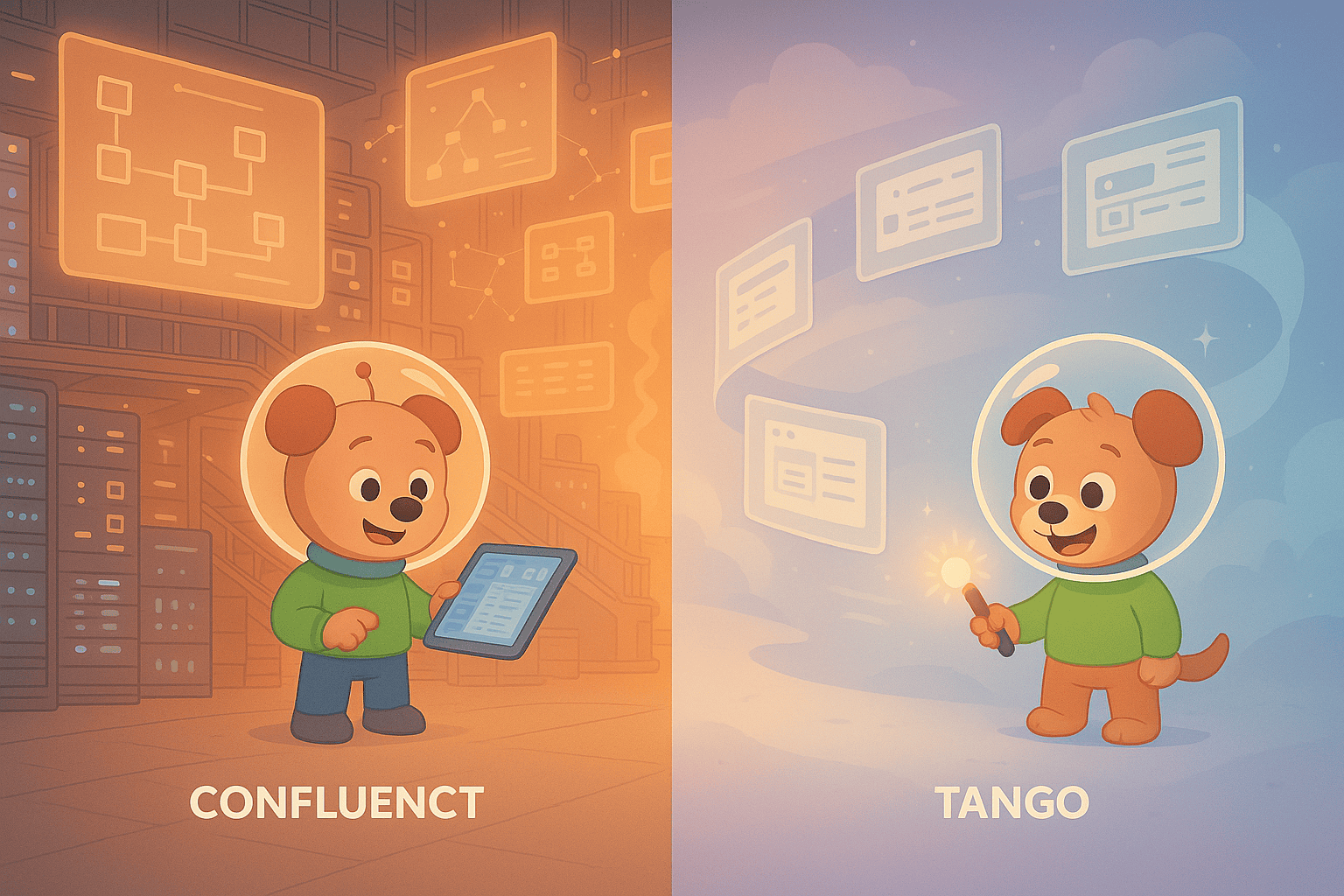
Confluence is Atlassian's enterprise wiki juggernaut, managing internal knowledge for organizations with thousands of employees. Tango is a lightweight Chrome extension that captures screenshots of browser workflows, increasingly positioning itself as a CRM automation tool. Both claim to solve documentation challenges, but their enterprise readiness differs so dramatically that comparing them reveals a fundamental question: what does "enterprise-ready" actually mean in 2026?
What Is Confluence?
Confluence is Atlassian's team workspace and enterprise wiki platform, designed for large engineering, product, and cross-functional teams that need a centralized internal knowledge repository. If your organization runs on Jira for issue tracking, uses Bitbucket for code repositories, or has adopted other Atlassian tools, Confluence serves as the documentation hub that connects everything together.
The platform handles everything from project documentation and meeting notes to product requirements and technical specifications. With its recent inclusion of Rovo AI across all paid plans—featuring 20+ pre-built AI agents for documentation tasks—Confluence has positioned itself as the market leader in enterprise wiki capabilities. It's built for scale, supporting organizations from 10 users to 150,000+ with sophisticated permission controls, unlimited version history, and the compliance certifications (ISO 27001, SOC 2, GDPR) that regulated industries require.
What Is Tango?
Tango started as a frictionless browser capture tool—a Chrome extension that automatically generates screenshot-based step-by-step guides as you click through web applications. The concept is elegant: instead of manually creating documentation, you perform a task once in your browser, and Tango captures each step with screenshots and automatically generated descriptions.
Recently, Tango has pivoted heavily toward CRM automation, emphasizing integrations with Salesforce, HubSpot, and other business applications. While documentation remains part of the offering, the company's strategic focus has shifted toward workflow automation and in-app guided walkthroughs (called "Nuggets") that overlay instructions directly onto web applications. This pivot means Tango is increasingly a specialized tool for small teams documenting browser-based processes rather than a comprehensive enterprise documentation platform.
Enterprise Readiness: The Four Critical Dimensions
Security, Compliance, and Data Governance
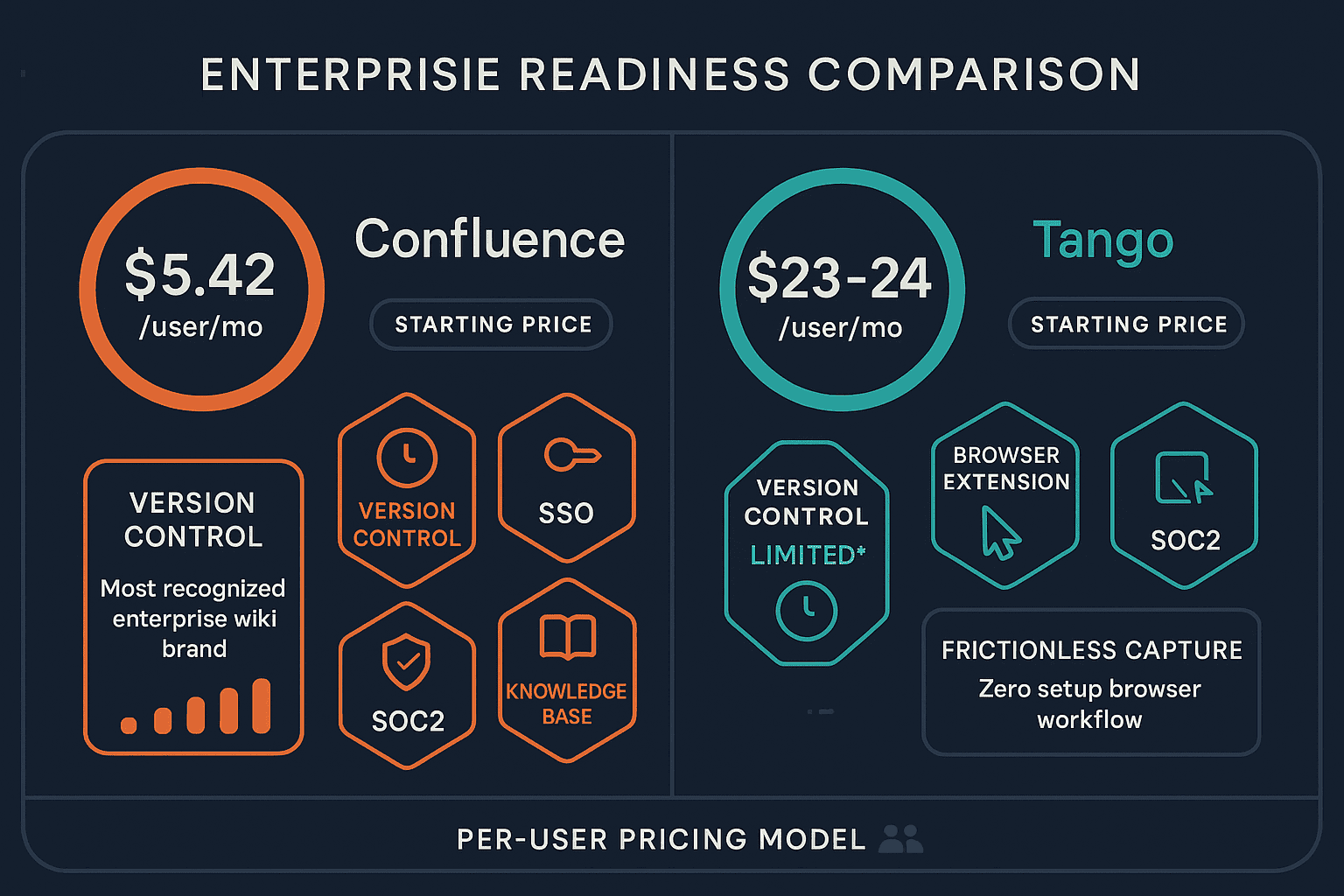
Confluence delivers the full suite of enterprise security requirements. It holds ISO 27001, SOC 2 Type II, and GDPR compliance certifications, with comprehensive audit logs tracking every document access, edit, and permission change. Enterprise and Premium tiers include advanced encryption, data residency controls allowing EU customers to keep data within European data centers, and SSO integration with SAML and OAuth providers.
Permission structures in Confluence are sophisticated—you can control access at the space level, page level, or even specific sections within pages. For regulated industries like healthcare, finance, or government contractors, these granular controls combined with compliance certifications make Confluence defensible during security audits.
Tango offers basic enterprise security features on its Enterprise tier, including SSO (SAML), automated PII blurring in screenshots, and centralized billing. However, it lacks the comprehensive compliance certifications, detailed audit logging, and data residency options that Fortune 500 procurement teams typically require. Tango's security posture is adequate for small teams handling non-sensitive workflows but doesn't meet the threshold for organizations managing regulated data or requiring detailed security documentation for vendor risk assessments.
The gap here isn't subtle—it's the difference between "we have security features" and "we can pass your enterprise security review."
Scalability and User Management
Confluence was architected for massive scale from the beginning. Organizations like NASA, LinkedIn, and Audi run Confluence instances with tens of thousands of concurrent users. The platform supports unlimited spaces (team workspaces), pages, and attachments, with version history preserved indefinitely. Performance remains consistent whether you're managing 100 pages or 100,000.
Administrative controls scale accordingly. User provisioning integrates with identity providers like Okta, Azure AD, and OneLogin for automated onboarding and offboarding. You can create custom user groups, apply permissions across multiple spaces simultaneously, and generate reports showing exactly who has access to what documentation.
Tango scales vertically rather than horizontally. The Pro plan limits you to 10 creators, while the Enterprise tier supports "unlimited" creators—but pricing scales per user beyond a base threshold, and the platform wasn't designed for organizations managing documentation for thousands of employees. There's no concept of sophisticated user hierarchies, delegated administration, or the kind of governance controls needed when documentation spans dozens of departments.
More fundamentally, Tango's browser-capture model limits its scope. It captures workflows in web applications, period. It can't process existing training videos, convert PDF documentation, or handle desktop application documentation outside Chrome. This architectural constraint means Tango won't scale to become your organization's single source of truth—it can only ever be a supplementary tool for one specific documentation use case.
Integration Ecosystem and Support
Confluence sits at the center of the Atlassian ecosystem. Deep integration with Jira means you can embed live issue data in documentation pages, link requirements directly to development tickets, and maintain two-way synchronization between project planning and documentation. Integrations extend to Slack, Microsoft Teams, Google Workspace, Figma, and hundreds of third-party tools through the Atlassian Marketplace.
Support for Confluence includes 24/7 coverage for Premium customers, dedicated Customer Success Managers for large deployments, guaranteed response SLAs, and a 99.9% uptime commitment backed by financial credits. When documentation systems are business-critical infrastructure—as they are for large engineering organizations—this support depth matters enormously.
Tango offers integrations with popular tools like Slack, Chrome, and various CRM platforms, but the ecosystem is narrower and shallower. Support on lower tiers is email-based with slower response times. While Enterprise customers get priority support, there's no 24/7 coverage commitment, no dedicated success management, and no uptime SLA guarantees with financial teeth.
Content Delivery and External Use Cases
Here's where the comparison becomes particularly stark. Confluence excels at internal knowledge management but struggles with external delivery. There's no native way to create customer-facing documentation portals, no multi-tenant architecture for managing separate knowledge bases for different clients, and no custom domain support for delivering branded documentation outside your organization.
This limitation affects enterprises with external documentation needs: product teams delivering help centers to customers, consulting firms creating client-specific documentation portals, or SaaS companies managing knowledge bases for multiple business units. Confluence can't easily serve these use cases without complex workarounds or third-party tools.
Tango faces the same external delivery limitation. While you can share individual Tango guides via links, there's no portal infrastructure, no multi-tenant capabilities, and no way to create branded, domain-specific documentation experiences for external audiences. Like Confluence, it's fundamentally an internal tool.
Who Should Choose What?
Choose Confluence if:
- You're managing internal documentation for 1,000+ employees and need proven scalability to enterprise scale
- Your organization runs on the Atlassian stack (Jira, Trello, Bitbucket) and needs documentation deeply integrated with development workflows
- Compliance requirements demand ISO 27001, SOC 2, and GDPR certifications with comprehensive audit trails
- You need sophisticated governance controls, permission structures, and guaranteed 99.9% uptime with 24/7 support
- Your primary use case is internal knowledge management, project documentation, and cross-team collaboration
Choose Tango if:
- You're a small team (under 10-15 people) needing to quickly document browser-based workflows
- Your documentation primarily consists of simple how-to guides for web applications
- You want zero-friction capture—clicking through a process once to automatically generate screenshot guides
- In-app guided walkthroughs (Nuggets) overlaid on web applications would improve user onboarding
- You have minimal compliance requirements and don't need comprehensive enterprise security certifications
The Superior Alternative: Why Docsie Outperforms Both
The Confluence vs Tango comparison reveals a critical gap neither tool addresses: enterprises need both internal knowledge management AND external customer delivery through multi-tenant portals.
Confluence handles internal documentation well but can't deliver branded knowledge bases to external audiences. Tango captures browser workflows but lacks enterprise governance, compliance, and scalability. Neither tool processes video content—a massive limitation when most organizations have libraries of training videos, screen recordings, and webinars they need to convert into searchable documentation.
Docsie solves all three problems simultaneously:
Multi-tenant external delivery: Docsie enables enterprises to manage one knowledge base while delivering unlimited branded customer portals with separate domains, custom styling, and independent access controls. Consulting firms can create client-specific documentation portals. SaaS companies can deliver customized help centers to different business units. This capability simply doesn't exist in Confluence or Tango.
Video-to-documentation conversion: Docsie's multimodal AI processes training videos, screen recordings, PDFs, and websites, converting them into structured documentation automatically. Neither Confluence nor Tango offers any video processing capability—Tango only captures screenshots, while Confluence lacks video conversion entirely. For enterprises sitting on years of video training content, this is transformational.
Enterprise-grade infrastructure with flexible pricing: Docsie delivers SOC 2 Type II, GDPR compliance, and HIPAA-ready architecture matching Confluence's security posture, with 99.9% uptime SLAs, comprehensive audit logs, and EU data residency. But unlike Confluence's per-user pricing that becomes prohibitively expensive at scale, Docsie uses workspace-based pricing that doesn't inflate as your team grows.
Complete CONVERT → MANAGE → DELIVER workflow: Docsie combines Confluence-level content management (version control, content reuse, granular permissions, API access) with external delivery capabilities neither competitor provides. Built-in auto-translation supports 100+ languages for global documentation at scale, and AI chatbots make knowledge instantly accessible without manual searching.
For a detailed feature-by-feature comparison, see our complete Confluence vs Tango enterprise readiness analysis.
The Bottom Line for Enterprise Buyers
Confluence and Tango serve fundamentally different purposes. Confluence is an enterprise wiki for internal knowledge management. Tango is a lightweight browser capture tool pivoting toward CRM automation. Neither addresses the modern enterprise requirement to manage centralized knowledge while delivering customized documentation experiences to multiple external audiences.
If your only need is internal documentation for Atlassian-heavy teams, Confluence remains the market leader. If you need simple browser workflow capture for a small team, Tango works adequately.
But if you need to convert existing training videos into documentation, deliver branded knowledge portals to customers or clients, manage multi-tenant documentation at enterprise scale, or combine world-class content management with external delivery—capabilities essential for modern digital transformation initiatives—neither Confluence nor Tango will suffice.
Docsie was built specifically to fill this gap, combining enterprise-grade security and compliance with the flexibility to manage and deliver documentation across any audience, format, or use case.
Ready to see the difference? Start your free Docsie trial today and experience what enterprise documentation looks like when it's actually built for 2026—not 2016.