
Confluence vs Nuclino: Which Team Wiki Is Right for Your Organization in 2026?
Choosing a documentation tool shouldn't feel like picking between a freight train and a bicycle. Yet that's exactly the decision teams face when comparing Confluence and Nuclino—two platforms that technically solve the same problem but couldn't be more different in execution. One is Atlassian's enterprise juggernaut with enough features to document a space mission. The other is a minimalist wiki that loads faster than you can say "knowledge management."
The real question isn't which tool has more features. It's which tool matches how your team actually works—and whether either one can handle what modern documentation actually demands in 2026.
What Is Confluence?
Confluence is Atlassian's enterprise wiki and collaboration platform, positioning itself as the team workspace for organizations already living in the Jira ecosystem. With over two decades in the market, Confluence has become the default choice for large engineering and product teams that need a centralized place to document processes, track project pages, and maintain institutional knowledge.
The platform recently integrated Rovo AI across all paid plans—not as an expensive add-on, but as a core feature. Rovo includes 20+ pre-built AI agents for documentation tasks and connects to 80+ apps, making it one of the more ambitious AI implementations in the knowledge management space. If you're managing hundreds of users across multiple departments with strict compliance requirements, Confluence offers the scalability and security controls that enterprise buyers expect, including SOC 2, GDPR, ISO 27001 compliance, and support for up to 150,000 users per site.

What Is Nuclino?
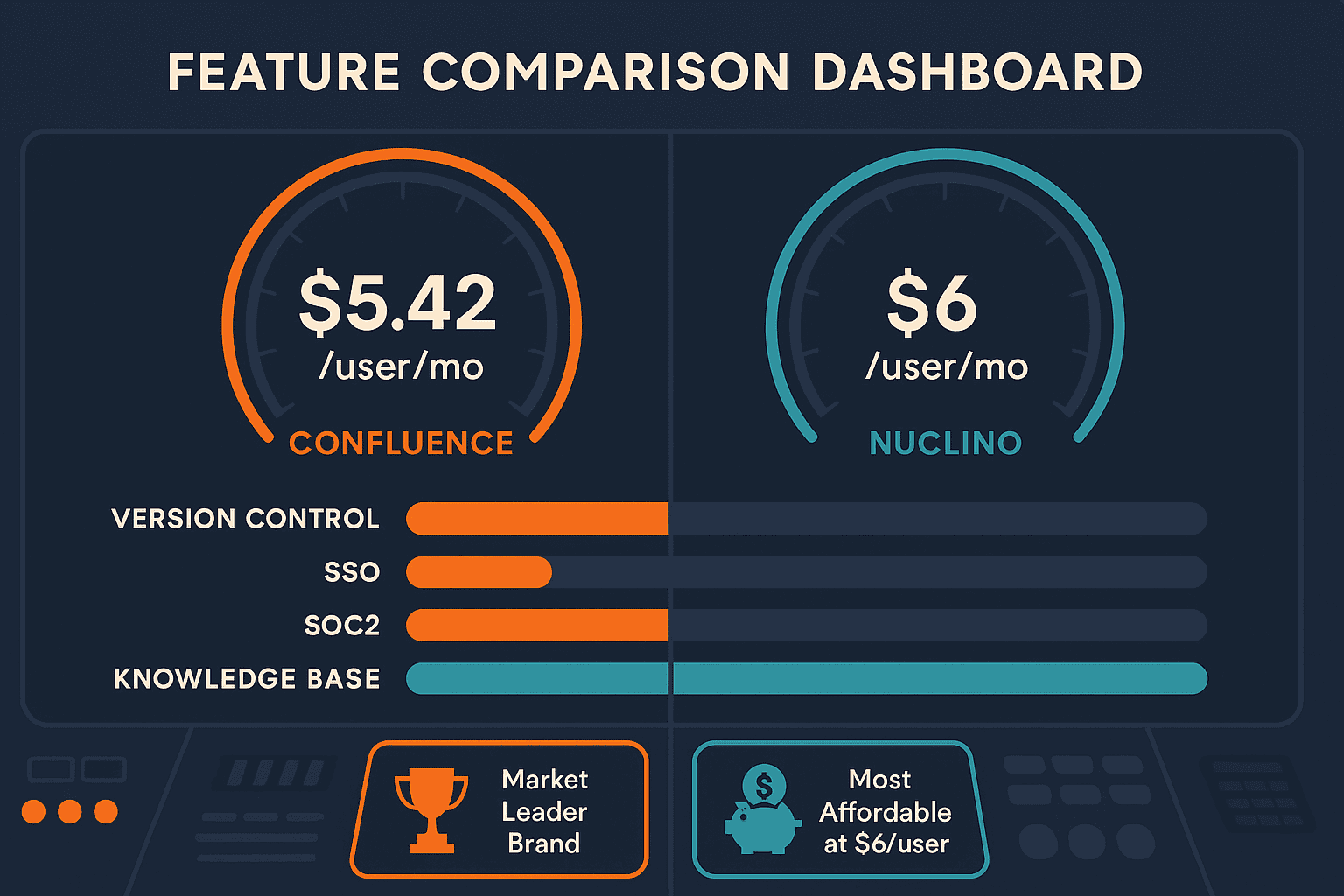
Nuclino takes the opposite approach. Instead of trying to be everything to everyone, it's a lightweight team wiki designed for small teams that value speed over complexity. At $6 per user per month, it's the most affordable paid option in its category—a deliberate positioning that makes it attractive to startups, design studios, and small agencies operating on tight budgets.
What makes Nuclino distinctive is its visual canvas-based workspace, which lets teams organize information spatially rather than forcing everything into a hierarchical folder structure. The interface is intentionally minimal, with instant saves and real-time collaboration that makes Google Docs feel sluggish by comparison. Sidekick AI, available on the Business tier, provides Q&A, content generation, and even image creation—though it doesn't approach the depth of Confluence's Rovo implementation.
Head-to-Head: Confluence vs Nuclino Feature Comparison
For a detailed breakdown of features, pricing, and use cases, check out our comprehensive Confluence vs Nuclino comparison. Here's how these platforms stack up across the dimensions that matter most.
AI Capabilities and Knowledge Management
Confluence made AI a centerpiece of its 2025-2026 product strategy. Rovo AI comes standard on all paid plans (Standard, Premium, and Enterprise), delivering 20+ pre-built agents that can summarize documentation, answer questions, and generate content based on your existing knowledge base. The platform connects to 80+ external apps, meaning Rovo can surface information from Slack, Google Drive, or your CRM without forcing users to context-switch.
Nuclino offers Sidekick AI on its Business tier ($12/user/month), which handles basic content generation, Q&A, and image creation. It's functional but straightforward—you won't find multi-app connectors or sophisticated knowledge graphs. For a small team that needs occasional AI assistance rather than enterprise-grade knowledge orchestration, Sidekick gets the job done without overwhelming users.
The critical limitation both platforms share: neither offers video-to-docs conversion. In 2026, when screen recordings, training videos, and video meetings contain massive amounts of tribal knowledge, the inability to automatically transform video content into searchable documentation is a glaring gap.
Pricing and Scalability
Nuclino wins on affordability. The Standard plan starts at $6/user/month (annual billing), making it roughly half the cost of Confluence's Standard tier ($5.50/user/month for 1-10 users, scaling to $11/user/month for larger deployments). For a 10-person team, you're looking at $60/month with Nuclino versus $110/month with Confluence.
But scalability tells a different story. Confluence supports up to 150,000 users per site, with sophisticated permission controls, guest access management, and audit logs that satisfy enterprise security teams. Nuclino doesn't publish upper limits, but its architecture and feature set are clearly optimized for teams under 50 people.
There's also pricing philosophy to consider. Confluence uses per-seat licensing that compounds as organizations grow—adding users gets progressively more expensive. Nuclino's pricing stays flat per user, but you're paying for simplicity, not enterprise features. Neither platform offers workspace-based pricing that lets you control costs as team size fluctuates.
Integration and Ecosystem
For teams already invested in Atlassian tools, Confluence's Jira integration is the killer feature. Project documentation lives alongside issue tracking, with dynamic links that automatically update when tickets change status. If your engineering team relies on Jira for sprint planning, Confluence becomes the natural place to document architecture decisions, API specs, and deployment procedures.
Nuclino integates with Slack, Google Drive, and other common productivity tools, but it's not trying to be the center of a complex tool ecosystem. The integration strategy is "connect what you need" rather than "become the hub for everything."
What neither platform offers: multi-tenant portals for external documentation delivery. Both Confluence and Nuclino are designed for internal team wikis. If you need to deliver branded documentation portals to customers or clients—especially with custom domains and white-label options—you're looking at the wrong category of tools.
User Experience and Learning Curve
Nuclino's interface is deliberately minimal. New users can create pages, organize content in the visual canvas, and collaborate in real-time within minutes. There's almost nothing to learn, which is either refreshing or limiting depending on your needs.
Confluence has a steeper learning curve because it has more features. Page templates, macros, space permissions, content restrictions—all powerful capabilities that require training to use effectively. For organizations with technical writers or dedicated documentation teams, that complexity enables sophisticated workflows. For small teams without formal documentation processes, it can feel like overkill.
Both platforms offer real-time collaboration, but Nuclino's performance edge is noticeable. Pages load instantly, saves happen in the background, and the interface never feels bloated. Confluence has improved performance over the years, but it's still a heavier application that shows occasional lag on complex pages with embedded content.
Who Should Choose What?
Choose Confluence If You Need...
Deep Atlassian integration for engineering teams. If your developers live in Jira, Bitbucket, and other Atlassian tools, Confluence provides seamless documentation workflows that keep everything connected. Architecture decision records (ADRs), API documentation, and sprint retrospectives all benefit from living in the same ecosystem as your issue tracking.
Enterprise compliance and security. SOC 2, GDPR, ISO 27001 compliance, SSO, advanced audit logs, and 99.9% uptime SLA aren't nice-to-haves for regulated industries—they're requirements. Confluence checks every box that enterprise security teams demand.
AI-powered knowledge management at scale. Rovo AI with 20+ agents and 80+ app connectors gives large organizations the tools to make institutional knowledge actually discoverable. When you're managing thousands of pages across dozens of spaces, AI becomes essential rather than experimental.
Hundreds or thousands of users. Confluence scales to 150,000 users per site with sophisticated permission controls and guest access management. If you're documenting for a large organization with complex access requirements, few alternatives match this scalability.
Choose Nuclino If You Need...
The most affordable team wiki option. At $6/user/month, Nuclino delivers the best price-to-value ratio for small teams with limited budgets. You won't get enterprise features, but you'll get a functional wiki that works.
Visual, spatial knowledge organization. The canvas-based workspace is genuinely different from hierarchical folder structures. Teams that think visually—designers, creatives, product teams—often find Nuclino's spatial approach more intuitive than traditional wikis.
Minimal learning curve and lightweight performance. When you need team members to start documenting knowledge immediately without training sessions or onboarding decks, Nuclino's simplicity is a feature, not a limitation.
Internal wiki for 5-20 people without enterprise requirements. Small teams without compliance mandates, SSO needs, or complex permission structures get everything they need from Nuclino without paying for features they'll never use.
The Fundamental Limitation Both Platforms Share
Confluence and Nuclino are both internal team wikis. Neither platform addresses three critical documentation needs in 2026:
Video-to-docs conversion. Your team's knowledge isn't just text—it's in screen recordings, training videos, Zoom calls, and recorded demos. Neither Confluence nor Nuclino can automatically transform video content into searchable, structured documentation.
Multi-tenant external delivery. Both platforms assume documentation is for internal teams. If you need to deliver branded knowledge bases to multiple clients or customer segments—each with custom domains and isolated content—these tools aren't designed for that use case.
Global multilingual support. While both platforms support multiple languages for the interface, neither offers automatic translation of documentation content across 100+ languages—a critical capability for global product teams and international organizations.
Why Docsie Outperforms Both for Modern Documentation Needs
Docsie addresses exactly what Confluence and Nuclino cannot: converting unstructured knowledge into structured documentation and delivering it to external audiences at scale.
Multimodal AI for video-to-docs conversion. Docsie's AI processes screen recordings, training videos, PDFs, and websites, automatically generating searchable documentation from content that would otherwise remain locked in video format. This isn't a minor feature—it's a fundamental shift in how documentation gets created.
Multi-tenant branded portals with custom domains. Deliver one knowledge base to unlimited external clients, each with isolated access, custom branding, and their own domain. This makes Docsie the only platform in this comparison that serves both internal documentation and customer-facing knowledge delivery.
Enterprise knowledge orchestration with SOC 2 Type II and HIPAA-ready compliance. Docsie delivers enterprise security without enterprise complexity, including SSO, audit logs, and compliance certifications that satisfy security teams.
100+ language auto-translation. Global teams can create documentation once and deliver it in over 100 languages automatically—eliminating the manual translation burden that slows international product launches.
Workspace-based pricing. Avoid per-seat inflation as teams grow. Docsie's pricing model scales with your organization's needs, not just headcount.
The CONVERT → MANAGE → DELIVER workflow represents how documentation actually happens in 2026—starting with existing content (including video), managing it with AI-powered search and chatbots, and delivering it to both internal teams and external customers through branded portals.
Make Your Documentation Work Harder
Choosing between Confluence and Nuclino depends entirely on organization size, budget, and ecosystem. But if your documentation needs extend beyond internal team wikis—if you're recording training videos, serving external customers, or supporting global markets—you're evaluating the wrong category of tools.
Try Docsie free and see what modern documentation infrastructure looks like when it's designed for how teams actually create, manage, and deliver knowledge in 2026.