
Confluence vs Notion: Which Is Truly Enterprise-Ready in 2026?
Your company has outgrown shared Google Docs. Your engineering team is drowning in Slack threads. Your product documentation lives everywhere and nowhere. You need a real documentation platform—one that can scale with your enterprise. The two names everyone mentions? Confluence and Notion.
But here's the question that actually matters: Are either of these tools truly enterprise-ready? And more importantly, do they solve the documentation challenges enterprises actually face when delivering knowledge to external clients, partners, and customers?
Let's break down what "enterprise-ready" really means, how Confluence and Notion stack up, and whether there's a better path forward for companies that need more than an internal wiki.
Understanding the Contenders
Confluence is Atlassian's enterprise wiki and collaboration platform—the market leader in internal knowledge management. If you're running Jira for project management, Confluence is its natural documentation companion. Large engineering and product teams rely on it for internal documentation, project pages, and cross-functional knowledge sharing. Atlassian recently bundled Rovo AI into all paid plans, bringing AI-powered search and 20+ pre-built documentation agents to every customer without additional cost.
Notion took a different approach. Rather than positioning as an enterprise wiki, Notion built an all-in-one workspace that combines docs, databases, tasks, and wikis into one flexible interface. It's become the darling of startups and creative teams who appreciate its minimalist design and versatility. Following a May 2025 restructuring, Notion now bundles AI powered by both GPT-4 and Claude 3.7 exclusively in its Business tier at $20 per user—no separate add-on required.
Both are primarily internal workspace tools. Neither was designed for external documentation delivery. That distinction becomes critical as we evaluate enterprise readiness.

Security & Compliance: The Foundation of Enterprise Trust
When you're managing documentation for thousands of employees or delivering knowledge to external clients, security isn't optional—it's foundational.
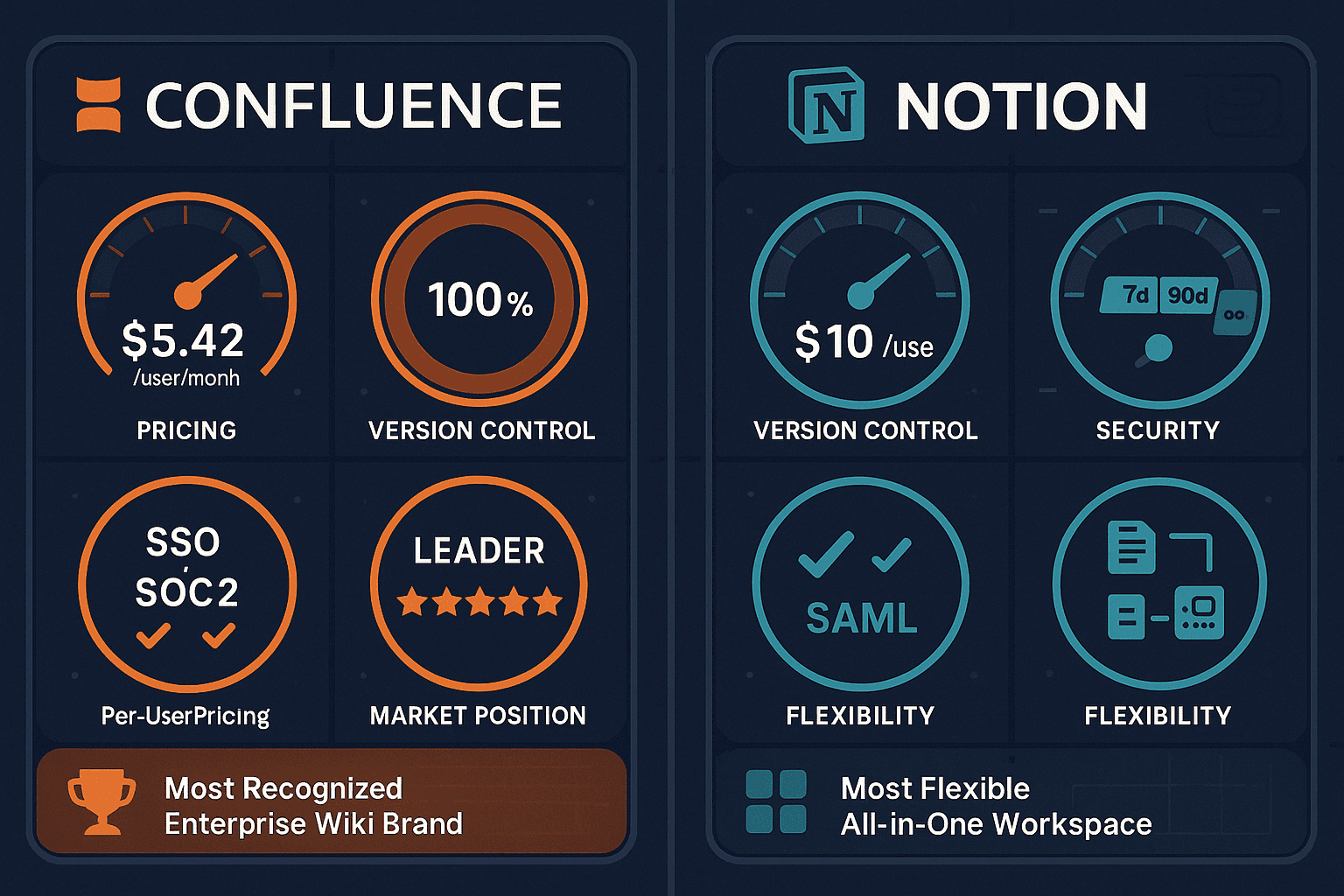
Confluence holds the stronger compliance position. It maintains ISO 27001 and SOC 2 Type II certifications, GDPR compliance, and offers HIPAA-ready configurations for healthcare organizations. Atlassian publishes a 99.9% uptime SLA backed by financial credits. For enterprises in regulated industries—healthcare, finance, government contracting—these certifications often appear as non-negotiable requirements in vendor questionnaires.
Notion has been working to close the gap. It now offers SOC 2 Type II compliance and GDPR alignment, but notably lacks ISO 27001 certification and doesn't publish a formal uptime SLA. For many mid-market companies, Notion's security posture is sufficient. For enterprises with strict compliance mandates or those requiring documented uptime guarantees, Confluence's certifications provide clearer audit trails.
The bigger issue? Neither platform offers the multi-tenant security architecture that enterprises need when delivering documentation to external clients. You can't provision separate, isolated portals for different customers. You can't offer custom domains per client. You can't maintain granular audit logs showing which external users accessed which documents when.
Scalability & Performance: Planning for Growth
Enterprise tools must handle growth—more users, more content, more complexity—without collapsing under their own weight.
Confluence was built for scale from day one. It supports up to 150,000 users in a single instance, maintains unlimited version history, and offers detailed analytics on content performance and user engagement. The platform handles massive knowledge bases spanning tens of thousands of pages. Companies like NASA, LinkedIn, and Spotify operate Confluence at scales that would break most documentation tools.
Notion approaches scalability differently. While it doesn't publish specific user limits, performance can degrade in workspaces exceeding 200 active users or databases with hundreds of thousands of records. Notion's flexibility comes with complexity—heavily interconnected databases and pages can create performance bottlenecks. For small to mid-sized teams, this rarely matters. For enterprises managing comprehensive documentation ecosystems, it's a legitimate concern.
But here's where both tools reveal their internal-only DNA: neither offers workspace-based pricing that makes sense at enterprise scale. Both use per-seat models that create cost inflation as teams grow. Neither provides the multi-tenant architecture needed to deliver documentation to unlimited external clients without multiplying licensing costs.
Administration & Control: Who's Really In Charge?
Enterprise IT teams need granular control over permissions, content lifecycle, and user management.
Confluence offers sophisticated administrative capabilities. Space permissions can be configured with complex inheritance rules. Content governance features include scheduled archiving, mandatory approval workflows, and retention policies. Integration with Okta, Azure AD, and other identity providers enables seamless single sign-on and automated provisioning. The platform treats administration as a first-class feature set, recognizing that enterprise buyers prioritize control.
Notion takes a simpler approach to administration. Workspace owners can manage members, configure permissions, and control sharing settings, but the granularity doesn't match Confluence. This simplicity is actually Notion's selling point for smaller teams—less administrative overhead means faster deployment. However, enterprises with complex organizational structures or strict content governance requirements often find Notion's administration too basic.
The critical limitation both share: neither offers multi-tenant client portal management. You can't create separate branded documentation portals for different customers. You can't delegate portal administration to client stakeholders while maintaining centralized control. You can't track usage analytics per client account.
AI Capabilities: The New Enterprise Requirement
AI has moved from nice-to-have to mandatory in enterprise documentation platforms. The question isn't whether tools offer AI—it's how well they integrate it.
Confluence includes Rovo AI across all paid plans. Rovo provides cross-tool search spanning Confluence, Jira, Slack, and other integrated platforms. It offers 20+ pre-built AI agents designed for common documentation tasks like summarization, Q&A generation, and content outlining. The AI understands context across the Atlassian ecosystem, making it genuinely useful for teams already invested in that environment.
Notion AI comes bundled exclusively in the Business tier at $20 per user. It leverages both GPT-4 and Claude 3.7, offering more sophisticated language understanding than most competitors. Notion's AI Agents can autonomously complete tasks across connected apps—drafting documents, updating databases, scheduling tasks—creating a more automated workspace. For teams that can afford the Business tier, Notion's AI feels more integrated into daily workflows.
What neither offers: video-to-documentation conversion. As enterprises increasingly rely on training videos, screen recordings, and visual content, the inability to automatically transform video into searchable, translatable documentation becomes a significant gap. Neither Confluence nor Notion can watch a 30-minute product demo and generate comprehensive written documentation.
Who Should Choose What?
Choose Confluence if your organization is deeply embedded in the Atlassian ecosystem. If your engineering teams live in Jira and need documentation tightly coupled to sprint planning, Confluence is the obvious choice. It's the right fit for large enterprises (500+ employees) in regulated industries that require published compliance certifications and uptime SLAs. Its administrative complexity is a feature, not a bug, when you need granular content governance.
Choose Notion if you're a startup or mid-market company (under 200 employees) prioritizing interface beauty and flexibility over administrative depth. If your team needs an all-in-one workspace combining docs, databases, tasks, and wikis rather than a specialized documentation platform, Notion's versatility shines. It's the better choice for non-technical teams that would struggle with Confluence's learning curve and for organizations willing to accept simpler compliance postures in exchange for a more intuitive user experience.
Choose neither if you need to deliver documentation externally to clients, partners, or customers with custom branding and multi-tenant isolation. If you're a consulting firm managing separate knowledge bases for dozens of clients, an implementation partner providing branded documentation portals to each customer, or a SaaS company delivering localized product docs in 100+ languages—Confluence and Notion weren't built for your use case.
The Better Alternative: Purpose-Built for External Documentation Delivery
Both Confluence and Notion excel at what they were designed for: internal team collaboration. Confluence dominates the enterprise wiki category. Notion redefined what an all-in-one workspace could be. But neither addresses the documentation challenge that actually keeps enterprise decision-makers awake: delivering branded, compliant, multilingual documentation to external stakeholders at scale.
Docsie was purpose-built for this exact use case. It offers multi-tenant enterprise portals that let you deliver one central knowledge base to unlimited clients, each with custom branding, domains, and isolated access controls. Video-to-documentation conversion using multimodal AI transforms training videos, screen recordings, PDFs, and websites into searchable written documentation—a capability neither Confluence nor Notion provides. Automatic translation into 100+ languages ensures global documentation consistency without manual overhead.
Docsie maintains SOC 2 Type II compliance, GDPR alignment, and HIPAA-ready configurations with EU data residency options and comprehensive audit logs. Its agentic AI chatbot delivers answers from your documentation directly to customers via embeddable widgets. And critically, Docsie uses workspace-based pricing rather than per-seat models—your costs don't explode when you add external users or deliver documentation to more clients.
For consultancies managing client documentation, implementation partners providing customer-facing portals, SaaS companies delivering product documentation globally, or any enterprise that treats external documentation delivery as a strategic capability rather than an afterthought—Docsie solves problems that Confluence and Notion can't address.
The Bottom Line
If you need an internal enterprise wiki deeply integrated with Atlassian tools, Confluence wins. If you want a beautiful all-in-one workspace for internal team collaboration, Notion excels. Both are enterprise-ready for their intended purposes.
But if your documentation challenge involves external delivery—multiple clients, custom branding, multilingual support, video conversion, client-facing AI chatbots—you need a platform actually designed for that use case. You need Docsie.
Ready to see the difference? Start your free Docsie trial today and discover what purpose-built external documentation delivery actually looks like. No credit card required. No per-seat pricing traps. Just enterprise-grade documentation delivery that scales with your business, not against it.