
Confluence vs Document360: Which Documentation Platform Fits Your Needs in 2026?
Choosing between documentation tools isn't just about features—it's about understanding what problem you're actually solving. Are you building an internal wiki for your engineering team, or creating a polished knowledge base for customers? The answer determines whether you need Confluence, Document360, or something else entirely.
These two platforms have fundamentally different DNA. Confluence grew out of Atlassian's collaboration ecosystem, becoming the default internal wiki for teams already using Jira. Document360 was purpose-built as an external knowledge base platform, designed from day one to serve customers rather than internal teams. But both share a critical limitation: neither can convert your existing video training libraries into structured documentation, and neither offers true multi-tenant delivery for serving multiple clients from a single knowledge base.
Let's break down how these platforms compare across the dimensions that matter most for enterprise documentation teams.
What Is Confluence?
Confluence is Atlassian's enterprise wiki and team collaboration platform. If your organization runs on Jira, Confluence is probably already in your stack. It's the market leader in internal documentation, used by engineering teams to document architecture decisions, product teams to maintain roadmaps, and operations teams to centralize process documentation.
The platform's latest evolution includes Rovo AI across all paid plans—not as an add-on, but as a standard feature. This includes 20+ pre-built AI agents designed specifically for documentation tasks like summarizing meeting notes, generating templates, and answering questions based on your content. For teams already invested in the Atlassian ecosystem, Confluence offers a free tier for up to 10 users and transparent pricing that scales to 150,000 users.

What Is Document360?
Document360 takes a completely different approach. It's a purpose-built external knowledge base platform designed specifically for customer-facing documentation. Think help centers, product documentation, and API references that your customers actually read.
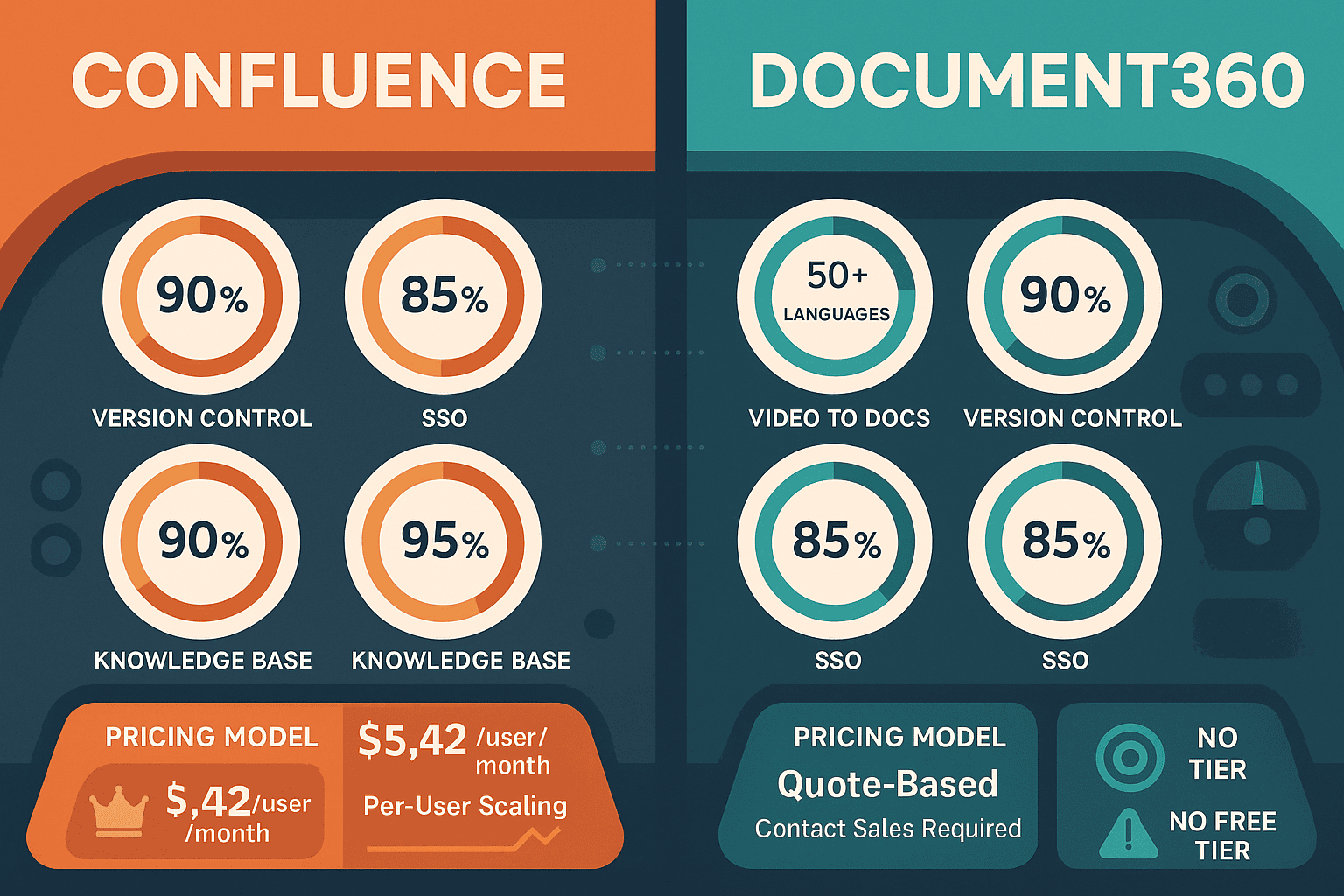
The platform's Eddy AI suite handles 50+ language auto-translation, video-to-content conversion, and audio transcription. Document360 also offers robust approval workflows for content governance—critical for regulated industries where documentation needs formal review processes. As of November 2024, however, Document360 discontinued its free tier and moved to fully sales-led, quote-based pricing. This means there's no published pricing, and you'll need to contact sales before you can even see what the platform costs.
Document360 is part of Kovai.co and recently acquired Floik to add screen-recording-to-demo capabilities, though this is fundamentally different from converting real-world training videos into structured documentation.
Feature Comparison: Where They Differ
For a detailed feature-by-feature breakdown, check out our complete Confluence vs Document360 comparison. Here are the key differences that matter most:
Use Case and Audience
This is the most fundamental distinction. Confluence is built for internal collaboration. It excels when your documentation needs to be tightly integrated with project management workflows, when multiple teams need to collaborate in real-time, and when the primary audience is your own employees.
Document360 is optimized for external customer documentation. It offers custom domain support, embeddable knowledge base widgets for in-app help, and integrations with help desk tools like Zendesk, Intercom, and Freshdesk. If your documentation needs to reduce support tickets and serve customers 24/7, Document360's architecture makes more sense.
Neither platform handles the hybrid use case well—teams that need both internal collaboration and external delivery typically end up maintaining content in two separate systems.
AI Capabilities and Content Creation
Both platforms have invested heavily in AI, but with different priorities.
Confluence's Rovo AI focuses on internal productivity—summarizing lengthy project pages, generating meeting notes, and answering questions based on your team's existing documentation. The 20+ pre-built AI agents handle common documentation tasks without requiring custom configuration. Rovo is included in all paid Confluence plans starting at $6.05 per user per month, making it one of the more affordable AI-powered documentation options.
Document360's Eddy AI targets external content creation and delivery. The 50+ language auto-translation is particularly strong for global companies serving international customers. Eddy can convert video and audio into text content, though this is limited to straightforward transcription rather than the computer vision and OCR capabilities needed to extract structured information from complex training videos.
What both platforms lack is video-to-documentation conversion for real-world training content. If you have hundreds of hours of Salesforce training videos, neither Confluence nor Document360 can transform those into searchable, structured documentation. They both require you to create documentation manually from scratch.
Integration Ecosystem
Confluence lives and breathes Atlassian integration. The Jira connection is so tight that many teams treat Confluence pages as the single source of truth for tickets, releases, and technical specifications. If your engineering team already uses Jira for sprint planning, Confluence becomes the natural documentation layer. However, Confluence lacks custom domain support for external delivery—you can't give customers a documentation site at docs.yourcompany.com that runs on Confluence.
Document360 integrates deeply with help desk platforms rather than project management tools. The Zendesk, Intercom, and Freshdesk connections are designed to reduce support ticket volume by serving relevant knowledge base articles before customers ever contact support. Document360 also offers embeddable widgets that bring documentation directly into your product interface. But it has no meaningful Jira integration—it's simply not designed for internal team collaboration.
Pricing Transparency and Barriers to Entry
This is where the platforms diverge sharply in 2024-2025.
Confluence offers transparent pricing starting with a generous free tier for up to 10 users. Paid plans begin at $6.05 per user per month (Standard) and scale to Premium at $11.55 per user per month. You know exactly what you're paying before you talk to anyone.
Document360 went fully sales-led in November 2024. The free tier that previously let teams test the platform is gone. All pricing is hidden, requiring sales contact for quotes. This creates a significant barrier to entry—you can't quickly spin up a trial to test whether the platform fits your workflow without going through a sales cycle first.
For teams that need to move quickly or validate a solution before committing to vendor conversations, this pricing opacity is a dealbreaker.
Who Should Choose What?
Choose Confluence If You Need...
Confluence makes sense when your primary documentation challenge is internal knowledge management within teams already using Atlassian tools.
If you're an engineering team documenting technical architecture, a product team maintaining roadmaps and feature specs, or an operations team centralizing process documentation, Confluence's real-time collaboration and Jira integration are hard to beat. The free tier for up to 10 users makes it easy to test, and scaling to Premium at $11.55 per user per month is straightforward and predictable.
Confluence works best when your audience is internal, your workflows already involve Jira, and you don't need to deliver documentation to external clients with custom branding.
Choose Document360 If You Need...
Document360 is the right choice when your primary goal is external customer documentation with strong help desk integration.
If you're a support team trying to reduce ticket volume, a product team building comprehensive customer-facing help centers, or a SaaS company needing embeddable documentation widgets, Document360's architecture is purpose-built for these use cases. The 50+ language auto-translation is particularly valuable for companies serving global markets.
Be prepared for the sales-led pricing process, though. Without a free tier or published pricing, you'll need to allocate time for vendor conversations before you can even test the platform.
Choose Docsie If You Need...
Both Confluence and Document360 leave critical gaps in the documentation workflow—gaps that Docsie was specifically designed to fill.
Docsie handles the complete CONVERT → MANAGE → DELIVER workflow that neither competitor addresses:
Video-to-documentation conversion using multimodal AI with computer vision, OCR, and transcription. If you have hundreds of hours of SAP, Workday, or Salesforce training videos, Docsie can transform them into searchable, structured documentation—not just transcripts, but actual documentation that captures what's happening on screen, extracts text from interfaces, and organizes content into meaningful sections.
Multi-tenant portals that let you deliver one knowledge base to unlimited clients with custom branding per tenant. This is essential for consulting firms, implementation partners, and MSPs who need to provide documentation to multiple clients without maintaining separate instances. Neither Confluence nor Document360 offers this capability.
Enterprise knowledge orchestration with version inheritance and end-of-life management. When you're maintaining documentation for multiple product versions across multiple clients, Docsie's inheritance system ensures updates propagate correctly while preserving version-specific content where needed.
100+ language auto-translation with transparent published pricing—no sales calls required to understand costs. Start with a free trial and scale predictably as your needs grow.
For organizations like SAP implementation partners with massive video training libraries that need to become searchable documentation delivered to hundreds of clients through branded portals, Docsie bridges the gap between internal collaboration (Confluence's strength) and external delivery (Document360's strength) while adding the video-to-docs conversion that neither competitor provides.
The Bottom Line
Confluence and Document360 are both strong platforms for their intended use cases. Confluence dominates internal wikis for Atlassian-heavy teams. Document360 excels at external customer knowledge bases with help desk integration.
But if your documentation challenge involves converting existing training videos into structured content and delivering that content to multiple clients through branded portals, neither platform was designed for your needs.
Try Docsie free and see how multimodal AI video-to-docs conversion combined with multi-tenant delivery creates documentation workflows that neither Confluence nor Document360 can match.