
If you're building an integration that needs to turn video content into structured documentation — SOPs, guides, training materials — the Video-to-Docs API gives you a straightforward pipeline: submit a video, poll for analysis, trigger an AI rewrite into your preferred format, and export as Markdown, DOCX, or PDF.
This walkthrough covers the full end-to-end flow using Postman, but the same steps apply to any HTTP client or backend integration. By the end, you'll have a working understanding of every endpoint in the pipeline and what to expect at each stage.
What you'll need
- An API key with access to the Video-to-Docs endpoints
- A video URL or file ID to process
- Postman (or any HTTP client — curl, httpx, requests)
- The Video-to-Docs E2E Pipeline collection imported into your workspace
Environment variables
Set these in your Postman environment (or equivalent):
| Variable | Description |
|---|---|
base_url |
API base URL |
video_url |
Source video URL |
file_id |
File ID if uploading directly |
quality |
draft or high |
doc_style |
sop, guide, tutorial, etc. |
Step 1: Submit the video job
Endpoint: POST /video-to-docs/submit/
Send a POST request with the following JSON body:
{
  "video_url": "",
  "file_id": "",
  "quality": "",
  "language": "english",
  "doc_style": "sop",
  "rewrite_instructions": "Write for a compliance officer audience. Use formal tone.",
  "auto_generate": true
}
A successful response returns 202 Accepted:
{
  "job_id": "abc-123-def",
  "status": "started",
  "quality": "draft",
  "source_type": "file",
  "credits_per_minute": 250
}
Save the job_id — you'll need it for every subsequent request.
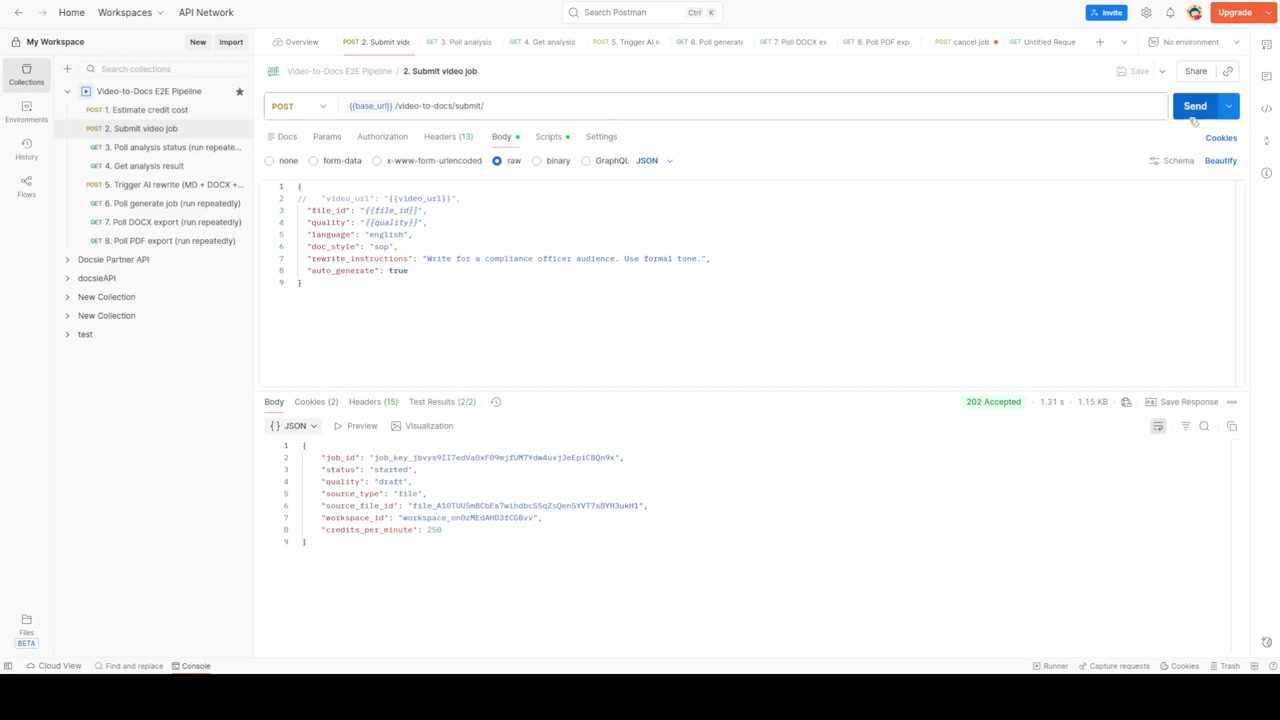
Implementation note: If you're building this into a backend service, fire the submit request and store the
job_idin your database. Set up a background worker or cron job to handle the polling steps below.
Step 2: Poll the analysis status
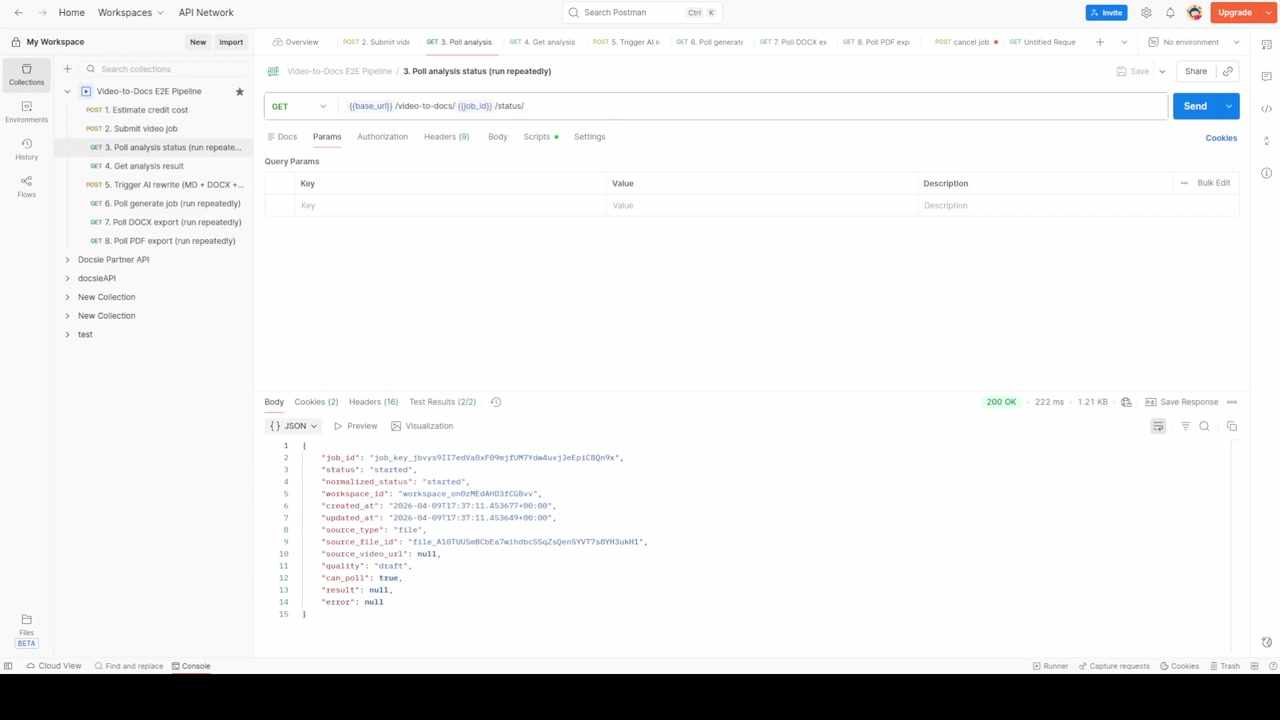
Endpoint: GET /video-to-docs//status/
This is an async operation. The video needs time to be analyzed — typically 1-5 minutes depending on length and quality setting. Poll this endpoint at reasonable intervals (every 5-10 seconds).
{
  "job_id": "abc-123-def",
  "status": "started",
  "can_poll": true,
  "result": null,
  "error": null
}
When status changes from started to done and result is populated, the analysis is complete.
Tip for production: Implement exponential backoff. Start polling at 5s intervals, increase to 10s after 30s, and cap at 30s intervals. Set a timeout at 10 minutes to catch stuck jobs.
Step 3: Retrieve the analysis result
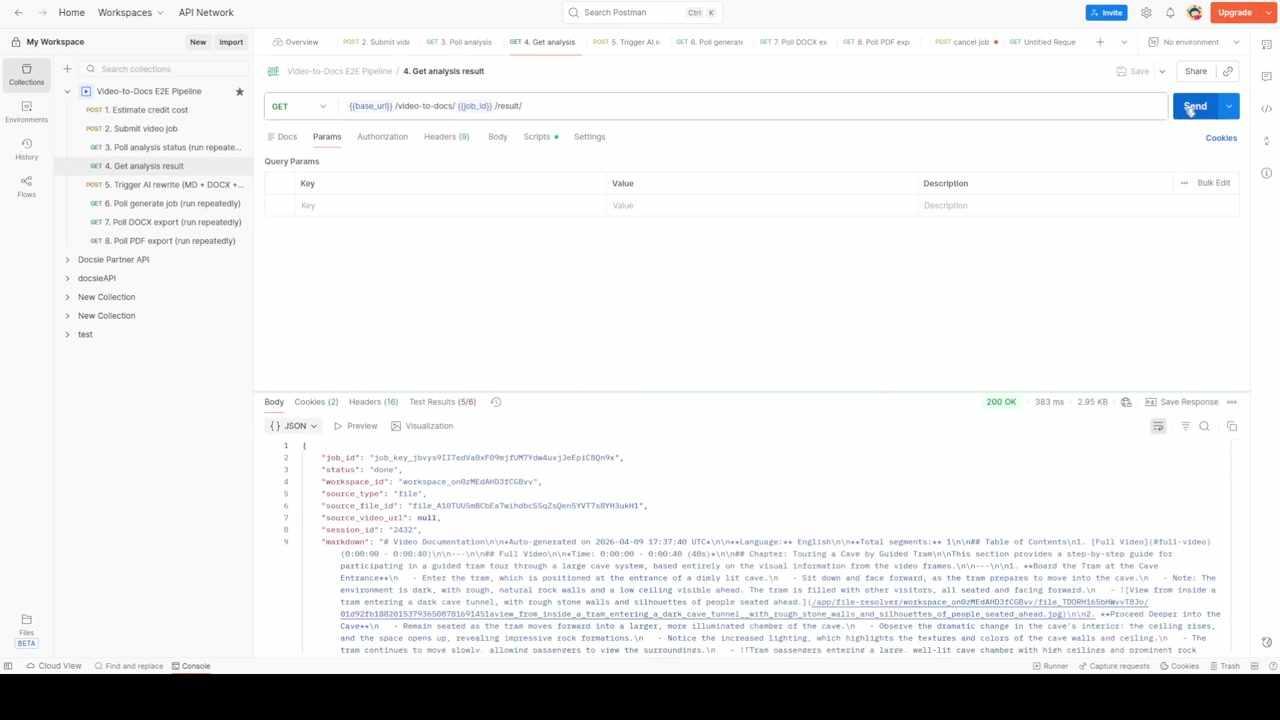
Endpoint: GET /video-to-docs//result/
Once the analysis completes, this endpoint returns the raw extracted content — including a markdown field with the auto-generated documentation.
The response includes a table of contents, chapters, step-by-step instructions, and timestamps — all derived directly from the video content. This is the raw extraction before any AI rewriting.
When to use the raw result: If you have your own document pipeline or template engine, you can skip the AI rewrite step entirely and use this raw markdown as input to your own formatting system.
Step 4: Trigger the AI rewrite and export
Endpoint: POST /video-to-docs//generate/
This is where the raw extraction becomes a polished document. Send a POST with your formatting preferences:
{
  "doc_style": "",
  "rewrite_instructions": "Write a formal Standard Operating Procedure. Include purpose, scope, responsibilities, and procedure sections.",
  "template_instruction": "1. Purpose\n2. Scope\n3. Responsibilities\n4. Procedure\n  4.1 Prerequisites\n  4.2 Step-by-step instructions\n5. Records and Documentation",
  "target_language": "english",
  "book_title": "API Test SOP",
  "output_formats": ["md", "docx", "pdf"]
}
The response includes a generate_job_id and starts producing all three export formats simultaneously:
{
  "job_id": "abc-123-def",
  "generate_job_id": "gen-456-ghi",
  "status": "started",
  "doc_style": "sop"
}
Key parameters
| Parameter | What it does |
|---|---|
doc_style |
Controls the document structure (sop, guide, tutorial, manual) |
rewrite_instructions |
Free-text prompt for tone, audience, and content focus |
template_instruction |
Defines the exact section headings and hierarchy |
output_formats |
Array of export formats to generate (md, docx, pdf) |
target_language |
Output language (supports multilingual rewrite) |
Custom templates: The
template_instructionfield is where you enforce your company's document standard. If you have ISO-compliant SOP templates, encode the section structure here and the AI will follow it.
Step 5: Poll the generate job
Endpoint: GET /jobs//
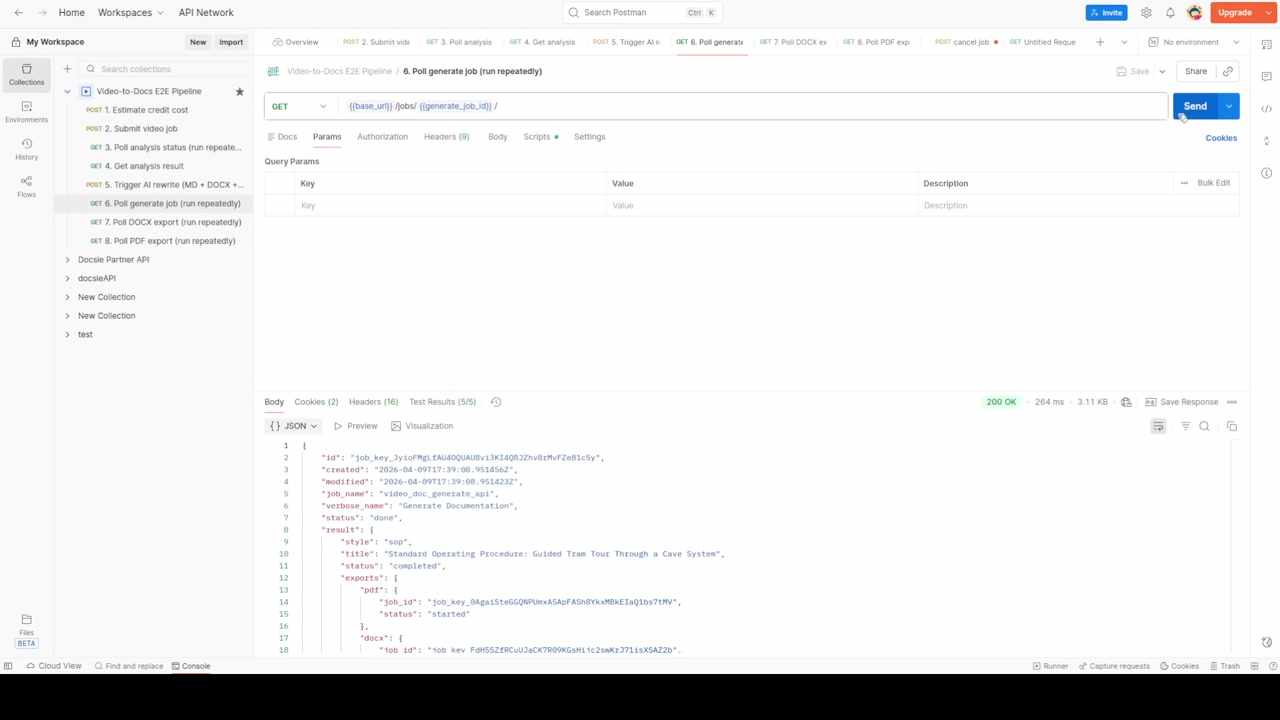
Poll this endpoint until status changes to completed. The completed response includes an exports object with individual job IDs for each format:
{
  "status": "completed",
  "result": {
    "style": "sop",
    "title": "Standard Operating Procedure: Guided Tram Tour Through a Cave System",
    "exports": {
      "md": { "job_id": "md-job-id", "status": "started" },
      "docx": { "job_id": "docx-job-id", "status": "started" },
      "pdf": { "job_id": "pdf-job-id", "status": "started" }
    }
  }
}
Step 6: Poll each export and download
Endpoint: GET /jobs// (same pattern for pdf_job_id, md_job_id)
Each export format has its own async job. Poll each one until status: done. The completed response includes a direct download URL:
{
  "status": "done",
  "result": {
    "url": "https://s3.amazonaws.com/.../standard_operating_procedure.pdf",
    "filename": "standard_operating_procedure_guided_tram_tour.pdf"
  }
}
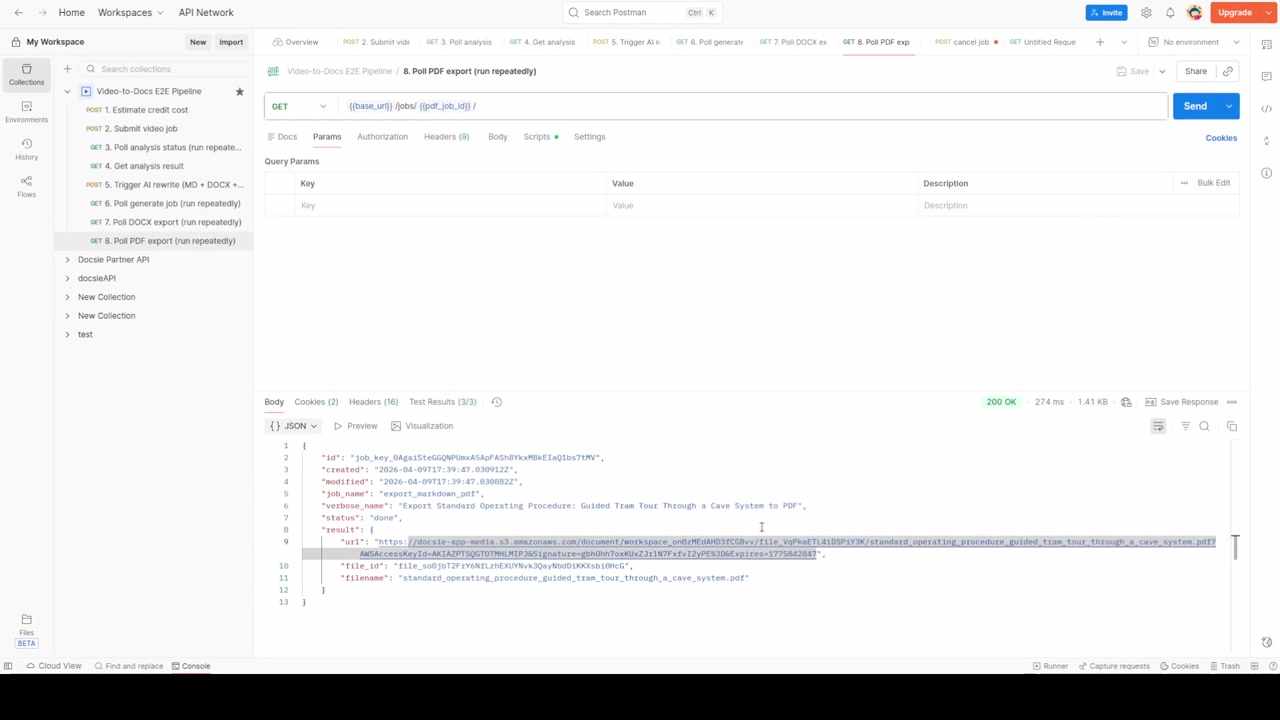
Use the url value to download the file programmatically or in your browser.
What the output looks like
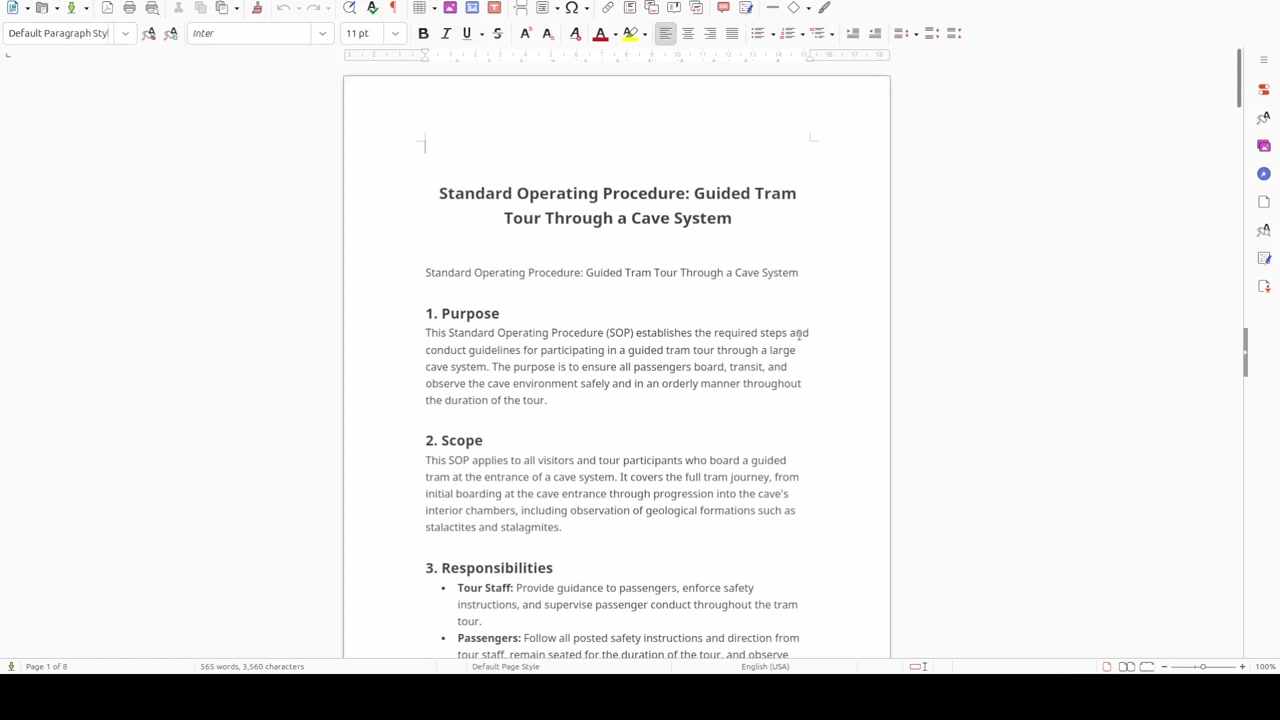
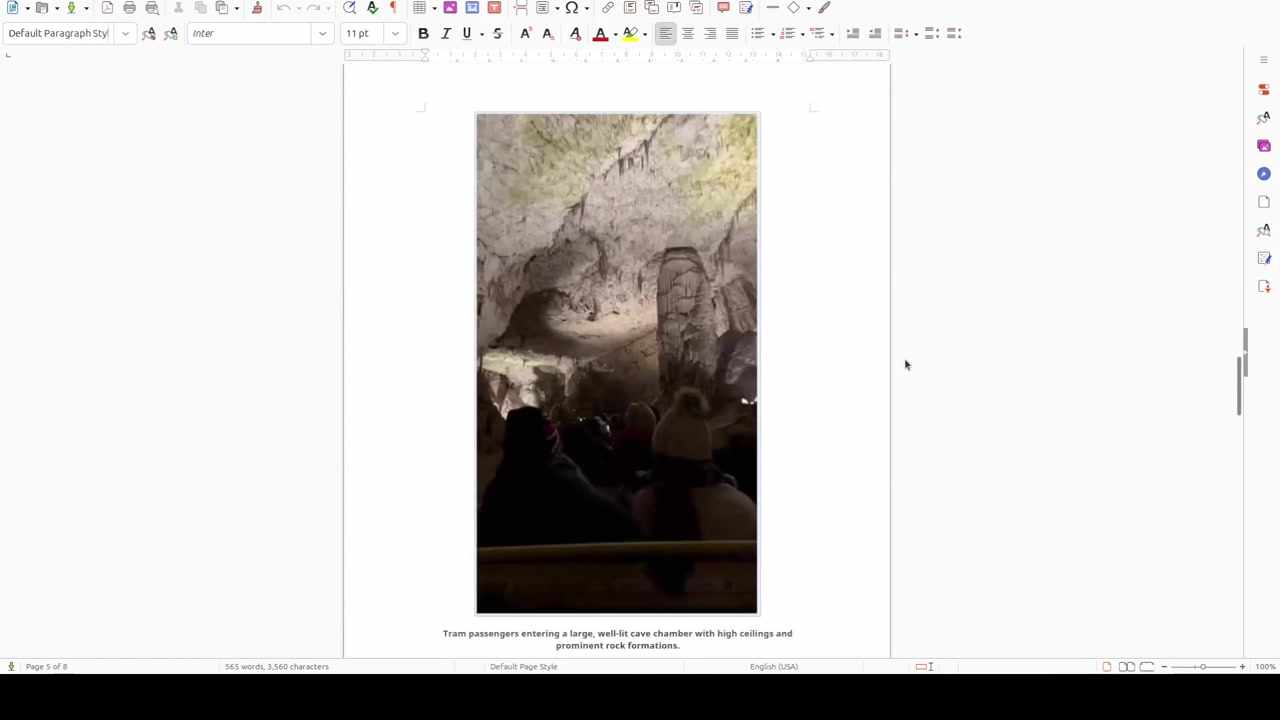
The generated SOP document includes proper sections, formatting, and embedded screenshots extracted from the video:
Putting it together: the full pipeline
Here's the complete flow in pseudocode for a backend integration:
import httpx, time

BASE = "https://your-api-url"
HEADERS = {"Authorization": "Bearer YOUR_API_KEY"}

# 1. Submit
resp = httpx.post(f"{BASE}/video-to-docs/submit/", json={
    "video_url": "https://example.com/training-video.mp4",
    "quality": "high",
    "doc_style": "sop",
    "auto_generate": True
}, headers=HEADERS)
job_id = resp.json()["job_id"]

# 2. Poll analysis
while True:
    status = httpx.get(f"{BASE}/video-to-docs/{job_id}/status/", headers=HEADERS).json()
    if status["status"] == "done":
        break
    time.sleep(10)

# 3. Get result (optional — review raw extraction)
result = httpx.get(f"{BASE}/video-to-docs/{job_id}/result/", headers=HEADERS).json()

# 4. Trigger rewrite + export
gen = httpx.post(f"{BASE}/video-to-docs/{job_id}/generate/", json={
    "doc_style": "sop",
    "output_formats": ["md", "docx", "pdf"],
    "rewrite_instructions": "Formal SOP for compliance team"
}, headers=HEADERS).json()
gen_job_id = gen["generate_job_id"]

# 5. Poll generate job
while True:
    gen_status = httpx.get(f"{BASE}/jobs/{gen_job_id}/", headers=HEADERS).json()
    if gen_status["status"] == "completed":
        break
    time.sleep(10)

# 6. Poll each export
for fmt, export in gen_status["result"]["exports"].items():
    export_job_id = export["job_id"]
    while True:
        export_status = httpx.get(f"{BASE}/jobs/{export_job_id}/", headers=HEADERS).json()
        if export_status["status"] == "done":
            download_url = export_status["result"]["url"]
            print(f"{fmt}: {download_url}")
            break
        time.sleep(5)
Common integration patterns
Webhook-based (no polling)
If you prefer webhooks over polling, pass a callback_url in the submit request. The API will POST the result to your endpoint when processing completes — eliminating the polling loop entirely.
Batch processing
For processing multiple videos, submit all jobs first, then poll them in parallel. Each job is independent and can be tracked by its job_id.
Custom document templates
Upload a branded Word template to your Docsie workspace. Reference it in the generate request, and the exported DOCX will use your template's formatting, headers, footers, and branding.
Resources
- Interactive API Reference (ReDoc) — Full endpoint documentation with request/response schemas
- Postman Collection & Code Examples — Ready-to-import collection for testing
- Start free at app.docsie.io — Create an account and get API access
Docsie's Video-to-Docs API turns video content into structured documentation at scale. Submit a video, get back an SOP — in your template, in your language, ready for your compliance team.