
Guidde vs Scribe: Which Screen Capture Documentation Tool Is Right for You in 2026?
You've probably been there: staring at a 45-minute training video, trying to extract the five critical steps your team actually needs. Or worse, manually writing out process documentation while switching between screenshots and a text editor. It's tedious, time-consuming, and pulls your attention away from higher-value work.
Screen capture documentation tools promise to solve this problem by automatically generating guides from your workflows. But the devil is in the details. Some tools create video tutorials, others produce screenshot guides, and the difference matters more than you might think.
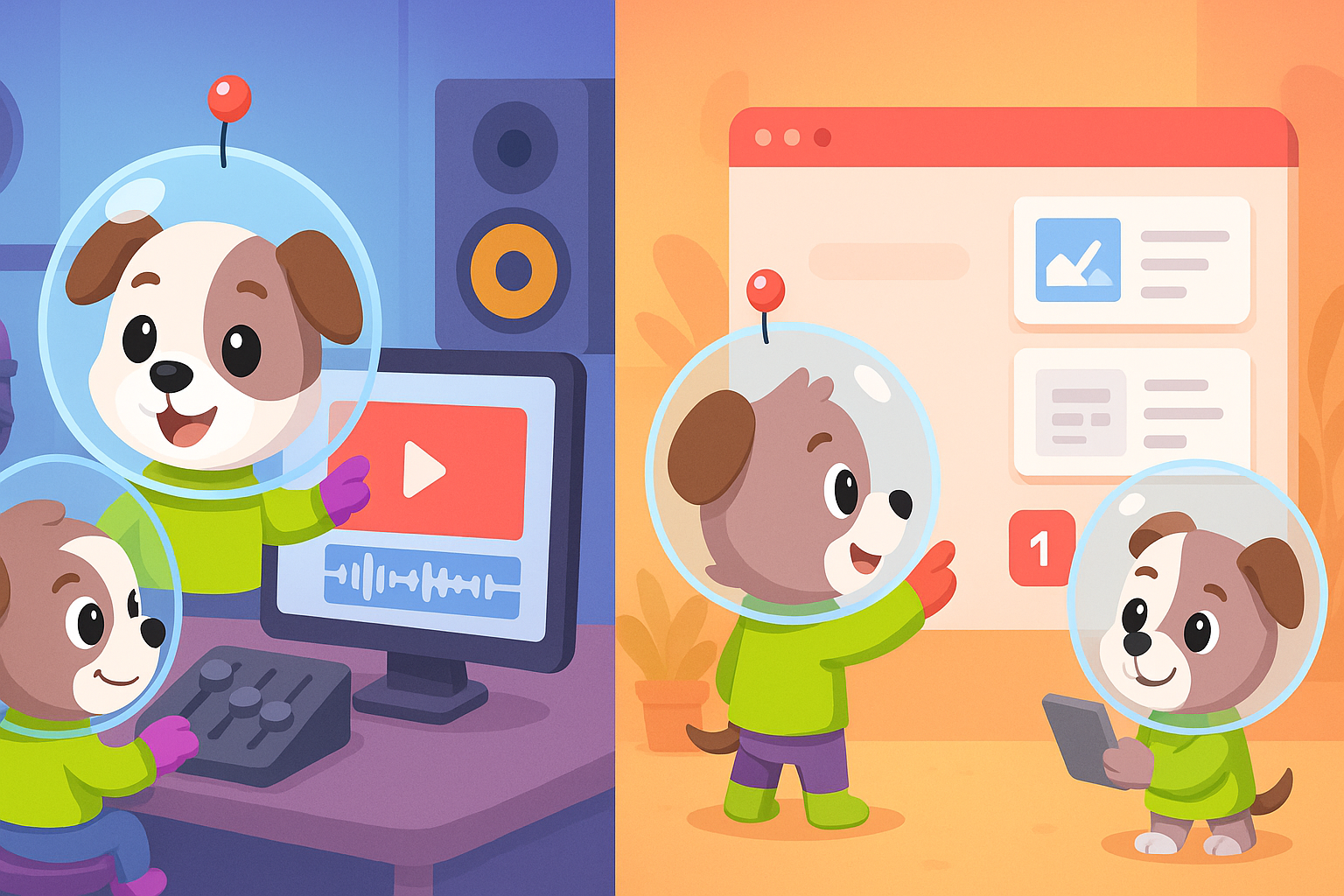
Two tools dominate the conversation: Guidde and Scribe. Both record your screen and generate documentation automatically, but they take fundamentally different approaches. Guidde turns your screen captures into AI-voiced video tutorials with text accompaniments. Scribe creates clean, scannable screenshot guides perfect for SOPs.
This article breaks down how they compare across the dimensions that actually matter to enterprise teams: output format, creation workflow, compliance features, and scalability. By the end, you'll know exactly which tool fits your use case—or whether you need something more robust altogether.
What Is Guidde?
Guidde is a browser extension that captures your screen workflows and automatically generates polished video tutorials with AI voiceovers. Think of it as a video creation assistant specifically designed for customer-facing training content and product walkthroughs.
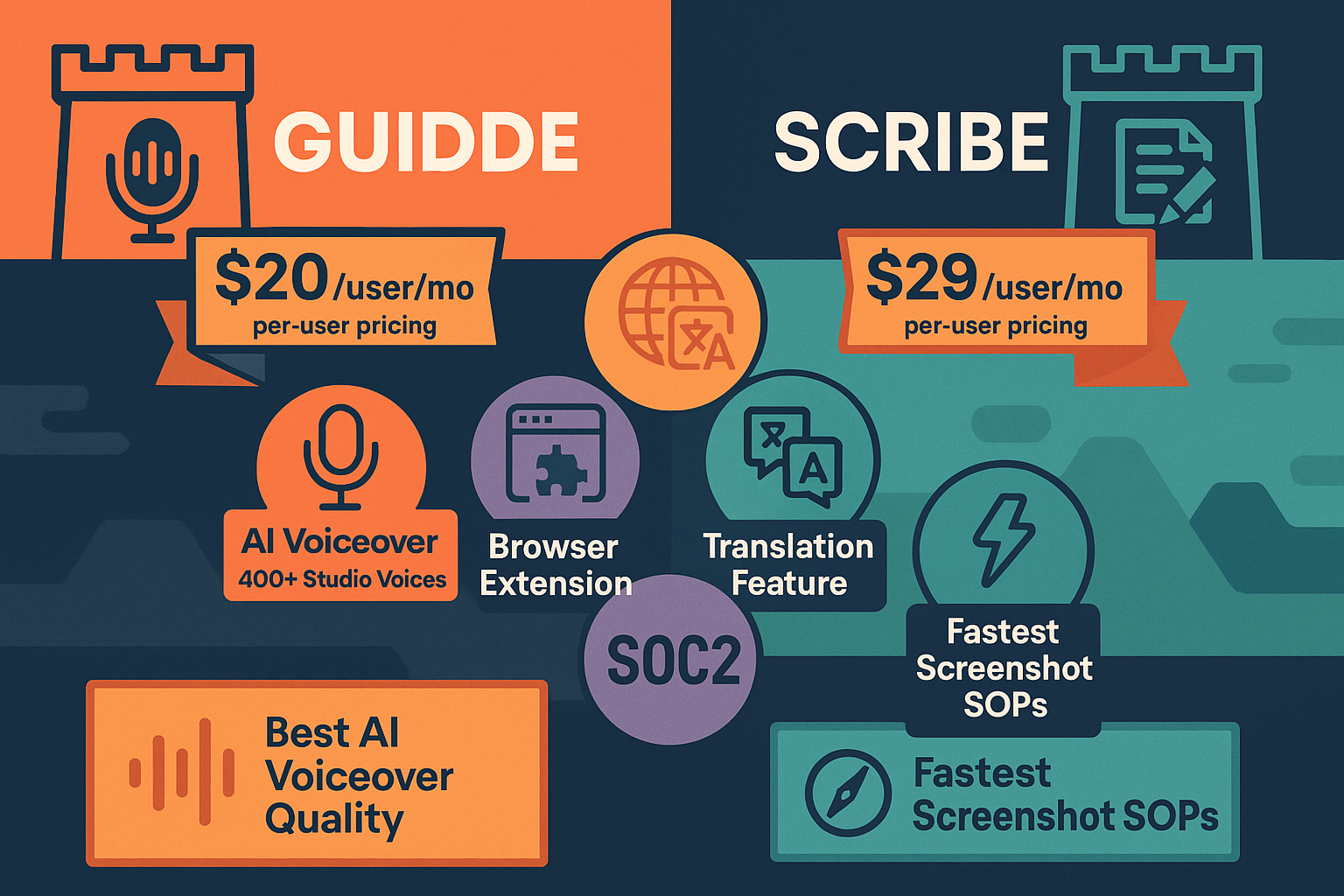
The platform's standout feature is its AI voiceover library—over 400 studio-quality voices across multiple languages. You record your screen once, and Guidde produces both a narrated video and a step-by-step text guide from that single capture. The branded video player allows you to customize themes, add CTAs, and maintain brand consistency across your tutorial library. The Magic Mic feature even lets you narrate as you record, with automatic transcription applied to your final output.
However, Guidde is strictly a screen capture tool. You can't upload existing videos, document physical processes, or set up multi-tenant customer portals. It's purpose-built for creating new video content from screen recordings, nothing more.
What Is Scribe?
Scribe takes a different approach: it's all about speed and simplicity. This browser extension captures your screen actions and instantly generates step-by-step guides with annotated screenshots. No video, no voiceover—just clean, scannable documentation that your team can reference in seconds.
The value proposition is straightforward: install the extension, click record, perform your workflow, and Scribe automatically captures each action with annotated screenshots. The output is a guide that colleagues can skim in under a minute, which is often faster and more practical than watching a video tutorial.
Scribe particularly shines for internal operations. It offers PII/PHI redaction for healthcare and financial services compliance, approval workflows for team review, and integrations with tools like Notion, Confluence, and SharePoint where your SOPs likely already live.
The trade-off? Zero video capability. Scribe cannot convert existing videos, process training video libraries, or handle any audio or voice content. If video is part of your documentation strategy, Scribe simply isn't built for it.
Feature Comparison: Output Format and Use Cases
The most fundamental difference between Guidde and Scribe is what they produce—and this distinction shapes everything else about how you'll use them.
Guidde's dual output (video + text from one capture) makes it ideal for customer-facing scenarios where engagement matters. Product onboarding videos, feature tutorials, and customer training all benefit from AI narration and visual demonstration. The branded video player means your content looks professional and on-brand when embedded in help centers or shared externally.
Scribe's screenshot guides are inherently faster to consume. Internal teams appreciate the ability to skim a guide in 30 seconds rather than watch a 3-minute video. When documenting repetitive processes—HR onboarding checklists, IT troubleshooting procedures, administrative workflows—screenshots are often more practical than video.
The use case distinction is clear: Guidde for customer-facing video content, Scribe for internal screenshot-based SOPs.
But here's the critical limitation both tools share: they only work with new screen captures. If your organization has an existing library of training videos, webinar recordings, or legacy tutorial content, neither Guidde nor Scribe can help you convert that material into structured, searchable documentation. They're creation tools, not conversion platforms.
Creation Workflow and Learning Curve
Both tools deliver on their promise of simplicity, but in different ways.
Scribe has virtually zero learning curve. Install the browser extension, click record, perform your workflow, and stop recording. Scribe automatically identifies each action, captures screenshots, and generates numbered steps with annotations. The time from "I need to document this" to "Here's the completed guide" is measured in minutes, not hours.
Guidde requires slightly more setup but rewards you with richer output. After recording your screen workflow, you'll select from the AI voice library, customize the video player theme, and potentially add CTAs or branding elements. The Magic Mic feature streamlines this if you prefer to narrate live, but there's still a layer of post-production that doesn't exist in Scribe's workflow.
For teams that need to produce dozens of internal SOPs quickly, Scribe's speed advantage is meaningful. For teams creating polished customer-facing tutorials, Guidde's additional configuration time yields significantly better end results.
Neither tool addresses a common enterprise pain point: converting existing video content. If you have 50 training videos from last year's product launch, you're either watching them all manually to extract documentation or starting from scratch with new screen captures.
Compliance and Enterprise Features
When evaluating documentation tools for enterprise use, compliance capabilities and scalability matter as much as core functionality.
Scribe offers stronger compliance features for regulated industries. The PII/PHI redaction capability is essential for healthcare, financial services, or any environment where sensitive information appears on screen during documentation creation. Approval workflows ensure process documentation goes through proper review channels before publication, which matters for quality management systems and regulatory audits.
Guidde focuses on brand control rather than compliance. The branded video player, custom themes, and CTA functionality support marketing-oriented use cases but don't address regulatory requirements. There's no mention of redaction capabilities, approval workflows, or audit trails in Guidde's feature set.
Neither tool offers multi-tenant capabilities. If you're a SaaS company, agency, or enterprise with multiple clients or departments requiring separate branded documentation portals, both Guidde and Scribe fall short. You can create content, but you can't efficiently deliver customized documentation experiences to different audiences from a single platform.
Version control is another gap. Documentation evolves as products and processes change, but neither Guidde nor Scribe provides robust versioning, change tracking, or the ability to maintain multiple documentation versions simultaneously for different product releases or client segments.
Pricing and Scalability
Both tools use per-user pricing models, which means costs increase linearly as your documentation team grows.
Guidde positions itself for smaller teams, with pricing that makes sense when you have under 5 creators producing primarily video content. The value is clear when you're replacing expensive video production workflows with automated screen capture and AI voiceover.
Scribe follows a similar per-user model but may scale more efficiently for larger teams creating primarily screenshot documentation. The faster creation workflow means individual contributors can produce more guides in less time.
The scalability challenge applies to both: as your documentation needs grow beyond simple screen captures—when you need to convert existing videos, manage complex versioning, translate content into multiple languages, or deliver documentation through client-specific portals—you'll outgrow either tool's capabilities.
Who Should Choose What?
Choose Guidde if: - Your primary need is AI-voiced video tutorials for customer training or product onboarding - You want dual output (video + text) from a single screen capture workflow - You're embedding documentation in customer-facing environments where branded video players matter - You have a small team (under 5 creators) focused on video content production
Choose Scribe if: - You need to rapidly produce screenshot-based SOPs for internal operations - Your teams prefer scannable, skimmable guides over video tutorials - You operate in healthcare or financial services and require PII/PHI redaction - You need approval workflows for team review before publishing process documentation
Choose neither if: - You have existing training videos or webinar recordings you need to convert into documentation - You require multi-tenant portals to deliver branded documentation to multiple clients - You need enterprise knowledge management with version control and 100+ language translation - You want workspace-based pricing rather than per-user cost inflation
For a detailed side-by-side comparison of features, pricing, and use cases, see our complete Guidde vs Scribe comparison.
The Better Alternative: Docsie
Here's the uncomfortable truth about both Guidde and Scribe: they're excellent at creating new documentation from screen captures, but they're incomplete solutions for enterprise knowledge management.
Neither can convert your existing video library into structured, searchable documentation. Neither offers multi-tenant portals for delivering customized content to different clients or departments. Neither provides the version control, translation capabilities, or workspace-based pricing that growing documentation teams actually need.
Docsie addresses these gaps directly. Using computer vision and AI, Docsie converts existing training videos—not just new screen captures—into structured documentation. This means your legacy content becomes instantly useful rather than remaining locked in non-searchable video format.
The multi-tenant architecture allows you to deliver branded knowledge base portals to multiple clients from a single source, with content customization, access control, and analytics for each audience. Translation across 100+ languages happens automatically, eliminating the manual work of maintaining separate documentation versions for international teams or customers.
Version control, approval workflows, and searchable content management are built into the platform rather than bolted on as afterthoughts. And workspace-based pricing means your costs scale with your business needs, not your headcount.
Guidde and Scribe are capture tools. Docsie is a complete CONVERT → MANAGE → DELIVER platform designed for organizations that have outgrown simple screen recording.
Take Control of Your Documentation Strategy
Screen capture tools have their place—they make creating new documentation faster and easier. But if your documentation challenges extend beyond "I need to record my screen and generate a guide," you need a more comprehensive solution.
Docsie transforms how enterprise teams create, manage, and deliver documentation at scale. Convert existing videos, manage versions across products and clients, translate automatically, and deliver through branded portals—all from a single platform.
Ready to see the difference? Start your free Docsie trial and discover what enterprise-grade documentation management actually looks like.