
Docsie vs GitBook: Which Documentation Tool Offers Better Pricing Value in 2026?
You're evaluating documentation platforms, and the pricing pages are giving you whiplash. GitBook shows a clean "$12 per user" while Docsie talks about "workspaces" and "AI credits." One charges per site, the other per workspace. How do you actually compare apples to oranges when the entire pricing philosophy is different?
The confusion is real because these tools serve fundamentally different purposes. GitBook is laser-focused on developer documentation with Git workflows. Docsie is an agentic knowledge orchestration platform that converts videos and training content into multi-tenant knowledge bases. Their pricing models reflect these different missions—and choosing the wrong one could cost you thousands per month in unnecessary fees.
Let's break down what you actually get for your money with each platform.
What Is Docsie?
Docsie positions itself as an "Agentic Knowledge Orchestration Platform"—which sounds like marketing speak until you understand what it actually does. Docsie converts training videos, PDFs, and websites into structured knowledge bases using multimodal AI, then delivers that content as branded portals, AI chatbots, and embedded widgets across 100+ languages.
The key differentiator: Docsie handles the complete workflow from content conversion to delivery. Upload a training video (screen recordings, Loom videos, or real-world footage), and Docsie's AI extracts the knowledge, structures it into documentation, and deploys it across multiple client-branded portals simultaneously. It's built for implementation partners, customer success teams, and enterprises that need to scale documentation across multiple clients or internal departments.

What Is GitBook?
GitBook is purpose-built technical documentation for developer teams. If you've ever used Stripe's documentation or explored a well-designed API reference, there's a good chance it was built with GitBook. The platform offers Git-native version control, OpenAPI/Swagger spec support, and a clean documentation UI that developers expect.
GitBook restructured its pricing in 2024-2025 to a site-based model: you pay per documentation site, then add users as needed. It's optimized for developer workflows where documentation lives in Git repositories and changes flow through pull requests. What GitBook does for API documentation, it does exceptionally well. What it doesn't do—video conversion, multi-tenant portals, translation—it doesn't pretend to offer.
Pricing Philosophy: Per-Workspace vs Per-Site
This is where things get interesting.
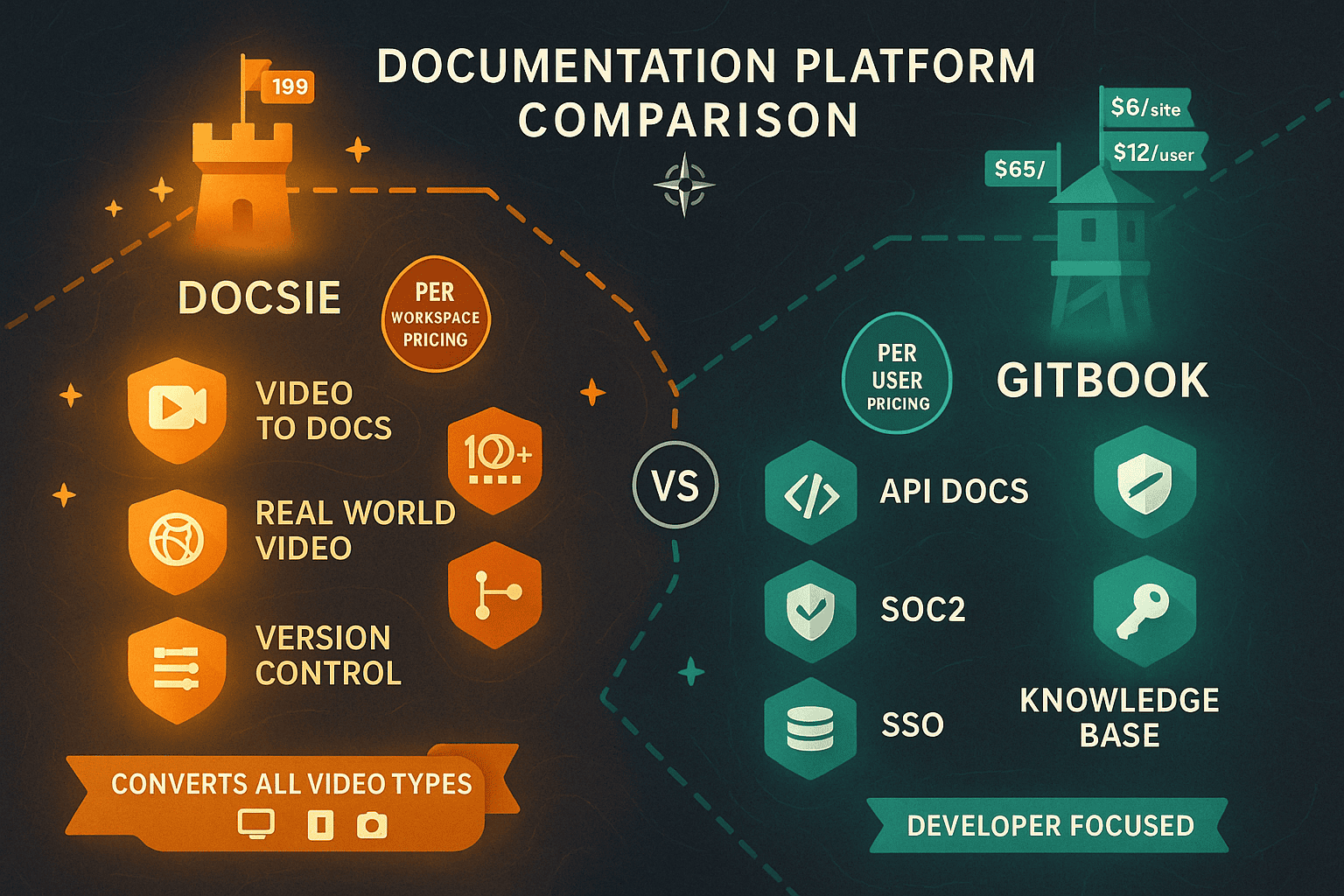
GitBook's per-site + per-user model starts at $12 per user per month on the Standard plan. But here's the catch: custom domains cost an additional $65 per site. Need three separate documentation portals for different products? That's $195/month just for custom domains before you've added a single user. Have a team of 20? You're looking at $240/month in user fees. Total: $435/month for three sites with 20 users—and that's before you get advanced features like AI search or visitor authentication.
Docsie's workspace-based pricing bundles everything differently. The Business plan ($250/month) includes 15 users, unlimited documentation sites, version control, templates, analytics, and basic AI features. The Organization plan ($750/month) expands to 90 users with advanced AI capabilities, multi-language support, white-labeling, and API access. Need 50 client portals? Same price. Need 5? Still the same price.
The math shifts dramatically as you scale. For a team of 20 users managing 10 documentation sites:
- GitBook: $890+/month ($240 for users + $650 for custom domains on 10 sites)
- Docsie Organization: $750/month (includes 90 users, unlimited sites, AI credits, translations, chatbot)
That's nearly $1,700/year in savings—and Docsie includes features GitBook doesn't offer at any price tier.
Feature-by-Feature: What You Actually Get
Video-to-Documentation Conversion
Docsie's core strength is multimodal AI that converts training videos into structured documentation. Upload a Loom recording of your product walkthrough, a screen capture of your software setup process, or even real-world training footage, and Docsie extracts the procedural knowledge automatically.
GitBook? No video capabilities whatsoever. You're manually writing documentation or paying someone to transcribe and structure training content.
For implementation partners and customer success teams, this single feature can save dozens of hours monthly. The ROI calculation is simple: if your team creates training videos anyway, Docsie converts them into searchable documentation automatically. GitBook requires separate tooling and manual work.
Multi-Tenant Client Portals
Docsie's multi-tenant architecture lets you create one master knowledge base and deploy it across unlimited client-branded portals—each with custom domains, logos, and access controls. Change the source content once, and all client portals update simultaneously.
GitBook charges $65 per site for custom domains. Managing 20 client portals costs $1,300/month just for custom domains—nearly double Docsie's entire Organization plan that includes all features.
If you're a SaaS company managing documentation for multiple enterprise clients, or an agency delivering branded knowledge bases to customers, the pricing difference is staggering.
Multi-Language Support and Translation
Docsie includes automatic translation across 100+ languages at the Organization tier. Create documentation once, deploy it globally. Critical for international teams or products with global user bases.
GitBook has no built-in translation capabilities. You'd need to maintain separate documentation sites per language or integrate third-party translation tools—both expensive at scale.
AI Search and Chatbot
Both platforms offer AI-powered search, but the implementation and pricing differ significantly.
Docsie uses "agentic AI search" with tool calls rather than traditional RAG (Retrieval-Augmented Generation), resulting in more accurate chatbot responses. The AI chatbot and semantic search are included starting at the Business plan ($250/month).
GitBook includes AI search in its Standard plan, but advanced AI features require the Ultimate tier (custom pricing, typically $500+/month for small teams). The AI capabilities are optimized for code and API documentation—excellent if that's your use case, limited if you're working with procedural training content or non-technical documentation.
Version Control and Git Integration
GitBook's Git-native architecture is genuinely best-in-class for developer teams. Documentation lives in your Git repository, changes flow through pull requests, and the entire team uses familiar Git workflows. If your documentation is primarily code-adjacent and your team thinks in commits and branches, GitBook's approach is elegant.
Docsie includes version control and change history but doesn't integrate directly with Git repositories. The versioning is built for content managers and subject matter experts who don't necessarily work in developer workflows. You can roll back changes, compare versions, and manage drafts—but through Docsie's interface, not Git commands.
The question: does your documentation team work in Git daily, or would they benefit from a more visual content management approach?
Who Should Choose What?
For detailed pricing comparison tables and tier-by-tier breakdowns, check out our full Docsie vs GitBook pricing comparison.
Choose GitBook if:
You're a small developer team (2-3 people) building API documentation for a single product. GitBook's $12/user pricing is competitive for tiny teams, and the Git-native workflows will feel natural if you're already working in repositories daily.
You're an open-source project or non-profit qualifying for GitBook's free tier. The free tier is genuinely useful for community projects that need professional-looking documentation without budget.
You need exactly one or two documentation sites with Git-based change request workflows. If your entire documentation strategy is "API reference for our main product," GitBook's per-site pricing won't hurt you.
You don't need video conversion, translations, multi-tenant portals, or AI chatbots. If your documentation is purely text-based technical writing maintained by developers, GitBook does that specific job extremely well.
Choose Docsie if:
You manage multiple documentation sites or client portals. Once you need 3+ sites, Docsie's unlimited site model becomes dramatically more cost-effective than GitBook's $65/site custom domain fees.
Your team is larger than 10 users. Docsie's workspace pricing includes 15-90 users depending on tier, while GitBook's per-user fees compound quickly. At 20 users, you're saving hundreds monthly.
You create training videos that need to become documentation. Docsie's video-to-docs conversion eliminates manual transcription and structuring work. GitBook requires separate tools and manual effort.
You need multi-language support. Docsie's automatic translation across 100+ languages is included; GitBook offers nothing comparable.
You want predictable costs as you scale. Docsie's flat workspace pricing means your costs don't explode as you add documentation sites or team members. GitBook's per-site + per-user model creates compounding fees.
You need AI chatbot and semantic search without enterprise pricing. Docsie includes these features at the Business tier ($250/month); GitBook requires Ultimate tier (typically $500+/month).
The Verdict: Docsie Delivers 60-70% Better Value at Scale
The pricing comparison becomes stark once you move beyond tiny teams or single documentation sites. GitBook is genuinely excellent for what it does—but what it does is narrowly focused on developer documentation with Git workflows.
For teams needing comprehensive documentation capabilities, Docsie offers superior value:
At 10 sites with 20 users: - GitBook: $890+/month (plus limitations on features) - Docsie Organization: $750/month (with unlimited sites, 90 users, AI credits, translations, chatbot, multi-tenant portals)
The features Docsie includes at mid-tier pricing that GitBook either lacks or charges premium prices for: - Video-to-documentation conversion (no GitBook equivalent) - Multi-tenant client portals (GitBook requires separate paid sites) - 100+ language translation (GitBook has no translation features) - AI chatbot included at Business tier (GitBook requires Ultimate tier) - Unlimited documentation sites (GitBook charges per site + $65/site for custom domains) - 15-90 users included (vs. $12/user at GitBook)
Unless you specifically need Git-native developer documentation workflows and have only 1-2 sites with a tiny team, Docsie provides better price-to-value ratio for modern documentation needs.
Ready to See the Difference?
The best way to understand which platform fits your workflow is to actually use it. Docsie offers a free trial where you can upload a training video, convert it to documentation, and deploy it as a branded portal—all without credit card required.
Try converting one of your existing training videos or product walkthroughs. See how Docsie's AI structures the content, then compare what you'd need to do manually in GitBook to achieve the same result. The pricing comparison becomes immediately clear when you experience the workflow difference firsthand.
For teams managing documentation at scale, across multiple clients, or in multiple languages, Docsie isn't just cheaper—it's built for workflows that GitBook was never designed to handle.