
Clueso vs Scribe: Which Documentation Tool Delivers Better Value in 2026?
Choosing between documentation tools shouldn't feel like choosing between apples and oranges—but that's exactly what happens when you compare Clueso and Scribe. One charges by workspace with strict export limits, the other by user seats with unlimited creation. One specializes in polished video output, the other in screenshot-based guides. Both leave critical gaps that enterprise teams can't ignore.
If you're evaluating these platforms for your team, understanding their pricing models matters more than feature lists. The wrong choice doesn't just waste budget—it creates scaling problems, blocks workflows, and forces expensive migrations later. Let's break down what you're actually paying for with each tool.
What Is Clueso?
Clueso positions itself as an AI platform that transforms screen recordings into professionally edited videos. Record your screen, and Clueso's AI applies auto-zoom, cursor smoothing, branded styling, and voiceovers to create polished product videos. You also get step-by-step text articles from the same recording. The platform targets SaaS companies focused on customer education, offering SOC 2 Type II and ISO 27001 certification for compliance-conscious buyers.
The key limitation: Clueso only processes screen recordings you create within its ecosystem. You cannot upload existing video libraries, training footage, or real-world video for conversion. It's a creation tool, not a conversion platform.

What Is Scribe?
Scribe takes a simpler approach: install a browser extension, perform your workflow, and Scribe automatically captures each action as annotated screenshots. The output is clean, step-by-step guides perfect for SOPs and internal process documentation. With integrations for Notion, Confluence, and SharePoint, Scribe fits easily into existing documentation workflows.
The trade-off: Scribe offers zero video capability. It cannot process video of any kind—no screen recordings, no training videos, no existing content libraries. If your documentation strategy includes video or audio content, Scribe cannot help.
Pricing Model Comparison: Workspace vs. Per-User
The fundamental difference between these tools starts with how they charge you.
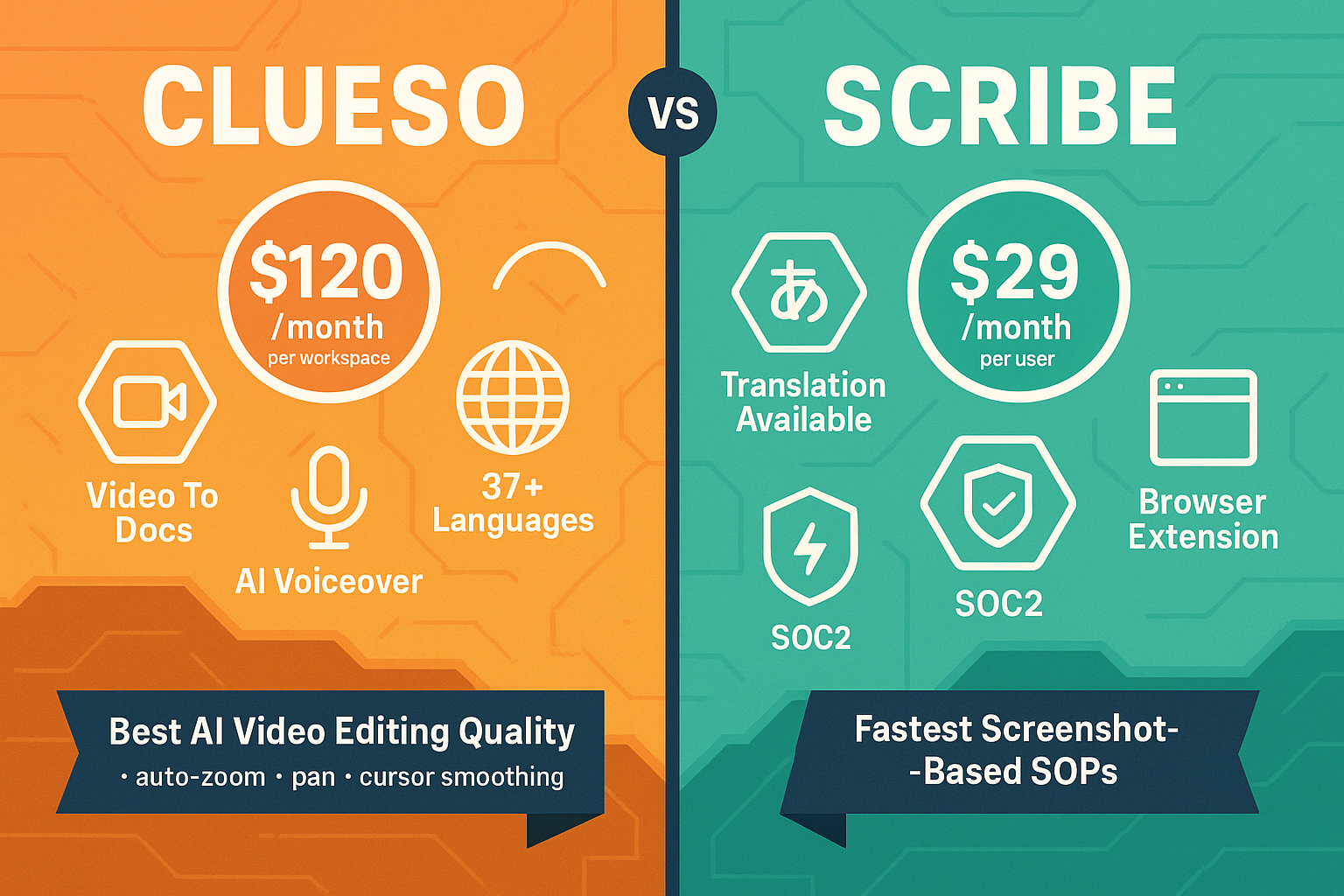
Clueso uses workspace-based pricing ranging from $120-$200 per month. You're paying for the workspace itself, not individual user seats. This creates an advantage for smaller teams—five users pay the same as one. However, Clueso imposes strict export limits tied to each plan tier. Once you hit your monthly export cap, you either wait for the next billing cycle (credits don't roll over) or upgrade to a more expensive tier. At roughly $240+ per exported hour of video content, this pricing structure penalizes high-volume production teams.
Scribe uses per-user pricing at $15-$29 per seat monthly (for Pro and Enterprise tiers respectively). Individual users can start free with basic features, making Scribe attractive for small teams and trial purposes. The Pro tier allows unlimited Scribe creation, which sounds generous until you calculate team costs. Ten users at $15/month costs $150 monthly—comparable to Clueso's workspace pricing. Scale to 25 users and you're paying $375-$725 monthly depending on tier, with per-seat costs inflating linearly as your team grows.
Neither model is inherently better—the right choice depends on your team structure and usage patterns. Small, stable teams with predictable output favor Clueso's workspace model. Teams that need to onboard documentation contributors frequently face explosive costs with Scribe's per-seat pricing.
Feature Access and Hidden Costs
Pricing tiers aren't just about cost—they determine what features you can actually use.
Clueso's workspace tiers gate access to features like custom branding, advanced AI editing options, and higher export limits. The critical constraint isn't user seats—it's the non-rollover export limits. If your team produces five hours of video content one month and two hours the next, you've wasted three hours of paid capacity. There's no banking credits, no rollover, no flexibility. This creates artificial scarcity that punishes uneven production schedules.
Scribe's tier structure locks critical enterprise features behind the Enterprise tier with undisclosed pricing. Need SSO? Enterprise only. Want API access? Enterprise only. Advanced security controls? Enterprise only. The Pro tier at $15/seat gives you unlimited Scribe creation and integrations, but any attempt to build automated workflows, implement proper access controls, or integrate Scribe into larger systems requires contacting sales for custom Enterprise pricing. This pattern forces growing teams into expensive tier jumps when they need enterprise features but not enterprise-scale user counts.
Both platforms share a critical weakness: neither offers video-to-documentation conversion. Clueso only processes new screen recordings you create in their tool. Scribe offers no video capability whatsoever. If you have existing training videos, Loom recordings, or video libraries to convert into documentation, neither platform can help. You're locked into creating new content from scratch.
Multi-Tenant and Knowledge Management Gaps
Enterprise documentation needs extend beyond content creation to delivery and management.
Neither Clueso nor Scribe provides multi-tenant customer portals. If you're a SaaS company, agency, or MSP serving multiple clients, you cannot create branded knowledge bases for each customer within a single system. You're forced to use external hosting, manually duplicate content across separate instances, or cobble together third-party portal solutions. This isn't a missing feature—it's a missing business model.
Version control is absent from both platforms. Documentation changes constantly. You need to track who changed what, when, and roll back when necessary. Clueso lacks version control entirely. Scribe offers no versioning capabilities. For regulated industries, compliance teams, or any organization where documentation accuracy matters, this creates audit and governance problems you'll need to solve elsewhere.
Content reuse and workflow automation barely exist. Neither platform offers approval workflows, content component libraries for reuse across documents, or sophisticated content management capabilities. You create content, you export it, and you manage it somewhere else. These are creation tools, not knowledge management systems.
Who Should Choose What?
Choose Clueso if you need polished, professionally edited videos with AI voiceovers and branded styling, you have a small team with predictable video production volume, and video quality justifies the $240+ per exported hour cost. Clueso makes sense when you're creating customer-facing product videos from screen recordings and your output stays within monthly export limits consistently.
Choose Scribe if you need fast screenshot-based guides for internal SOPs, you're an individual user or very small team (2-5 people) that can leverage free or low-cost tiers, and you only need internal documentation with simple browser-based capture. Scribe excels at quickly documenting internal processes where video isn't necessary.
Choose neither if you need to convert existing video libraries into documentation, deliver content through multi-tenant customer portals, implement version control and approval workflows, or scale beyond these tools' structural limitations.
The Better Alternative: Docsie's Complete Documentation Platform
Both Clueso and Scribe are content creation tools with pricing models that penalize scale—Clueso through strict non-rollover export limits, Scribe through per-user seat costs. Neither offers the complete workflow enterprises actually need: CONVERT → MANAGE → DELIVER.
Docsie provides all three:
Convert existing content at scale. Upload training videos, Loom recordings, screen captures, or real-world footage and Docsie's AI converts them into structured documentation. You're not limited to creating new content from scratch—you can transform your existing video libraries into searchable, translatable knowledge bases.
Manage with enterprise-grade workflows. Version control tracks every change. Content reuse lets you create component libraries shared across documents. Approval workflows ensure accuracy before publication. Auto-translation supports 100+ languages without manual translation costs. API access enables automation and integration with your existing systems.
Deliver through multi-tenant portals. Create branded customer portals for each client, all managed from one system. Give your customers dedicated knowledge bases with their branding, while you manage everything centrally. This isn't a workaround—it's built into the platform.
Docsie's AI credit pricing model adapts to actual usage without per-seat inflation or artificial export limits. Workspace pricing includes 15-90 users depending on tier, with AI credits for 5-25 hours of video conversion monthly. Credits work across all AI features—video conversion, translation, content generation—giving you flexibility rather than forcing separate line items for each capability.
Enterprise features like SSO, audit logs, and SOC 2 compliance don't require forcing Enterprise tier upgrades. They're available across tiers, with pricing that reflects usage rather than punishing you for needing security features.
For detailed feature and pricing breakdowns, see our complete Clueso vs Scribe comparison.
Ready to Move Beyond Limited Creation Tools?
If you're serious about documentation that scales, start with a platform built for the complete workflow—not just content creation. Docsie eliminates the gaps both Clueso and Scribe leave open, with pricing that supports growth rather than penalizing it.
Start your free Docsie trial today and discover why teams managing documentation across multiple clients choose a complete knowledge management platform over limited creation tools.