
Archbee vs Tango: Enterprise Readiness Comparison 2026
Choosing enterprise documentation tools feels like navigating a minefield of hidden costs and missing capabilities. A platform looks perfect on the homepage—until you realize the AI features cost extra, version control is limited to 30 days, or there's no way to deliver branded documentation to multiple clients. For enterprise teams managing documentation at scale, these gaps aren't minor inconveniences—they're deal-breakers.
Archbee and Tango represent two distinct approaches to documentation: developer-focused API documentation versus browser workflow capture. Both have carved out niches in the documentation landscape, but how do they stack up when enterprise requirements come into play? This comparison examines what these tools actually deliver for organizations that need security compliance, scalability, and comprehensive knowledge management.
What is Archbee?
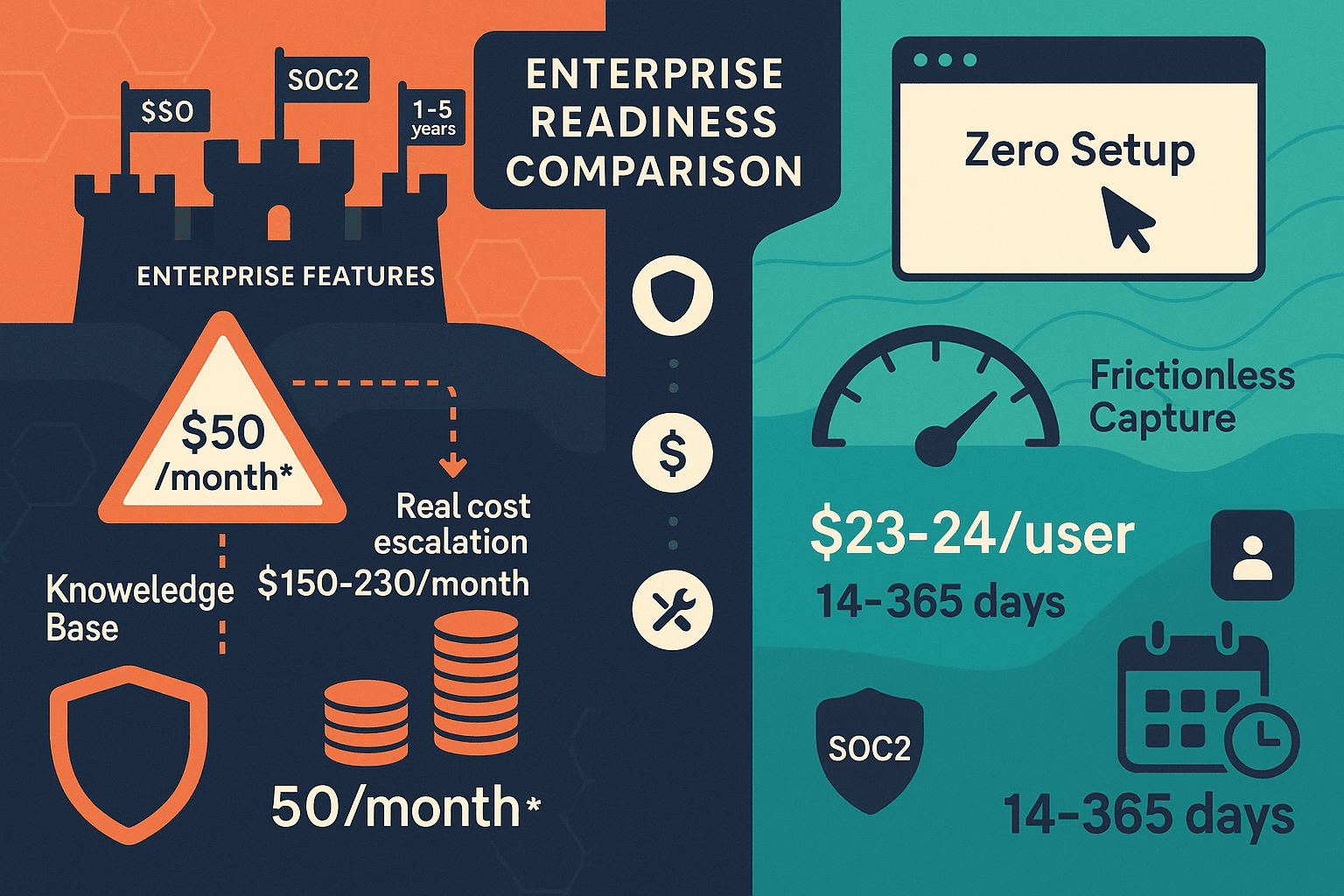
Archbee positions itself as a product and API documentation platform built for developer teams. With a low advertised entry price of $50/month, it initially appears budget-friendly for technical documentation needs. The platform supports OpenAPI/Swagger integration and offers a clean, modern interface that appeals to development organizations.
However, the base price tells only part of the story. Archbee's pricing structure relies heavily on paid add-ons—AI Write Assist ($20/month extra), Analytics ($80/month extra), API Access, and App Widget are all separate charges. What looks like a $50/month solution quickly becomes $150-230/month once you add the features most enterprise teams consider essential. For organizations evaluating total cost of ownership, this add-on model creates budgeting challenges and potential sticker shock during implementation.

What is Tango?
Tango started as a Chrome extension for capturing browser-based workflows, automatically generating screenshot-based step-by-step guides. The tool's strength lies in its frictionless capture experience—users can document browser workflows with zero setup, making it appealing for teams that need quick process documentation.
Recently, Tango has pivoted heavily toward CRM automation, particularly Salesforce and HubSpot integrations. While this expansion may serve sales operations teams, it signals that documentation capabilities are becoming secondary to the company's strategic direction. For enterprise documentation managers, this shift raises questions about long-term product focus and feature development priorities.
Tango's most significant limitation for enterprise use is its complete lack of video capabilities. The platform captures screenshots only—no video processing, no audio transcription, no ability to convert existing training videos into searchable documentation. In an era where enterprise knowledge exists across multiple formats, this single-medium approach creates significant gaps.
Enterprise Readiness: The Critical Dimensions
Security & Compliance
Both Archbee and Tango meet baseline enterprise security requirements with SOC 2 Type II compliance and GDPR readiness. These certifications are table stakes for enterprise adoption, but they're just the starting point.
Archbee provides SSO integration and role-based access controls suitable for technical teams. However, the platform lacks comprehensive audit logging that enterprise security teams need for compliance reporting. When you're managing documentation for regulated industries—healthcare, financial services, government contractors—audit trails aren't optional features.
Tango similarly offers SOC 2 compliance but provides limited administrative controls beyond basic team management. The platform's browser-extension architecture, while convenient for capture, creates security considerations for organizations with strict data handling requirements. Capturing workflows that may include sensitive customer data or proprietary processes requires robust data governance—an area where Tango's lightweight approach shows its limits.
Neither platform offers EU data residency options, published SLA commitments, or the comprehensive security controls that enterprise procurement teams typically require during vendor evaluation.
Version Control & Collaboration
Archbee excels in version history, offering retention up to 5 years—exceptional for technical documentation that requires long-term tracking. The platform includes review workflows and approval processes that fit technical content development cycles. For API documentation where version tracking is critical, this capability provides real value.
Tango's version control is severely limited. The platform doesn't provide robust versioning for captured workflows, making it difficult to track changes over time or maintain multiple versions of process documentation. For enterprises managing documentation across product releases, regulatory changes, or evolving customer requirements, this limitation is significant.
Collaboration features in both tools remain basic. Neither provides the sophisticated workflow orchestration that enterprise teams need for managing documentation across departments, products, or customer segments.
Scalability & Architecture
Here's where both platforms show critical gaps for enterprise deployment. Neither Archbee nor Tango offers multi-tenant architecture—the ability to manage and deliver separate, branded documentation portals for multiple clients or departments from a single platform instance.
Archbee is designed for single-instance use. You can document your products and APIs, but you can't efficiently deliver customized documentation experiences to dozens or hundreds of enterprise clients. For software companies serving enterprise customers, professional services firms, or large organizations with multiple business units, this architectural limitation forces workarounds or multiple platform subscriptions.
Tango's architecture is even more constrained, focused on individual team use rather than enterprise-wide deployment. The platform lacks API access entirely (except possibly on enterprise plans), limiting integration possibilities with existing enterprise toolchains.
Neither platform can convert existing video content into documentation—a critical capability as enterprises sit on libraries of training videos, screen recordings, and legacy content that needs to be searchable and maintainable.
Content Capabilities & Intelligence
Archbee's developer focus means strong support for code blocks, API references, and technical content. The platform integrates with OpenAPI/Swagger specifications, automatically generating API documentation. However, AI capabilities are locked behind additional fees, and the platform handles only text-based documentation.
Tango captures browser workflows efficiently but offers zero video capability. You cannot convert screen recordings, training videos, or any existing visual content. The platform processes screenshots only—no audio transcription, no video intelligence, no multi-format content orchestration.
For enterprise organizations with diverse content types—video training libraries, audio recordings from customer calls, existing documentation across multiple formats—both platforms require supplementary tools. Neither provides the comprehensive content intelligence needed for modern knowledge management.
Who Should Choose What?
Choose Archbee if you need: - Developer and API documentation with OpenAPI/Swagger integration - Long version history retention (up to 5 years) for technical documentation - Review workflows for technical content approval processes - Are willing to pay extra for analytics, API access, and AI features via add-ons
Archbee works well for development teams focused primarily on API documentation with straightforward version tracking needs. The platform suits organizations where documentation users are primarily technical and content types remain text-based. Budget for $150-230/month to access essential features beyond the advertised base price.
Choose Tango if you need: - Quick browser-based workflow capture with minimal setup - In-app guided walkthroughs for customer onboarding - Screenshot-based step-by-step guides for internal processes - Small team (under 10 users) with simple documentation needs
Tango serves teams that document browser-based processes and need minimal setup complexity. It's best suited for straightforward internal process documentation where version control and enterprise security features aren't primary concerns.
The Enterprise Reality: What's Missing from Both
For a comprehensive enterprise readiness comparison between Archbee and Tango, the gaps become clear: both platforms achieve baseline security compliance but lack the comprehensive capabilities enterprise organizations require.
Neither provides: - Multi-tenant architecture for delivering branded documentation to multiple clients or business units - Video-to-documentation conversion for existing training content and screen recordings - Comprehensive multilingual support for global enterprise deployment - Enterprise-grade administration including complete audit logs, published SLAs, and granular permissions - Knowledge orchestration capabilities that manage documentation across the entire content lifecycle
These aren't nice-to-have features—they're fundamental requirements for enterprises managing knowledge at scale.
The Superior Alternative: Docsie for Enterprise Knowledge Management
Docsie delivers what Archbee and Tango can't: true enterprise knowledge orchestration with the complete CONVERT → MANAGE → DELIVER workflow.
Convert any content format: Docsie's video-to-documentation conversion transforms training videos, screen recordings, and real-world processes into structured, searchable documentation. Your existing content libraries become valuable knowledge assets rather than static files.
Multi-tenant architecture: Manage and deliver unlimited branded documentation portals from a single platform instance. Serve hundreds of enterprise clients or business units with customized documentation experiences while maintaining centralized control.
Complete enterprise security: SOC 2 Type II compliance, comprehensive audit logs, 99.9% uptime SLA, EU data residency options, and granular permissions—all standard features, not expensive add-ons.
Global reach: Auto-translation supporting 100+ languages enables true global enterprise deployment without managing separate documentation versions.
Transparent pricing: API access, webhooks, analytics, and AI capabilities are included—no hidden add-on costs that triple your budget during implementation.
Enterprise scalability: Support up to 10,000+ documentation sites from one platform, with the administrative controls and API integrations enterprise operations require.
For enterprise decision-makers evaluating documentation platforms, Docsie provides the comprehensive capabilities that Archbee and Tango simply can't match. When your documentation requirements extend beyond simple text pages to include video content, multi-client delivery, global translation, and enterprise-grade administration, Docsie delivers the complete solution.
Take the Next Step
Stop settling for documentation tools that require workarounds, expensive add-ons, and supplementary platforms to meet enterprise requirements.
Try Docsie free and experience what comprehensive enterprise knowledge management actually looks like—with video conversion, multi-tenant portals, and complete administration capabilities included from day one.
Your enterprise documentation strategy deserves better than baseline compliance and missing features. It deserves a platform purpose-built for enterprise knowledge orchestration at scale.