
Archbee vs Slab: Which Documentation Tool Fits Your Team in 2026?
Choosing documentation software shouldn't feel like navigating a maze of hidden costs and missing features. Yet here we are in 2026, where some platforms advertise one price and charge another, while others skip essential AI capabilities entirely. If you're evaluating Archbee and Slab, you've likely noticed they target completely different use cases—and both come with surprising limitations.
Let's cut through the marketing and examine what these tools actually deliver, what they cost in reality, and whether either one truly meets modern documentation needs.
What is Archbee?
Archbee positions itself as a product and API documentation platform built specifically for developer teams. With OpenAPI/Swagger support and GitHub integrations, it appeals to engineering organizations that need technical documentation with review workflows and version control.
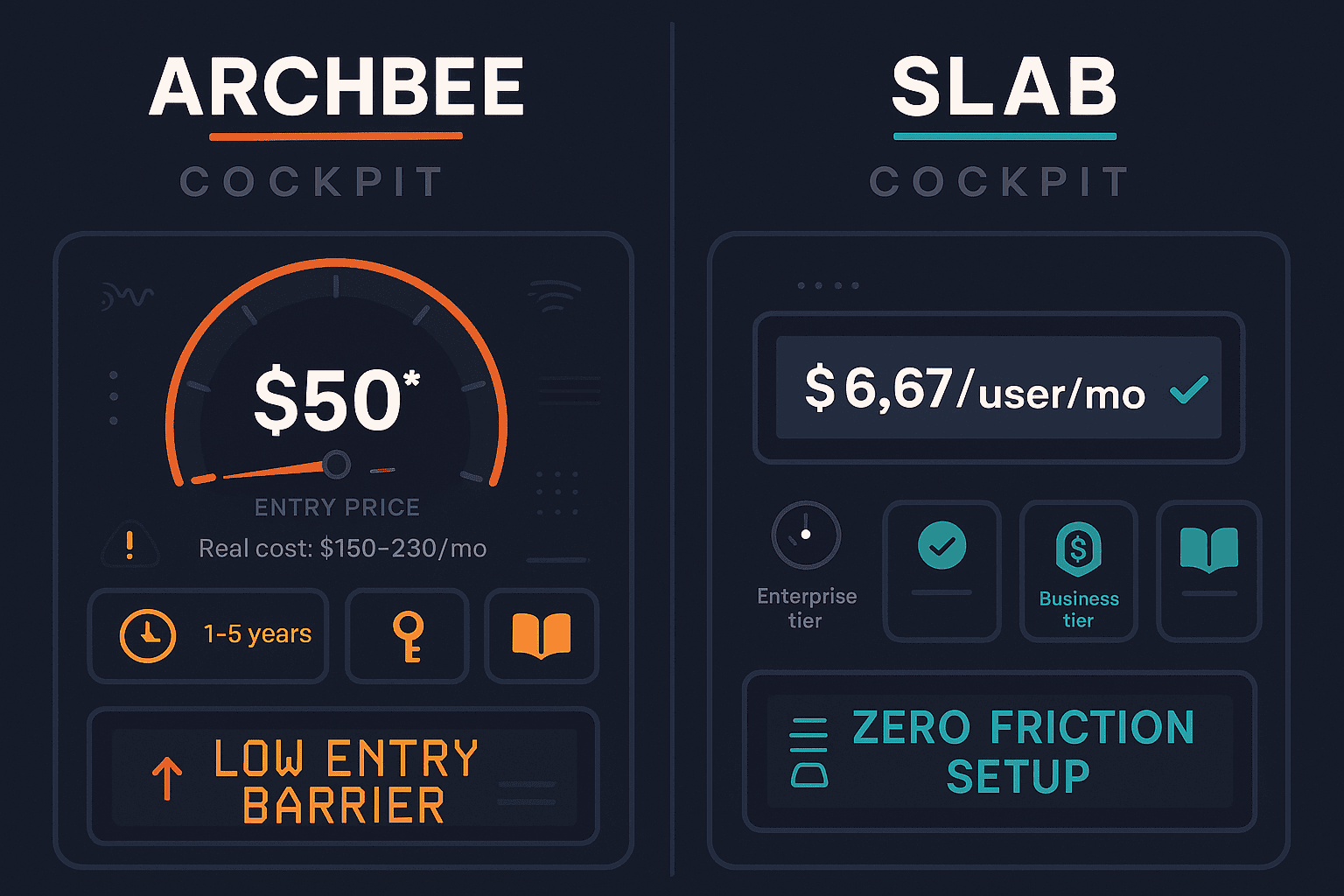
The platform advertises a $50/month base price that looks attractive at first glance. But here's the catch: that base price excludes AI Write Assist ($20/month extra), Analytics ($80/month extra), API Access, and the App Widget. For most teams, the real cost lands between $150-230/month once you add the features you actually need. This add-on pricing model makes budgeting difficult and creates sticker shock after the initial sign-up.

What is Slab?
Slab takes the opposite approach: extreme simplicity. It's an internal wiki focused on fast search, real-time collaboration, and minimal learning curve. Startups and mid-size companies appreciate its generous free tier (10 users with full collaboration features) and straightforward paid plan at $6.67/user—the lowest price point in the category.
What Slab doesn't offer is equally important: no AI features whatsoever, no video-to-docs conversion, no multi-tenant portals, and no public documentation delivery. It's designed exclusively for internal knowledge sharing, which makes it unsuitable for customer-facing documentation, training materials, or client deliverables.
Feature Comparison: Where They Differ Most
Developer Documentation vs Internal Wiki
Archbee excels at technical documentation. If your engineering team needs to publish API references, integrate OpenAPI specifications, or maintain developer portals with code examples, Archbee delivers those capabilities out of the box. The platform supports Markdown, includes syntax highlighting, and offers GitHub, Figma, and Linear integrations that developers expect.
Slab, conversely, serves non-technical teams who need a simple place to store company knowledge. HR policies, meeting notes, project briefs, and onboarding guides fit Slab's model perfectly. But technical documentation? Not its strength. You won't find OpenAPI support, code blocks with syntax highlighting, or developer-focused workflows.
The gap both share: Neither platform offers video-to-docs conversion. In 2026, when teams sit on hundreds of hours of training videos, screen recordings, and product demos, the inability to transform that content into searchable, structured documentation is a significant limitation.
Pricing Transparency
Slab wins the transparency battle decisively. The free tier accommodates 10 users with full features—no tricks, no limitations beyond user count. The paid tier costs $6.67/user/month, making it $67/month for a 10-person team. Simple math, no surprises.
Archbee's pricing model frustrates buyers. The advertised $50/month base price is technically accurate but practically misleading. Most teams discover they need:
- AI Write Assist ($20/month) — because manual documentation writing in 2026 feels anachronistic
- Analytics ($80/month) — to understand what documentation users actually read and where they get stuck
- API Access — for integrating documentation into CI/CD pipelines or custom workflows
Total real-world cost: $150-230/month for a fully functional platform. That's not necessarily expensive for what you get, but the pricing structure obscures the true investment until after you've committed to the platform.
AI Capabilities (Or Lack Thereof)
Here's where 2026 expectations collide with 2023 feature sets. Archbee offers AI Write Assist as an add-on, providing basic writing suggestions and content generation. It helps speed up documentation creation but doesn't include semantic search, AI-powered chatbots, or multimodal capabilities that convert videos or images into structured documentation.
Slab offers zero AI features. None. For an internal wiki, this might seem acceptable—until your team realizes they're manually writing documentation that could be auto-generated from existing resources, or answering the same questions repeatedly instead of deploying an AI chatbot.
What's missing from both: Neither platform includes multimodal AI that can watch a training video, analyze screen recordings, or process real-world footage to automatically generate structured documentation. This capability has become table stakes for enterprise documentation platforms, yet both Archbee and Slab ignore it entirely.
Multi-Tenant Delivery and External Documentation
Archbee supports external documentation delivery with custom domains and branding. If you're building a developer portal or customer-facing product documentation, Archbee can handle that workload reasonably well.
Slab cannot. It's internal-only, which means you'll need a separate tool for customer documentation, training portals, or client-specific knowledge bases. For companies serving multiple clients with customized documentation, Slab simply doesn't offer the architecture.
The enterprise gap: Neither platform provides true multi-tenant delivery—the ability to maintain one central knowledge base and deliver it to unlimited clients with custom branding, client-specific content variations, and separate domains. Software companies, agencies, and enterprises serving diverse customer segments need this capability, but it's absent from both tools.
Who Should Choose What?
Choose Archbee if you need:
- Developer-focused documentation with OpenAPI/Swagger support for API references
- Review and approval workflows to maintain technical accuracy before publishing
- SOC 2 compliance for security-conscious organizations with audit requirements
- GitHub, Figma, and Linear integrations that fit developer workflows
- Budget flexibility to pay $150-230/month for a fully-featured technical documentation platform
Archbee makes sense for engineering-led organizations where documentation quality directly impacts developer experience and API adoption. Just understand the real cost upfront.
Choose Slab if you need:
- The simplest possible internal wiki with virtually zero learning curve
- Budget-friendly solution at $0-$67/month for teams of 10 or fewer
- Fast search and real-time collaboration for non-technical teams managing internal knowledge
- No requirement for AI features, external documentation delivery, or multi-tenant architectures
Slab works beautifully for startups, small companies, or teams within larger organizations who just need a straightforward place to store and find internal information.
Choose Neither if you need:
- Video-to-docs conversion from training videos, product demos, or screen recordings
- Multi-tenant documentation portals serving multiple clients with custom branding
- Comprehensive AI capabilities including semantic search, chatbots, and content generation—included in base price, not as add-ons
- Multi-language documentation with automated translation for global audiences
- True enterprise knowledge orchestration across the full CONVERT → MANAGE → DELIVER workflow
The Superior Alternative: Why Docsie Outperforms Both
Archbee and Slab represent two narrow slices of the documentation landscape: developer docs with add-on pricing, and basic internal wikis. Both miss critical capabilities that modern enterprises require in 2026.
Docsie provides what both lack:
Video-to-docs conversion using multimodal AI transforms your existing video content—training recordings, product demos, screen captures, even real-world footage—into structured, searchable documentation automatically. This alone saves hundreds of hours compared to manual transcription and documentation writing.
Multi-tenant portals let you maintain one knowledge base and deliver it to unlimited clients with custom branding, client-specific content variations, and separate domains. Software companies can serve 100 clients without creating 100 separate documentation instances.
Full-featured AI included in base pricing—semantic search, AI chatbots, content generation, and embeddable widgets come standard, not as expensive add-ons. At $170/month for 15 users, Docsie costs less than Archbee with add-ons while delivering significantly more capability.
100+ language auto-translation means global teams can maintain documentation in one language and deliver it to worldwide audiences automatically—something neither Archbee nor Slab addresses effectively.
Enterprise-grade features without enterprise pricing: version control, content reuse, SSO, SOC 2 compliance, and API access are included, not upsold as add-ons.
The fundamental difference? Docsie handles the complete documentation lifecycle: CONVERT existing content (especially video) → MANAGE with AI assistance and version control → DELIVER to multiple audiences with customization. Archbee handles part of MANAGE and DELIVER for developers. Slab handles basic MANAGE for internal teams. Neither addresses CONVERT, and neither delivers true multi-tenant capabilities.
For a detailed feature-by-feature breakdown, see our complete Archbee vs Slab comparison.
Make the Right Choice for Your Documentation Needs
If your documentation needs begin and end with a simple internal wiki, Slab delivers excellent value. If you're building technical documentation for developers and can accept add-on pricing, Archbee works adequately.
But if you're sitting on video content that should be documentation, serving multiple clients who need customized portals, supporting global audiences in multiple languages, or looking for comprehensive AI capabilities without paying for each feature individually, you need a platform built for 2026's documentation challenges.
Ready to see what modern documentation software actually looks like? Start your free Docsie trial today and experience video-to-docs conversion, multi-tenant delivery, and comprehensive AI features—all included, no surprise add-ons required.